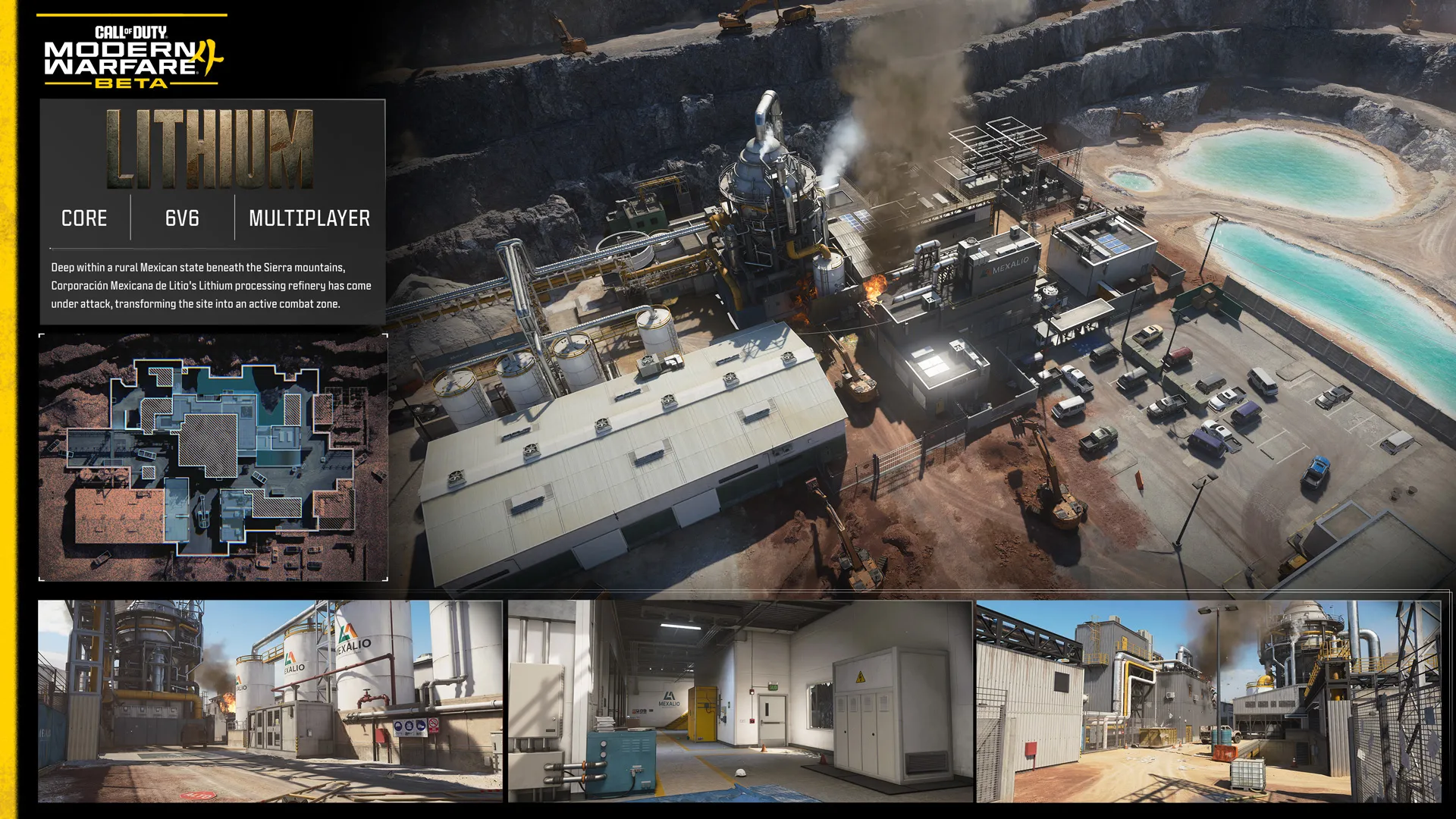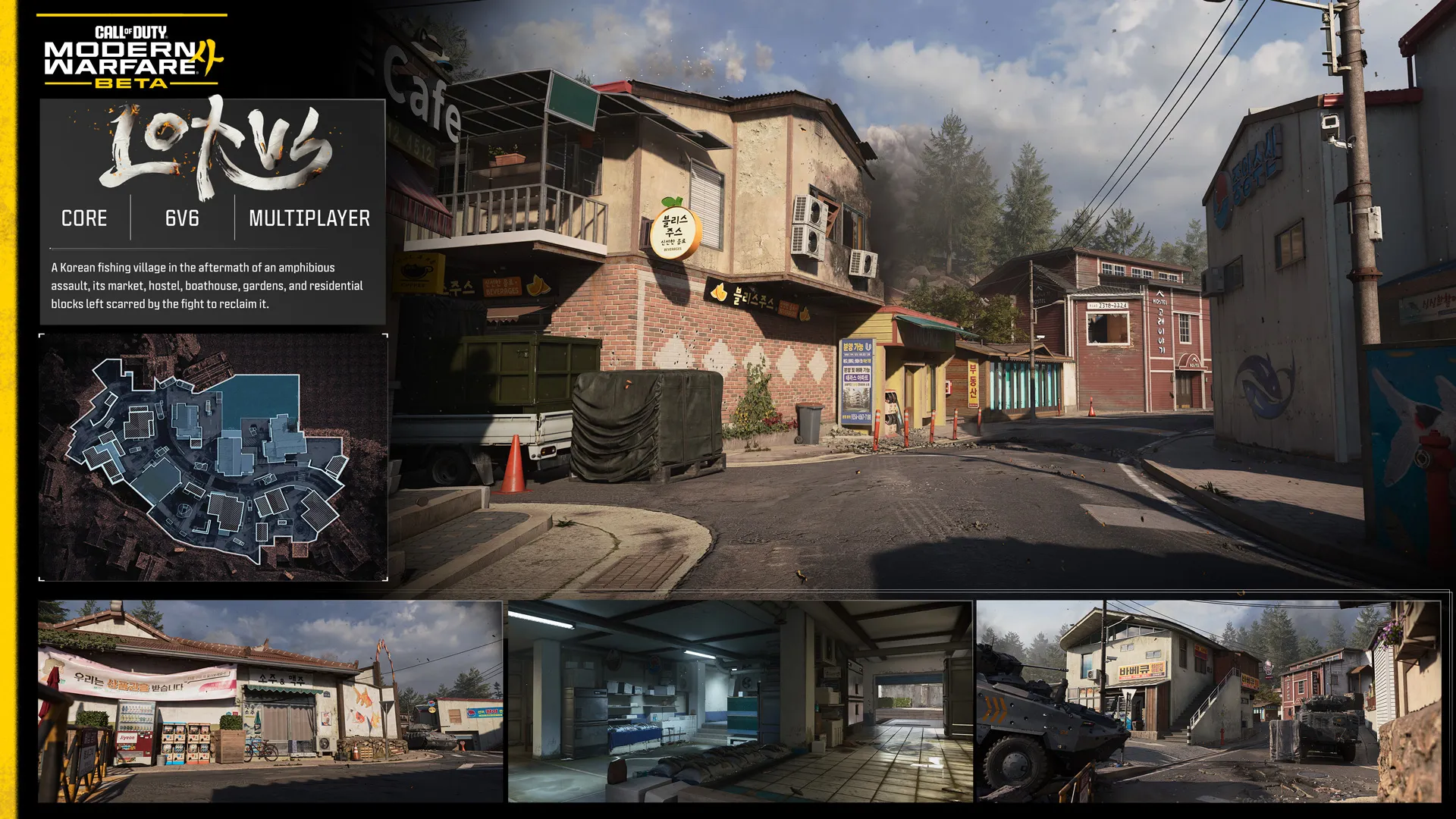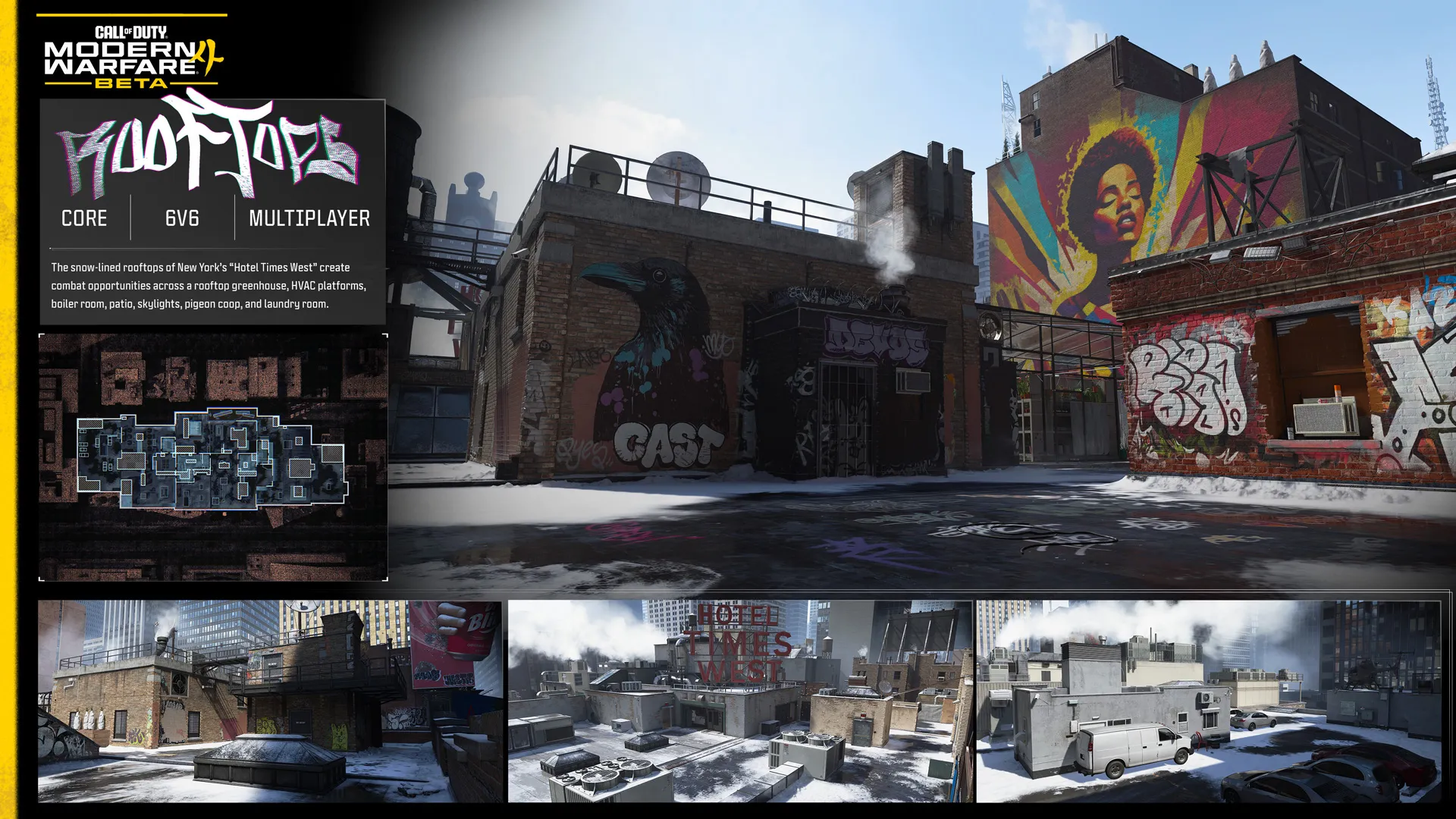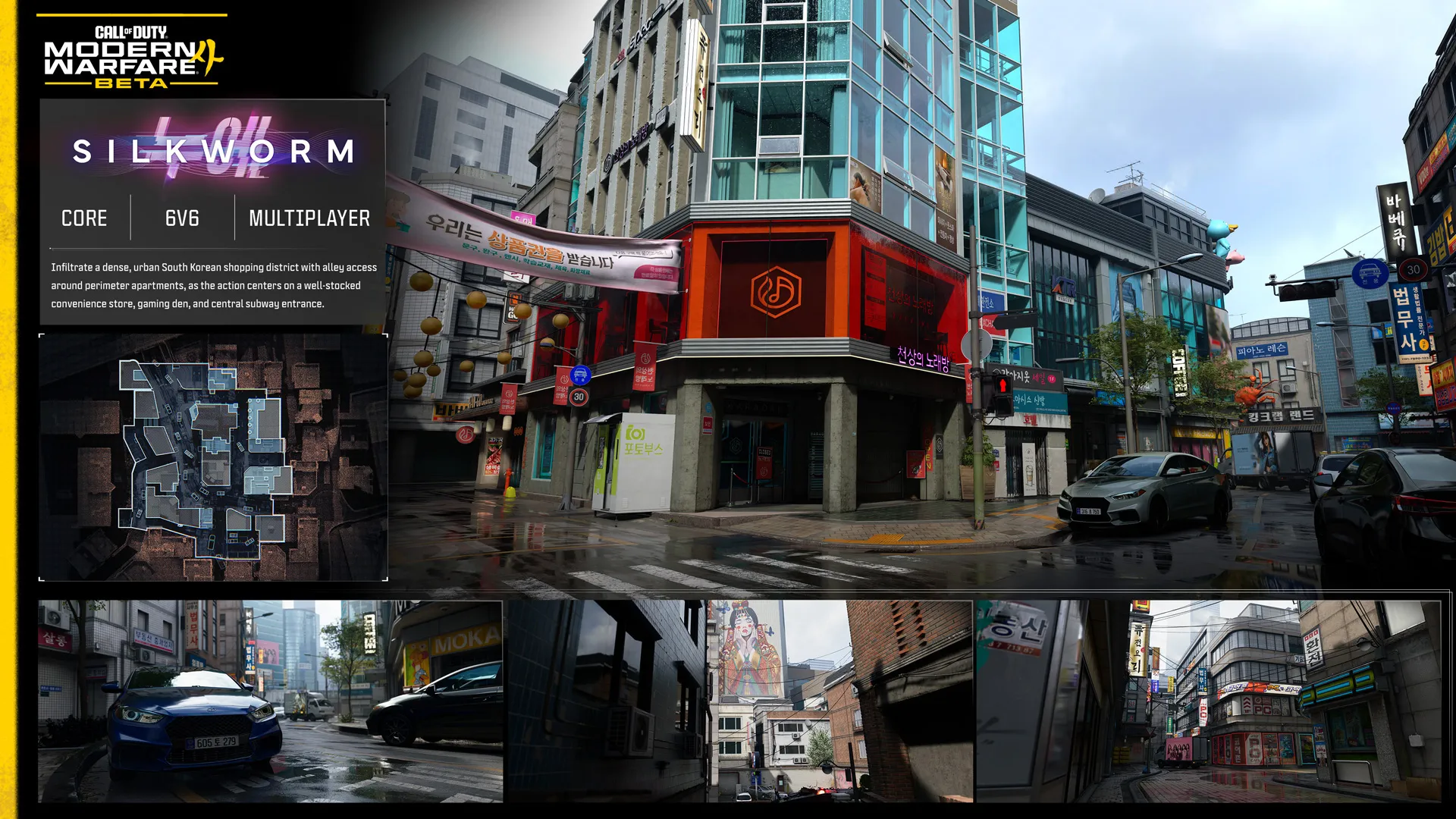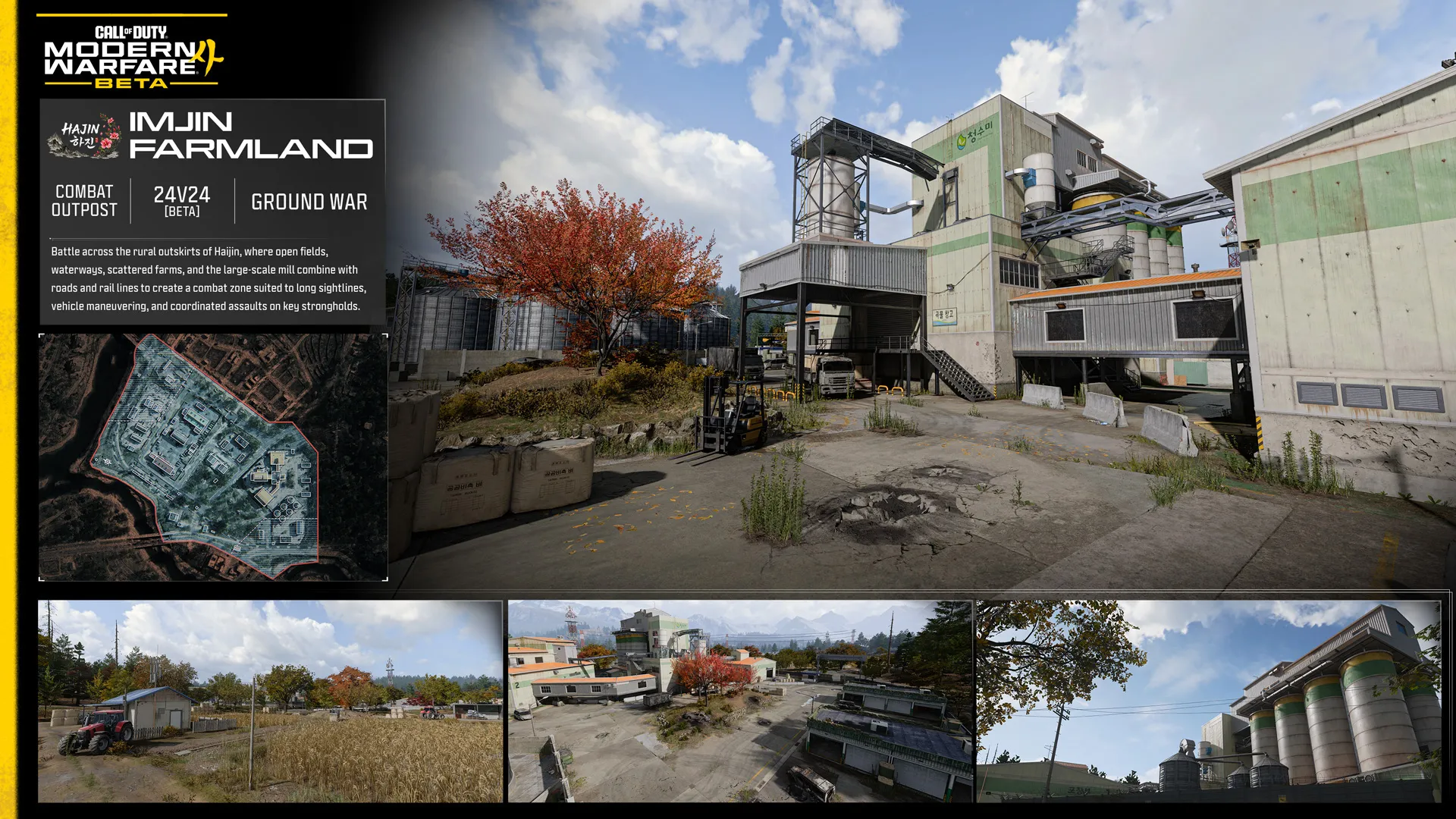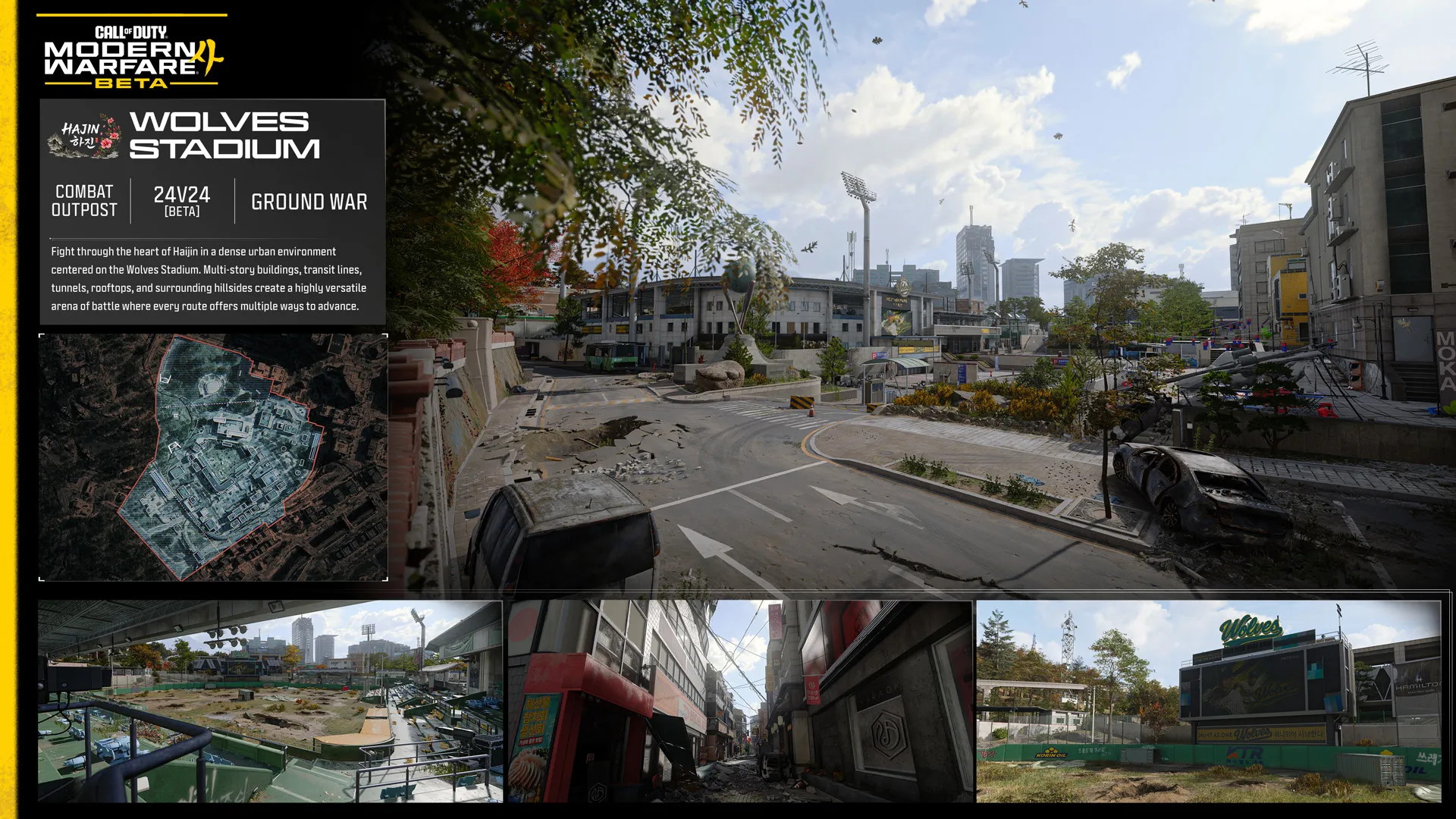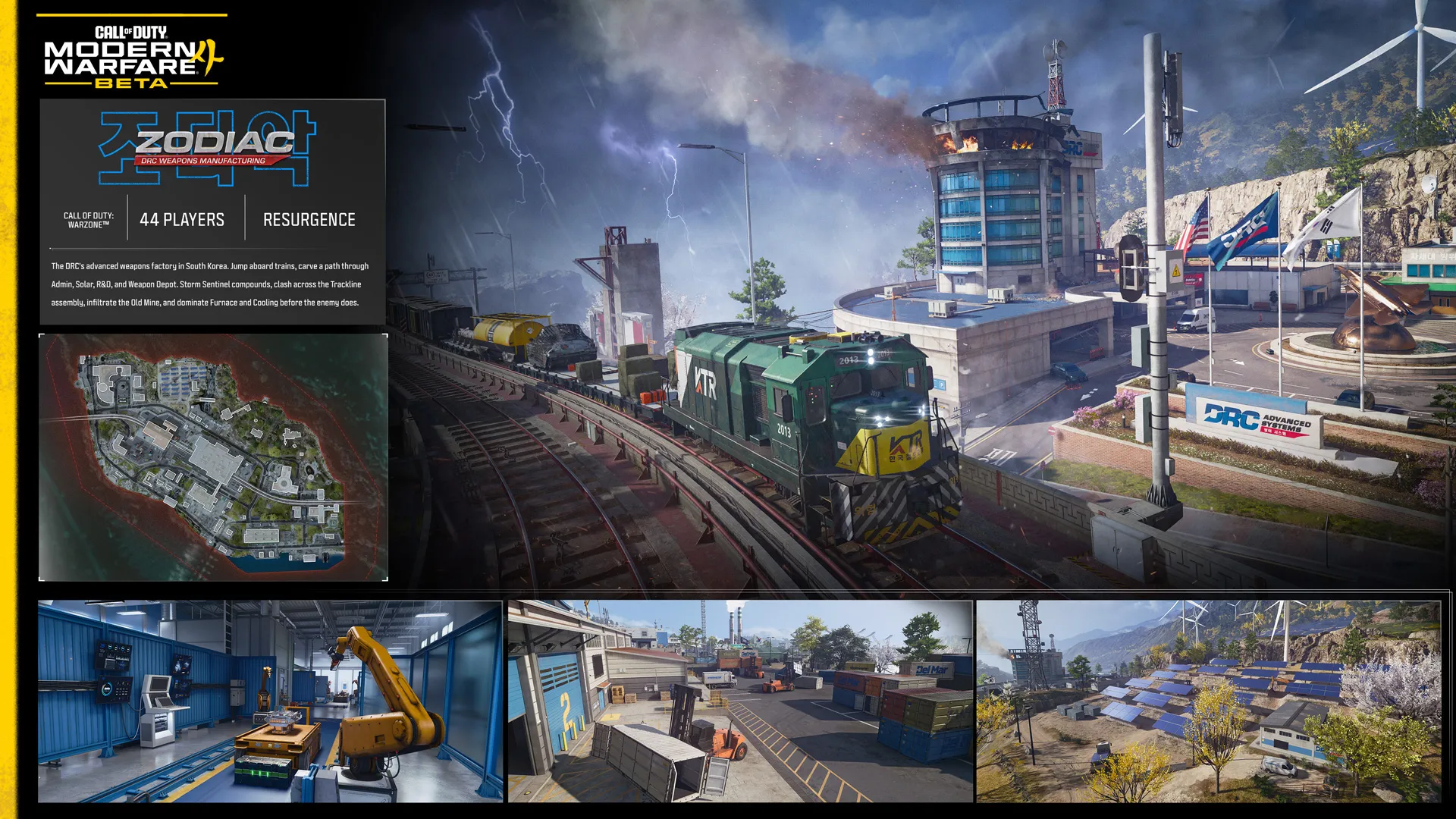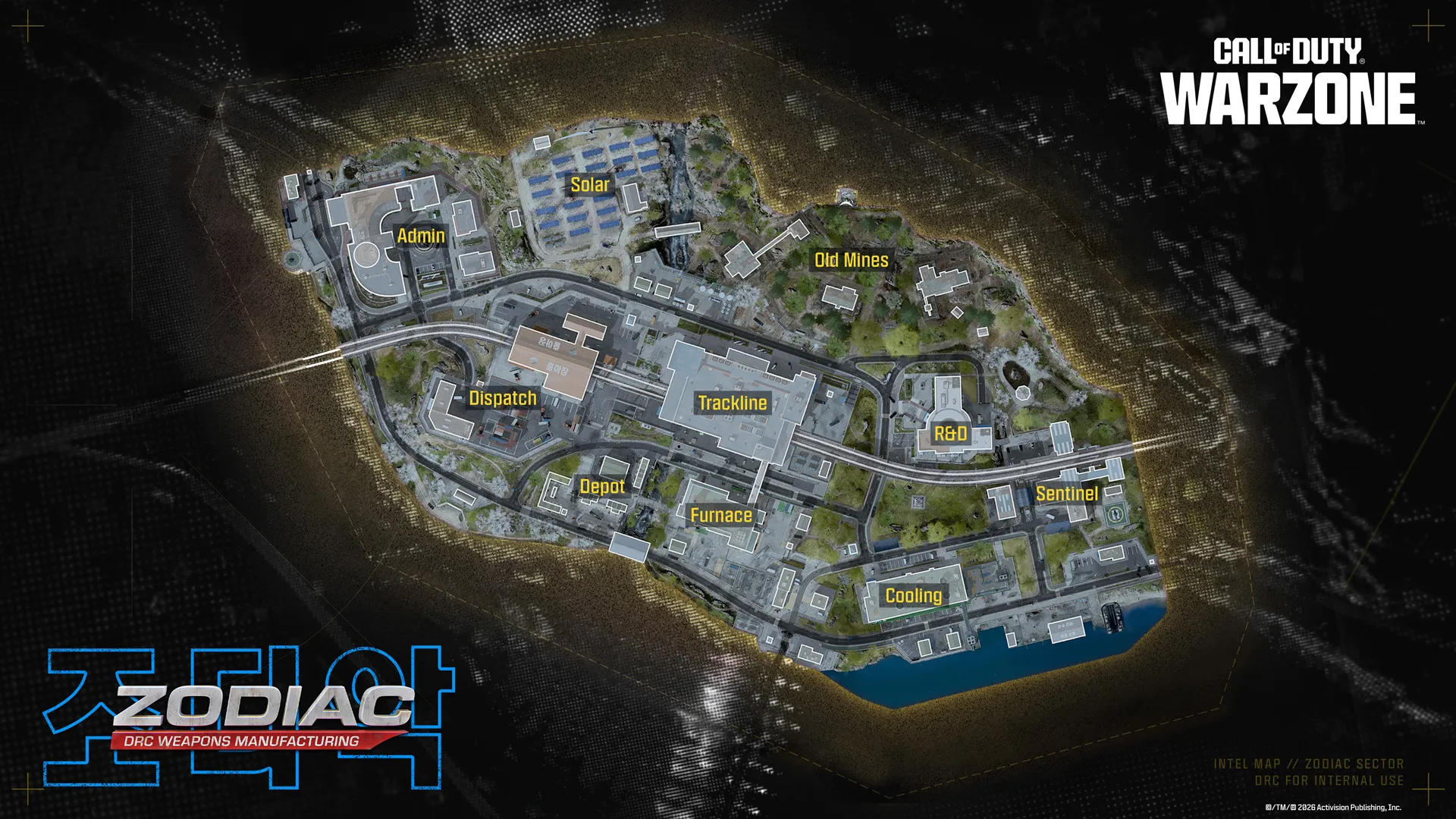
Modern Warfare 4 Open Beta: Everything You Need to Know

  • MW4
  • 뉴스
  • 공지 사항

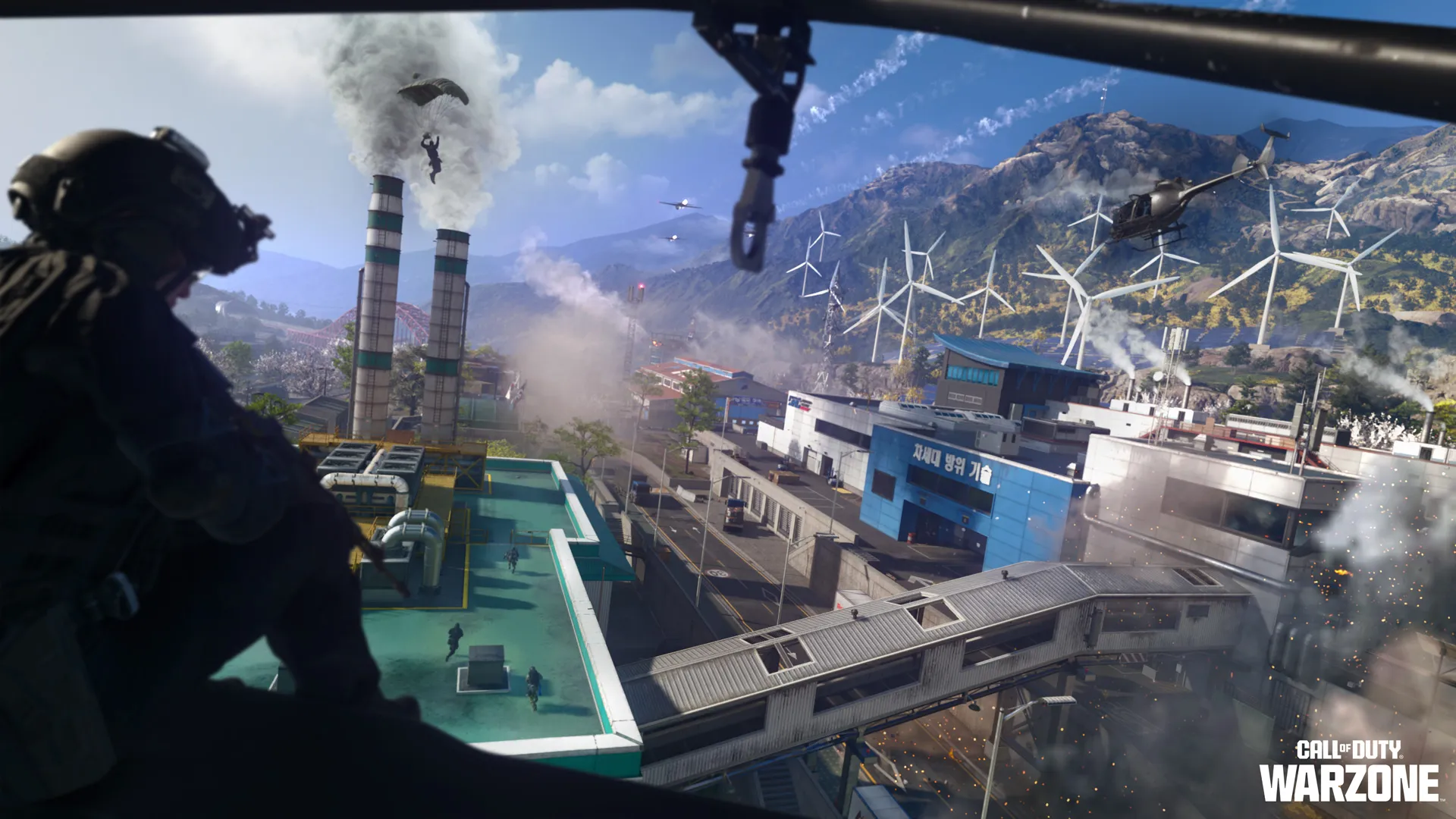
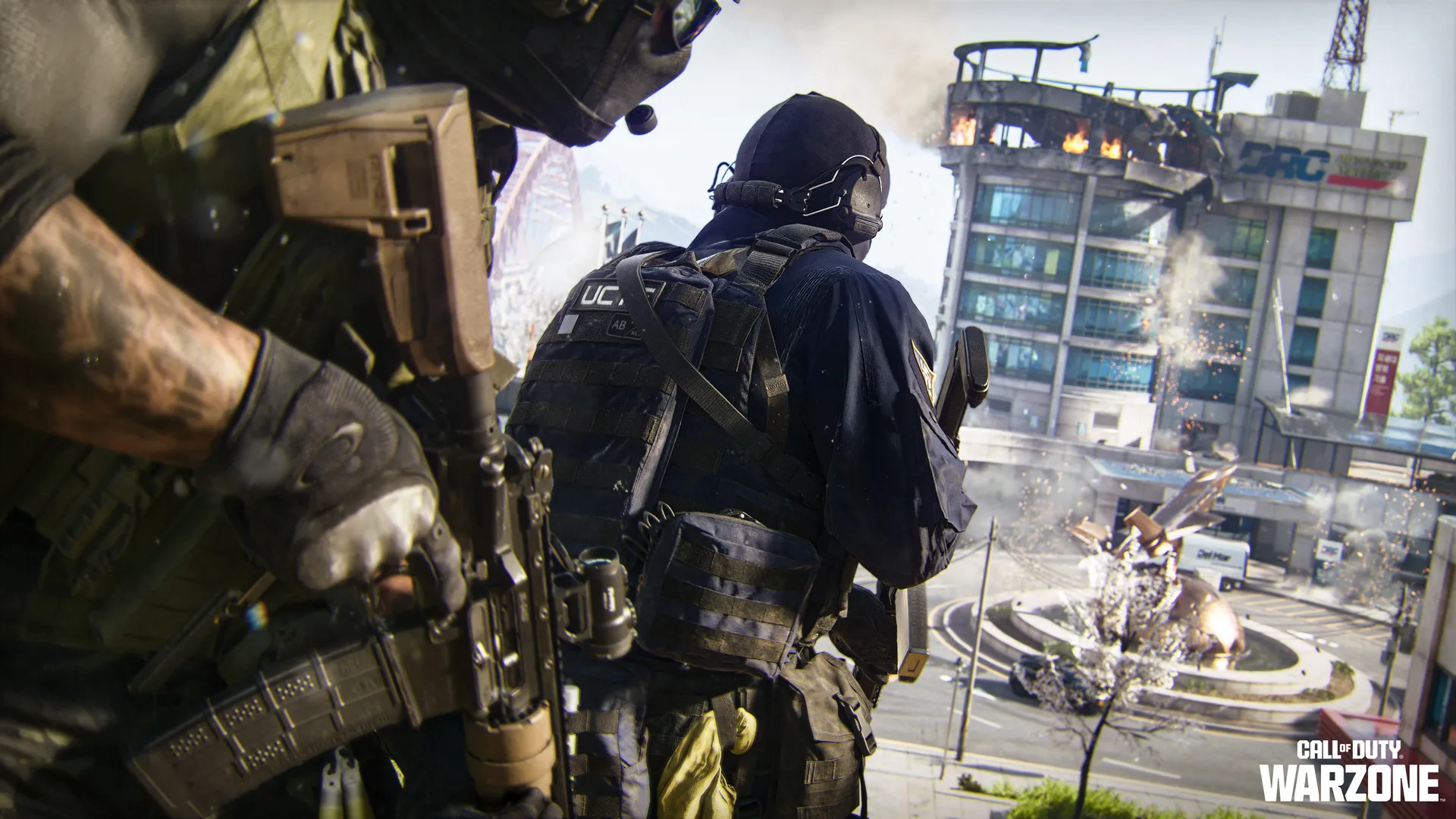
Download the Modern Warfare® 4 Open Beta*, earn rewards, master new systems, explore the Campaign, Multiplayer, Kill Block, Ground War: Combat Outpost, Call of Duty®: Warzone™ Resurgence, with detailed intel every step of the way.

Welcome to the biggest Call of Duty®: Modern Warfare® 4 Beta ever! 


Across two action-packed weekends, experience Modern Warfare® 4's new Multiplayer modes, a playable Campaign mission, expanded movement systems, Ground War: Combat Outpost, Call of Duty®: Warzone™ Resurgence on the brand-new Zodiac map, and extensive Operator and Loadout customization.


This article is designed to get you into the action quickly with an overview of every major Beta feature, plus guidance covering the systems, maps, modes, and gameplay mechanics you'll encounter throughout the Beta.


NOTE: This article showcases the complete Modern Warfare 4 Beta experience across both weekends. As the live Beta progresses, additional maps, modes, playlists, and gameplay features become available. Continue playing throughout both weekends to experience everything the Beta has to offer.


Let’s begin with the basics. Here’s how to access the Beta:


How to Download and Launch the Call of Duty®: Modern Warfare® 4 Beta


Whether you're joining your first Call of Duty Beta or returning for another deployment, getting started is straightforward, no matter your platform of choice.


What do I need to do first?


Before downloading the Beta, make sure you're ready to play.


Sign in with your Activision Account


Signing in with your Activision Account allows you to:


  • Transfer progression across supported platforms, letting you continue with the same profile if you play on more than one platform.
  • Keep eligible Beta rewards tied to your Activision ID.
  • Access earned Beta rewards when Modern Warfare 4 launches.
  • Continue your progression if you switch between supported platforms.


Don't have an Activision Account? Create one here before launching the Beta to ensure your progression and eligible rewards are saved.


PC Players: Ensure you’ve read this blog, and optionally accessed this article, which sets out TPM2.0/Secure Boot requirements for all PC players.


When is the Modern Warfare 4 Beta Available?


The Modern Warfare 4 Beta is available during two scheduled Beta weekends.


Early Access (Weekend One)

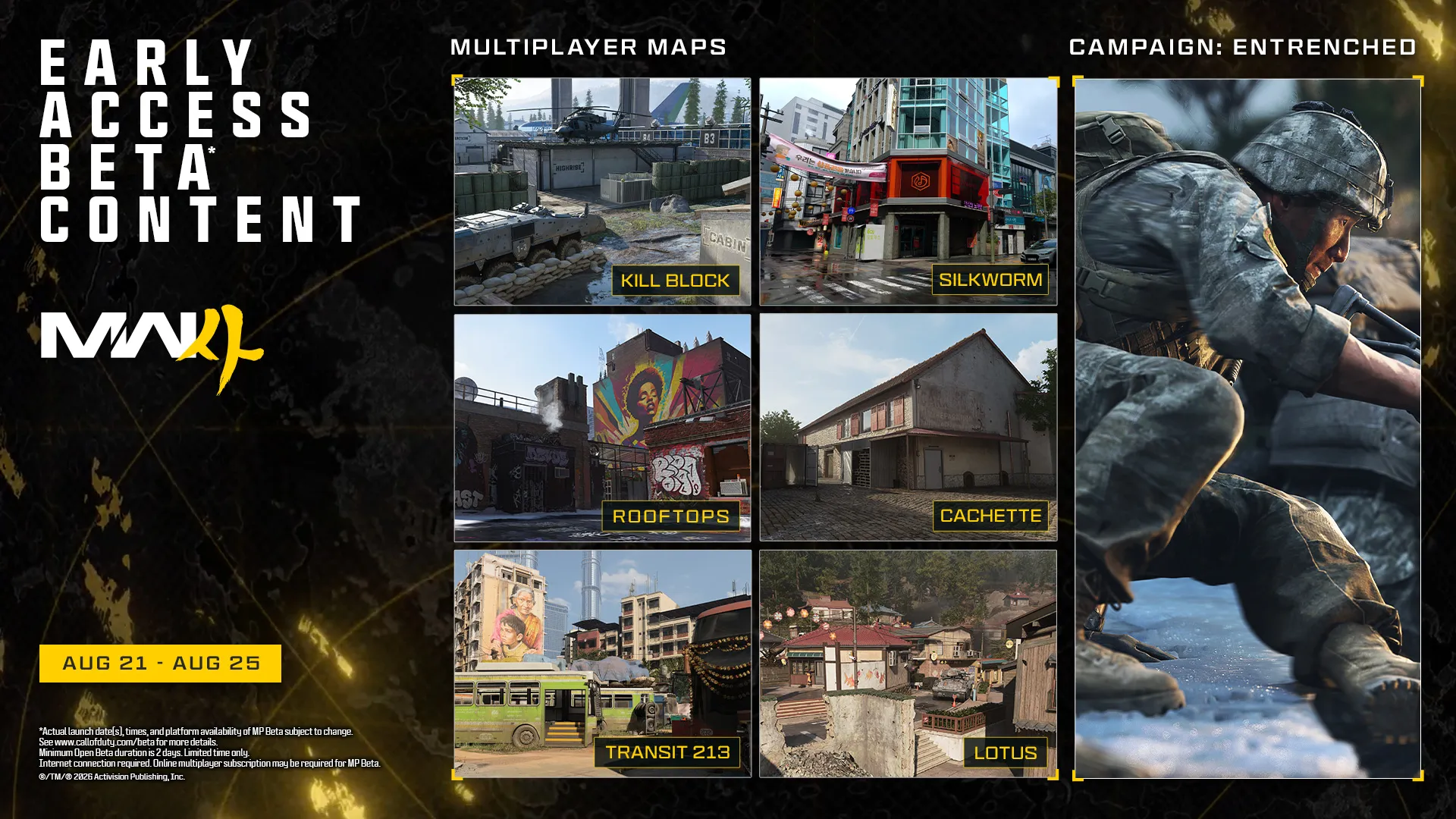
Early Access begins at 11:00 AM PT, Friday August 21 for players on XBOX Series X|S, XBOX on PC, PlayStation®5, Steam, and Battle.net. The Early Access Beta is scheduled to end at 10:00 AM PT on Tuesday, August 25. 


Here’s how to participate in the Early Access Beta:


  • Redeem a Beta Code, or
  • Pre-order or pre-purchase Call of Duty: Modern Warfare 4.


TIP: If you can't find the Beta, confirm it's currently live for your platform, region, and Beta access window.


Weekend One access is not available on the Nintendo Switch™ 2.


How do I redeem a Beta Code?


For further information about redeeming a Modern Warfare 4 Beta Code, read our support article here. Beta Codes are only useful for the Early Access Beta.


Open Beta (Weekend Two)

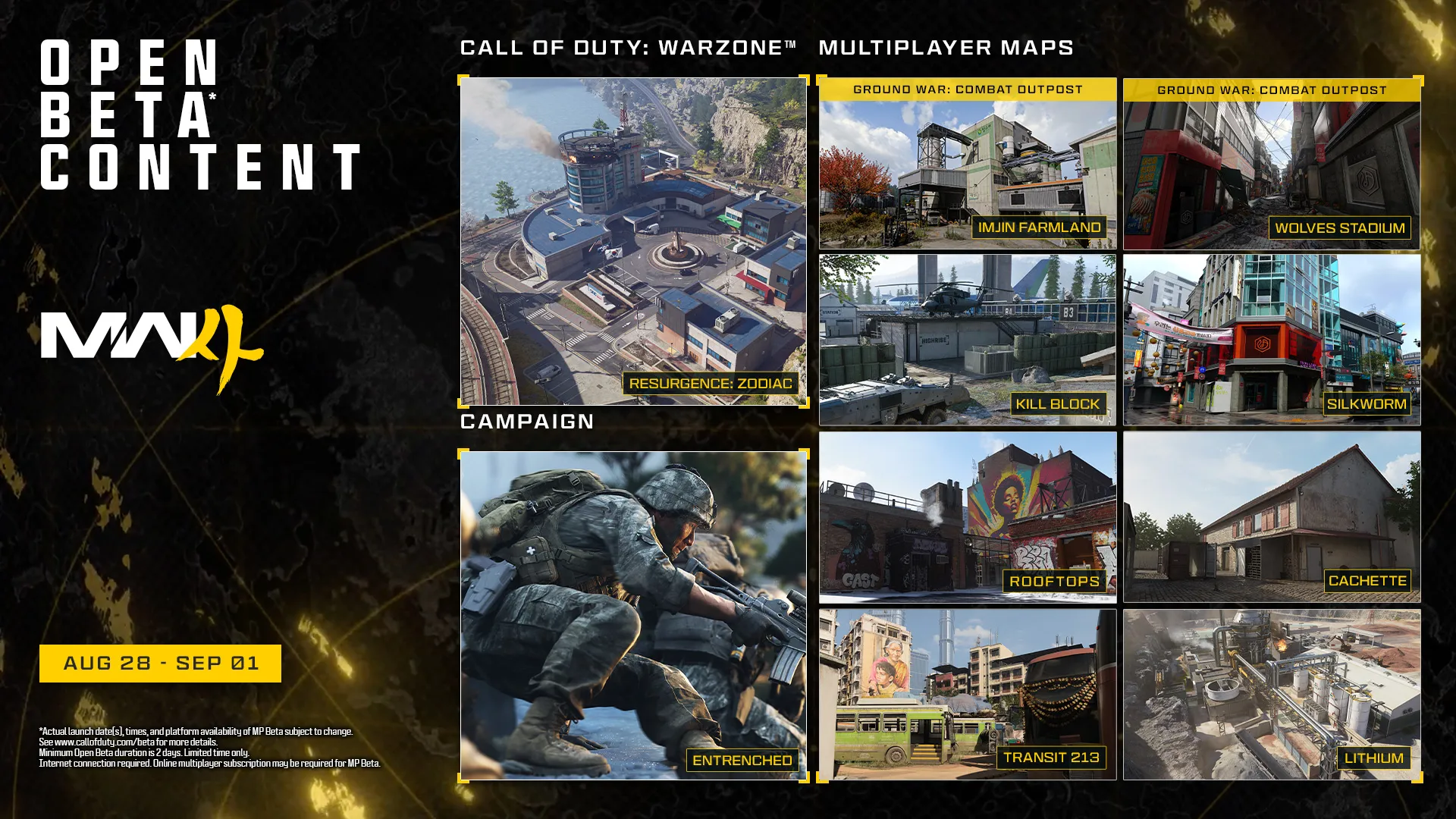
The Open Beta begins at 10:00 AM PT, Friday August 28 for players on XBOX Series X|S, XBOX on PC, PlayStation®5, Steam, Battle.net, and Nintendo Switch 2. The Open Beta is scheduled to end at 10:00 AM PT on Tuesday, September 1. 


Here’s how to participate in the Open Beta:


  • The Beta is available to all players. 
  • Download the Call of Duty: Modern Warfare 4 Beta on your platform of choice.
  • No pre-order or Beta Codes are needed.


How do I Download and Launch the Beta?


The Modern Warfare 4 Beta is downloaded separately through your platform's digital storefront. You can preload early before a Beta Weekend begins, or at any time during either Beta Weekend. There are three easy steps:


  • Preload the Beta.
  • Download and install the Beta.
  • Launch the game once the Beta is live.


Can I preload the Modern Warfare 4 Early Access or Open Beta?


  • Provided you meet the participation criteria for the Early Access Beta (see above), you can preload the Early Access Beta starting at 9:00 AM PT on Thursday August 20, on all platforms excluding Nintendo Switch 2.
  • All players can preload the Open Beta starting at 9:00 AM PT on Wednesday August 26, on all platforms.


How do I download the Modern Warfare 4 Beta on XBOX Series X|S or XBOX on PC?


Download the Beta:


  • Turn on your XBOX Series X|S console or open the XBOX app on PC.
  • Open the Store.
  • Search for Call of Duty: Modern Warfare 4 Beta.
  • Select the Beta.
  • Choose Install.


Launch the Beta:


  • Open My Games & Apps.
  • Select Call of Duty: Modern Warfare 4 Beta.
  • Choose Play (once the Beta is live).


How do I download the Modern Warfare 4 Beta on PlayStation® 5?


Download the Beta:


  • Turn on your PlayStation®5.
  • Open PlayStation Store.
  • Search for Call of Duty: Modern Warfare 4 Beta.
  • Select the Beta.
  • Choose Download.


Launch the Beta:


  • Return to the Home screen.
  • Open Game Library if needed.
  • Select Call of Duty: Modern Warfare 4 Beta.
  • Press Play.


How do I download the Modern Warfare 4 Beta on Steam (PC)?


Download the Beta:


  • Launch Steam.
  • Open the Store.
  • Search for Call of Duty: Modern Warfare 4.
  • Open the Store page.
  • Select “Play Now” next to the Beta.
  • Steam automatically adds the Beta to your Library and begins downloading.


Launch the Beta:


  • Open your Steam Library.
  • Select Call of Duty: Modern Warfare 4 Beta.
  • Click Play.


How do I download the Modern Warfare 4 Beta on Battle.net (PC)?


Download the Beta:


  • Open Battle.net.
  • Select Call of Duty: Modern Warfare 4.
  • Choose the Beta version if prompted.
  • Click Install.


Launch the Beta:


  • Wait for installation to complete.
  • Click Play.


How do I download the Modern Warfare 4 Beta on Nintendo Switch 2?


Pre-orders for Modern Warfare 4 (full game) on Nintendo Switch 2 begins at 9:00 AM on Thursday, August 26. At the same time, you can pre-load the Beta, ready to access the Open Beta (Weekend Two). You do not need to pre-order the full game to play. The Open Beta is available to all players. 


Download the Beta:


  • Turn on your Nintendo Switch 2.
  • Open Nintendo eShop for Nintendo Switch 2.
  • Search for Call of Duty: Modern Warfare 4 Beta.
  • Select the Beta.
  • Choose Download.


Launch the Beta:


  • Return to the HOME Menu.
  • Select Call of Duty: Modern Warfare 4 Beta.
  • Press Start.


Frequently Asked Questions about the Modern Warfare 4 Beta


How can I find the Modern Warfare 4 Beta? I can't find it.


  • Confirm the Beta is currently live.
  • Verify your platform has access during the current Beta window.
  • Restart your platform's storefront.
  • Search again for Modern Warfare 4 Beta.


The Modern Warfare 4 Beta won’t launch. How can I fix this?


  • Check for available updates.
  • Restart your console or PC.
  • Confirm the Beta live window has begun.
  • Relaunch the application.


Will my Modern Warfare 4 Beta rewards be available in the full game?


Yes. Eligible Beta rewards (detailed below):


  • Remain tied to your Activision Account.
  • Will be available when Modern Warfare 4 launches on October 23.


The following Beta progress does not continue after the Beta concludes:


  • Player level (Rank).
  • Weapon unlocks.
  • Other in-Beta progression.


Where can I find updated Patch Notes information about the Modern Warfare 4 Beta?

Throughout the Beta, Patch Notes will be updated with the latest gameplay changes, bug fixes, balance adjustments, and other improvements as the team continues to refine the experience. Click here to visit the Patch Notes for consistently updated intel.


Modern Warfare 4 Beta: Rewards 


Progress through the Beta, level up, and unlock new cosmetic rewards along the way.


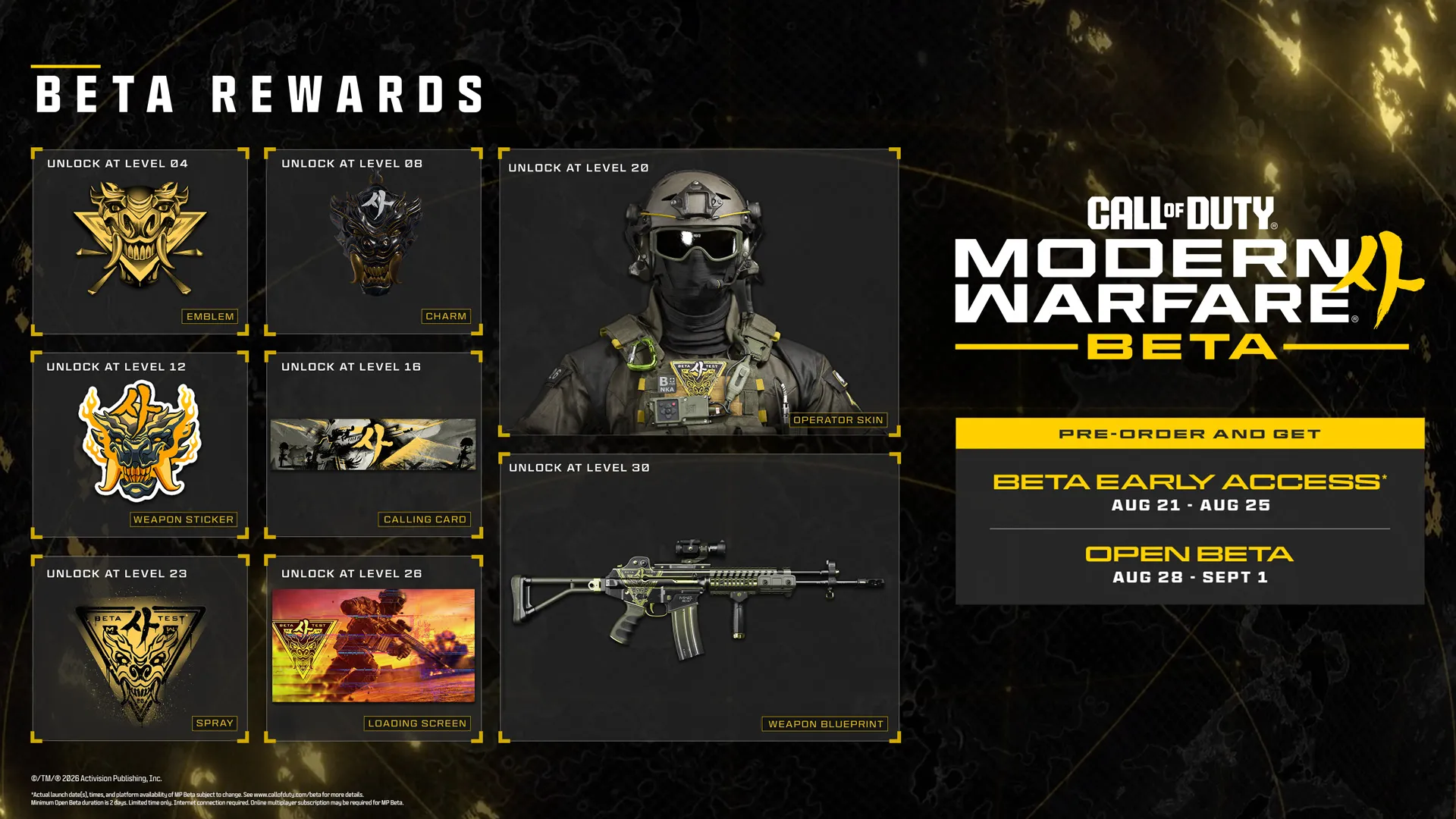
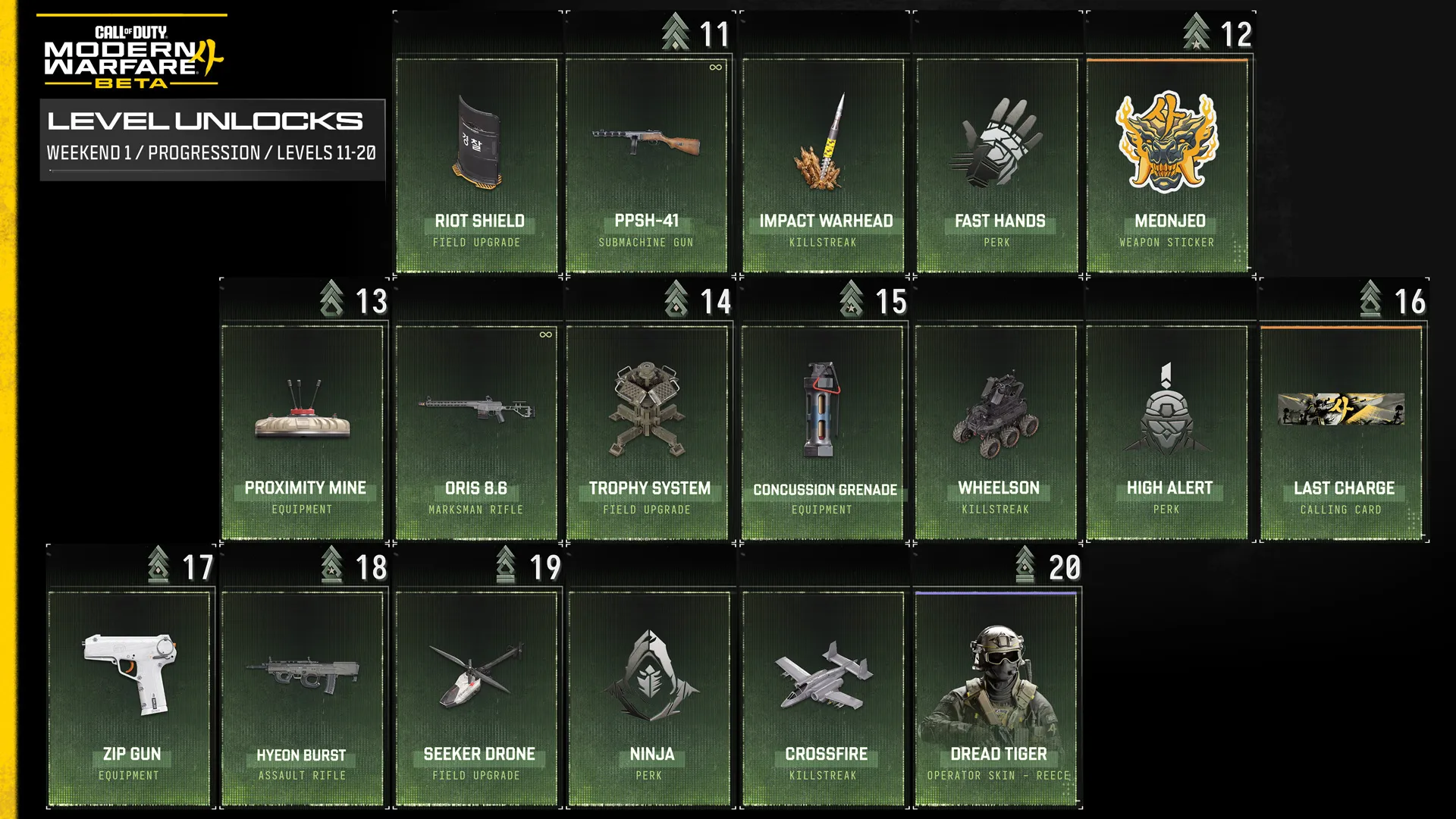
  • During Weekend One, the first five of the Rewards, up to “Dread Tiger” Operator Skin for Reece, can be unlocked, as the maximum Player Level you can progress to is Level 20.
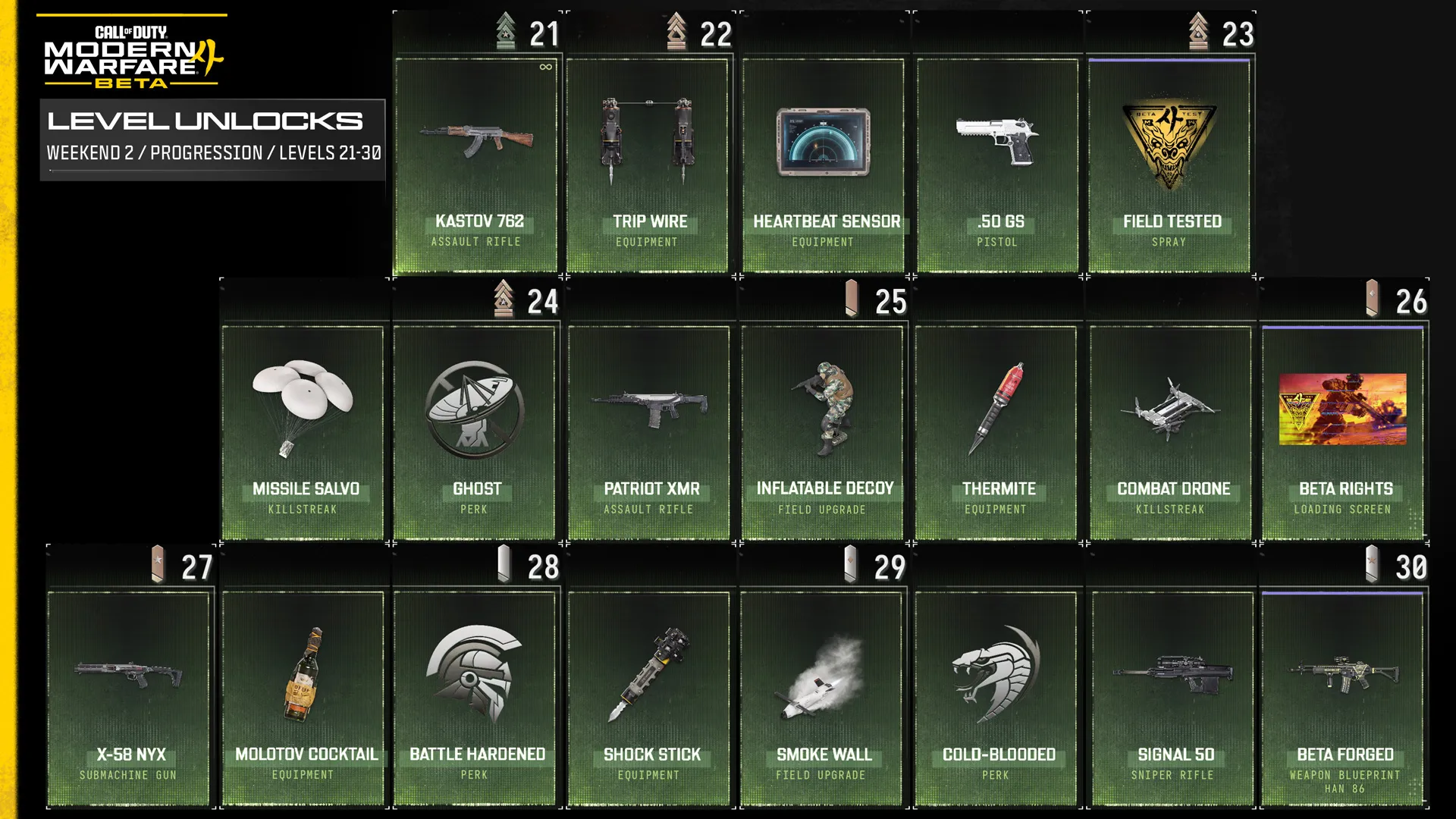
  • During Weekend Two, all eight of the Rewards, up to and including the “Beta Forged” Weapon Blueprint for the Han 86 Assault Rifle, can be unlocked. The maximum Player Level you can progress to is increased to Level 30.
  • Earn additional Black Ops 7 Battle Pass Rewards simply for playing the Early Access Modern Warfare 4 Beta.

These rewards will not be available to earn after the Modern Warfare 4 Beta concludes. All Beta Rewards that you unlock via the game or Twitch Drops (see below) will be available in the full game when it releases on October 23. 

Beta Rewards


  • Player Level 4: “Through the Paces” Legendary Emblem
  • Player Level 8: “First Served” Weapon Charm
  • Player Level 12: “Meonjeo” Legendary Weapon Sticker
  • Player Level 16: “Last Charge” Legendary Calling Card
  • Player Level 20: “Dread Tiger” Operator Skin – Reece
  • Player Level 23: “Field Tested” Epic Spray
  • Player Level 26: “Beta Rights” Epic Loading Screen
  • Player Level 30: “Beta Forged” Epic Han 86 Weapon Blueprint


Additional Rewards: Beta


There's even more to unlock throughout the Modern Warfare 4 Beta. Keep an eye out for additional cosmetic rewards earned through a variety of activities, including:


  • Default Items (immediately available): 3 Emblems, 3 Calling Cards, 1 Spray, and 3 Loading Screens.
  • Mobility Course Challenge Reward: Clockwork Charm.
  • Combat Record Rewards: [CLASSIFIED] Weapon Blueprint, Emblem, and Charm.
  • [CLASSIFIED] Challenge Reward: [CLASSIFIED].


Additional Rewards: Black Ops 7 Battle Pass Rewards


Play the Modern Warfare 4 Beta during Weekend One and earn progress in the Black Ops 7 Season 05 Battle Pass at the same time—PLUS receive the Season 05 Battle Pass OR 10 Tier Skips (for existing Battle Pass owners) for free.


Additional Rewards: Twitch® Drops


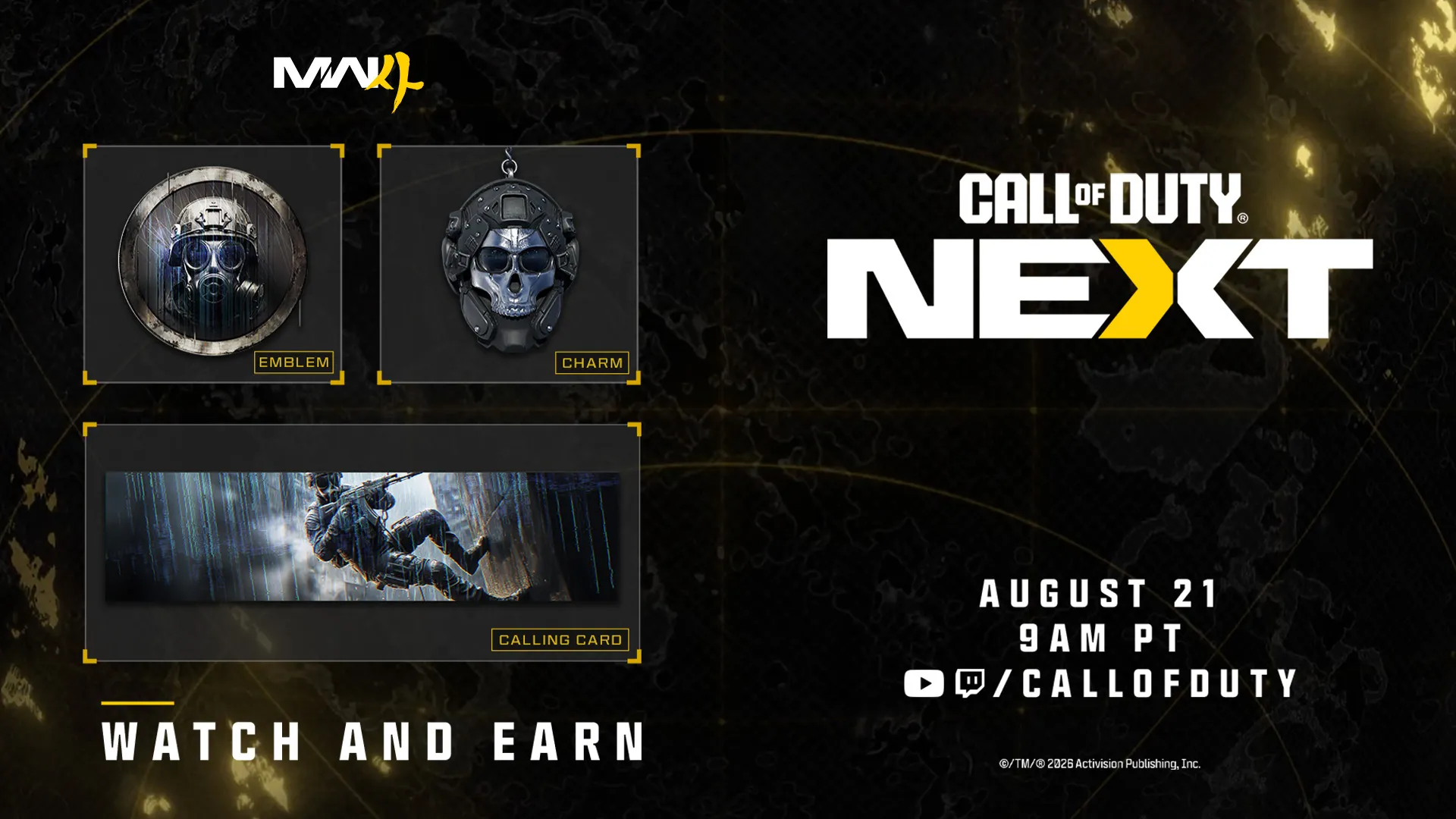
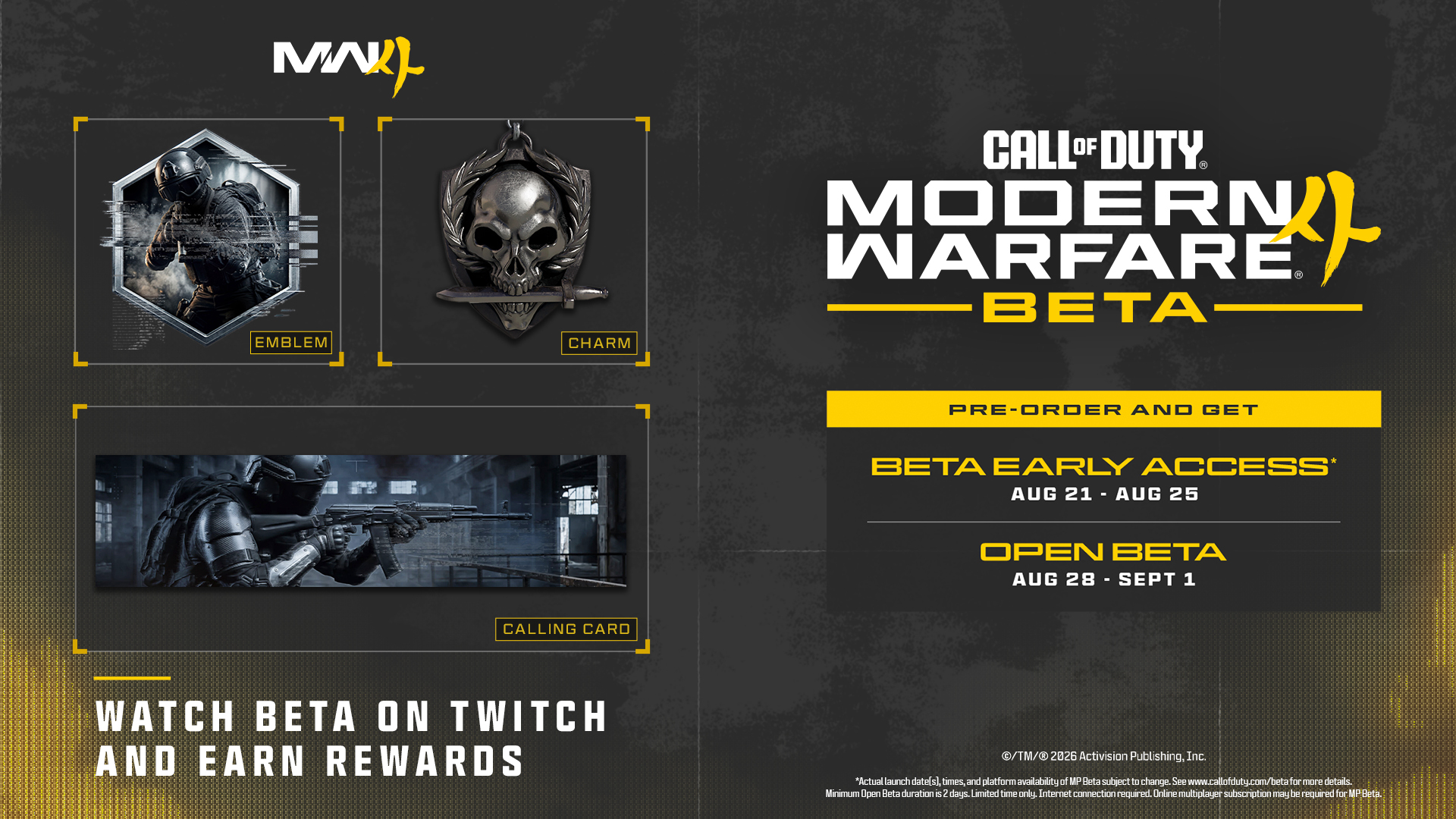
In addition, once you link your Activision account to your Twitch account, you can expect to receive the following Twitch drops for viewing your favorite content creators during Call of Duty: NEXT, as well as the Modern Warfare 4 Beta:

Call of Duty:  NEXT Twitch Drops (above)


  • “Gas Ready” Emblem (for watching 15 minutes)
  • “Rapple Repel” Calling Card (for watching 30 minutes)
  • “Ghost Helmet” Charm (for watching 45 minutes)

Call of Duty: Beta Twitch Drops (above)


  • “Get Tactical” Emblem (for watching 15minutes)
  • “Clearing House” Calling Card (for watching 30minutes)
  • “Action Ready” Charm (for watching 45 minutes)


For further details on linking your Twitch account, click here.


The Call of Duty Endowment (C.O.D.E.): Valor Pack

The Call of Duty Endowment is honored to be partnering with U.S. Marine Corps veteran and Medal of Honor recipient, Kyle Carpenter, on the Call of Duty Endowment: Valor Pack. Coming day 1 on October 23rd to Call of Duty: Modern Warfare 4.


The C.O.D.E. Valor Pack will be available on Xbox Series X|S, Xbox on PC, PlayStation 5, Battle.net and Steam and for the first time in Call of Duty Endowment history, Nintendo Switch™ 2.

Campaign Mission: Entrenched

QUICK INTEL:


  • NEW: For the first time in a Call of Duty Beta, experience a Campaign mission before launch.
  • Join a large-scale ground assault to prevent the destruction of a vital nuclear power station.
  • Experience Modern Warfare 4's dramatic cinematic Campaign action using the game's weapons, movement, and combat systems.
  • Continue the fight when the full Campaign launches on October 23, or pre-order and play it one week earlier when Campaign Early Access begins on October 16.

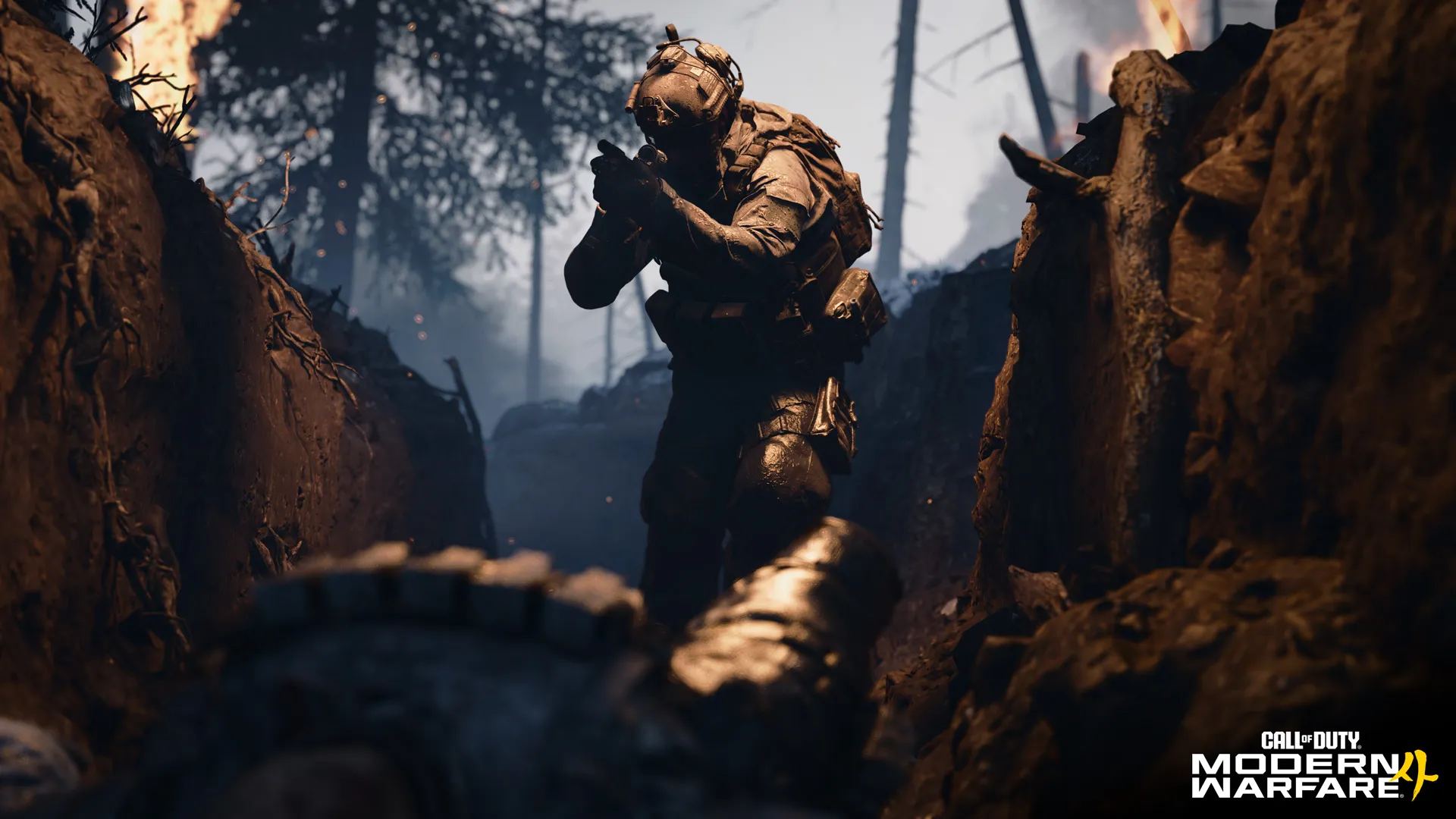
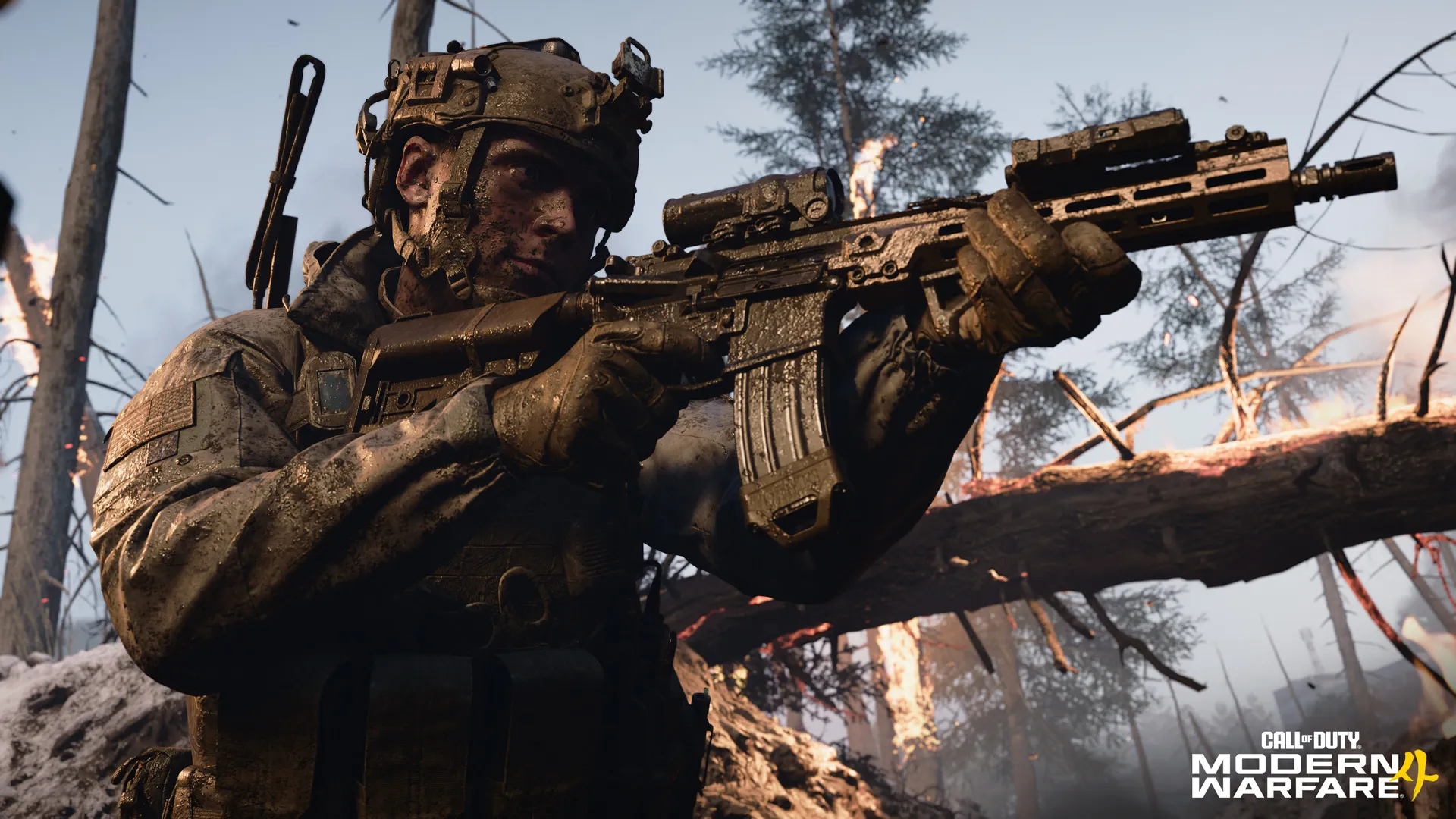
For the first time in a Call of Duty Beta, you can drop into a Campaign mission before launch. “Entrenched” throws you into a large-scale assault as friendly forces race to prevent a strategically important power station from falling into enemy hands. Fight alongside armored vehicles and infantry while experiencing the cinematic action and core gameplay systems that define the Modern Warfare 4 Campaign, all accessible during the Beta.


Mobility Course

QUICK INTEL:


  • Master Modern Warfare 4's movement systems before entering your first Multiplayer match. 
  • Learn movement techniques through guided Tutorials before tackling timed Courses. 
  • Progress through Beginner, Intermediate, and Expert challenges. 
  • Earn ratings from C- through S for bragging rights and a unique Beta Weapon Charmwith more to earn at launch.
  • Replay each Course to improve your routes, rating, and completion time. 
  • Build confidence with new traversal techniques before taking them into Multiplayer. 


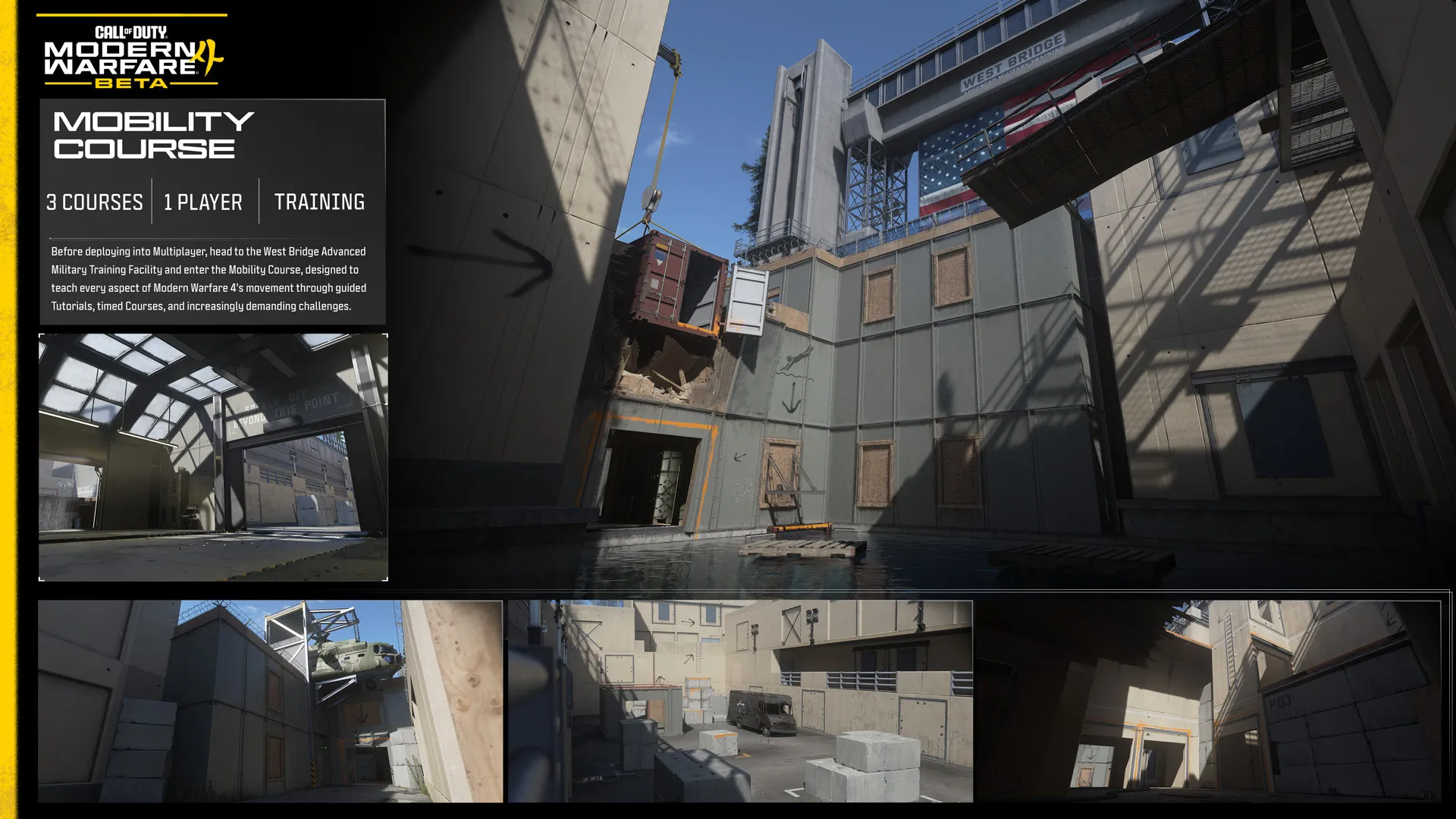
Modern Warfare 4 introduces an expanded movement system built around responsiveness, player control, and preserving momentum through every engagement. Before deploying into Multiplayer, head to the West Bridge Advanced Military Training Facility and enter the Mobility Course, a dedicated training experience designed to teach every aspect of Modern Warfare 4's movement through guided Tutorials, timed Courses, and increasingly demanding challenges.

Each Course begins with a Tutorial that introduces new movement techniques through focused, on-screen instruction before asking you to apply them in a timed run. As your confidence grows, individual actions evolve into connected movement chains, challenging you to preserve momentum, navigate obstacles efficiently, and combine traversal with combat while earning higher ratings.

Modern Warfare 4's expanded movement system includes familiar traversal techniques alongside several new movement mechanics:


  • Mantle Slide: Transition directly from a Mantle into a Slide. 
  • Mantle Momentum: Preserve forward velocity while clearing an obstacle. 
  • Mantle Steering: Adjust your direction, aim, or disengage during a Mantle. 
  • Supine Slide: Enter a longer, lower Slide that ends with your Operator on their back. 
  • Pipe Climb and Fast Pipe Slide: Ascend pipework or rapidly slide down it. 
  • Hang Shimmy: Move laterally while suspended from a ledge. 
  • Hang Lean: Aim, lean, and rotate while hanging from a ledge. 
  • Climbing Jump: Jump directionally from ledges, ladders, and pipes. 

Whether you're learning these movement systems for the first time or chasing an S Rating on every Course, the Mobility Course is built to develop your skills long before you encounter your first live firefight.


MOBILITY COURSE: TOP TIPS


  • Start with the Tutorial for each Course. Its focused exercises and on-screen instructions introduce the movement techniques used throughout the courses.
  • Follow the prompts. The on-screen Tutorial instructions demonstrate each required action using your current control settings. Then try the course without these guardrails, using color-coded orange paint stains and arrows to guide your way.
  • Prioritize clean execution. A smooth route with reliable transitions is more valuable than a fast run filled with missed movements.
  • Earn at least a “B” Rating. Completing the Beginner and Intermediate courses with this rating allows you to approach the next course with a degree of competency, setting you up for future success.
  • Replay with a plan. Once you know the layout, identify where you lose momentum and improve one section at a time.


Player Progression (Multiplayer)


QUICK INTEL:


  • Unlock new weapons, equipment, Perks, Field Upgrades, Killstreaks, and Beta Rewards by increasing your Player Level.
  • Weekend One: Progress through Level 20 and unlock the first five Beta Rewards.
  • Weekend Two: Reach Level 30 to unlock every gameplay item and all eight Beta Rewards.
  • Unlocked Beta Rewards become available in the full game when Modern Warfare 4 launches on October 23.

Every match you play earns XP toward your Player Level (also known as Player Rank), steadily unlocking new ways to customize your Operator both cosmetically and tactically. Early progression expands your selection of Default Loadouts before Create a Class unlocks at Level 4, opening access to fully customized loadouts. Continue ranking up to unlock additional weapons, Equipment, Perks, Field Upgrades, Killstreaks, and eight Beta Rewards throughout the Beta.


  • Track your Player Level and XP progress from the Multiplayer lobby and after every match via the After Action Report. Each new level immediately unlocks additional gameplay items, making it easy to see what's available next as you progress through the Beta.
  • For a complete overview of your progression, open the main Multiplayer left Side Menu, select Career Profile (top left), then choose Progression. Here you can view your current Player Level, Rank, upcoming unlocks, and every item earned throughout the Beta.


Weekend One allows progression to Player Level 20, while Weekend Two raises the level cap to 30, granting access to the remaining gameplay unlocks and Beta Rewards. Cosmetic Beta Rewards earned during the Beta are tied to your Activision Account and will be available when Modern Warfare 4 launches, while gameplay progression resets when the Beta concludes.


PLAYER PROGRESSION TOP TIPS:


  • Unlock Create a Class immediately: New players begin with Default Loadouts. Reach Player Level 4 as quickly as possible to unlock Create a Class and start building your own custom loadouts.
  • Check your Daily Challenges: Review your available Daily Challenges before deploying. Many can be completed together, helping you earn bonus XP and progress through the Player Levels more quickly.
  • Keep an eye on your next unlock: Use the Progression screen to see exactly what's coming next. Knowing your upcoming weapon, Perk, Equipment, or Killstreak unlock can help you plan your next matches.
  • Remember the weekend caps: Weekend One is capped at Player Level 20. Return for Weekend Two to continue progressing through Level 30 and unlock the remaining gameplay items and Beta Rewards. You can continue to play once you’ve hit the Player Level cap, you will just not be able to level up any further than each weekend’s cap. Earning XP once you’ve hit the Player Level cap will not go toward the second weekend.


Daily Challenges

Daily Challenges provide an additional source of XP while encouraging you to experiment with different weapons, Equipment, Perks, Field Upgrades, Killstreaks, and playstyles.


New Daily Challenges become available each day. Complete your available Daily Challenges to earn bonus XP and accelerate your Player Level progression.


Player Level Unlocks


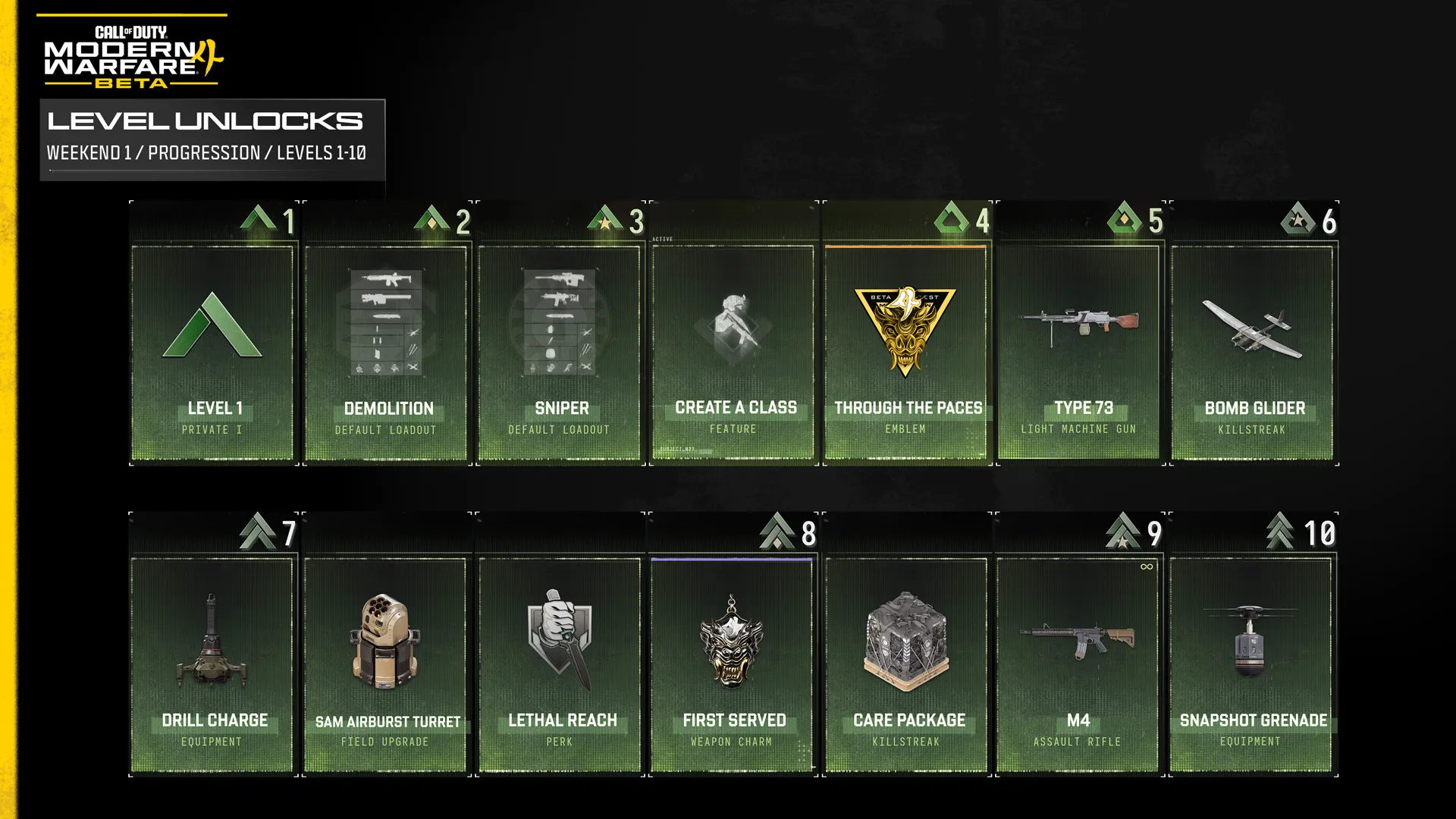
The complete Player Level progression for the Modern Warfare 4 Beta is shown below.


Modern Warfare 4 Beta: Weekends One and Two Progression Unlocks

Level 1 – Private I


  • Assault Default Loadout 
    • Kastov 762 Assault Rifle
    • Sang 9mm Pistol
    • Portable Radar Field Upgrade
    • Frag Grenade Lethal
    • Flash Grenade Tactical
    • Quick Fix Perk
  • Stalker Default Loadout
    • ISO Nightshade SMG
    • Krait P68 Pistol
    • Sticky Grenade Lethal
    • Smoke Grenade Tactical
    • DDoS Field Upgrade
  • Breacher Default Loadout 
    • REZI 12 Shotgun
    • .50 GS Pistol
    • Drill Charge Lethal
    • Snapshot Grenade Tactical
    • Smoke Wall Field Upgrade


Level 2 — Private II


  • Demolition Default Loadout
    • FINN LMG
    • PILA Launcher
    • Stim Tactical
    • Trip Wire Lethal
    • Riot Shield Field Upgrade


Level 3 —  Private III


  • Sniper Default Loadout
    • Signal 50 Sniper Rifle
    • Axion Assault Rifle
    • Smoke Grenade Tactical
    • Thermite Lethal
    • Razor Wire Trap Field Upgrade


Level 4 — Private IV


  • Create a Class
  • “Through the Paces” Legendary Emblem — Beta Reward


Level 5 — Private V


  • Type 73 — Light Machine Gun, A fast-cycling 7.62x54R LMG, the Type 73 offers balanced recoil and mid-tier impact for its class.


Level 6 — Private First Class I


  • Bomb Glider — Killstreak, 4 Kills, Hand-held glider with an explosive payload.


Level 7 — Private First Class II


  • Drill Charge Lethal — Equipment, Thermal lance that burrows through surfaces before releasing an explosive round.


Level 8 — Private First Class III


  • SAM Airburst Turret — Field Upgrade, Portable missile turret that intercepts aerial threats.
  • Lethal Reach — Perk, Throw equipment farther with a visible trajectory. Automatically use your dedicated melee attack when you perform a melee butt.
  • “First Served” Epic Weapon Charm — Beta Reward


Level 9 — Private First Class IV


  • Care Package — Killstreak, 4 Kills, Call in a random killstreak care package to your location.
  • M4 — Assault Rifle, Fully automatic and highly adaptable, this iconic service rifle excels in most combat engagements.


Level 10 — Private First Class V


  • Snapshot Grenade — Tactical, Provides a momentary glimpse of enemies within the immediate area for your team.

Level 11 — Specialist I


  • Riot Shield — Field Upgrade, Destructible shield that can be planted to provide cover for your team.
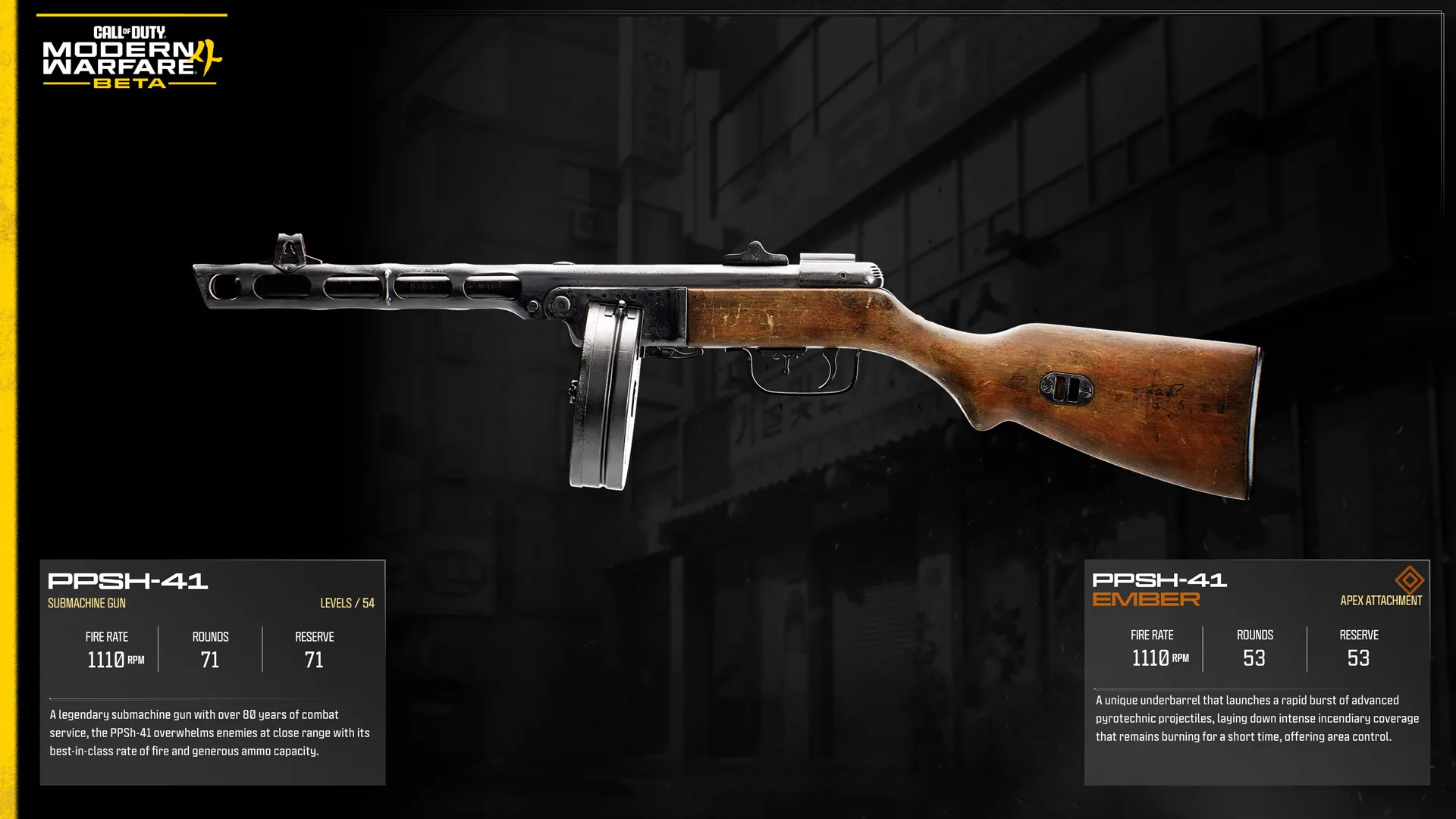
  • PPSh-41 — Submachine Gun, A legendary submachine gun with over 80 years of combat service, the PPSh-41 overwhelms enemies at close range with its best-in-class rate of fire and generous ammo capacity.


Level 12 — Specialist II


  • Impact Warhead — Killstreak, 4 Kills, Explosive payload that drills through multiple floors.
  • Fast Hands — Perk, Reload, use equipment, and swap weapons faster.
  • “Meonjeo” Legendary Weapon Sticker — Beta Reward


Level 13 — Specialist III


  • Proximity Mine — Lethal, Proximity-triggered explosive that launches and detonates in the air. Can also stick to vehicles that pass over it before exploding.


Level 14 — Specialist IV


  • Oris 8.6 — Marksman Rifle, A lightweight bolt-action chambered in 8.6 Blackout, the Oris 8.6 delivers impressive energy from a compact, modular frame. Sleek monolithic design and smooth cycling make it effective for precision fire in tight mobile engagements.
  • Trophy System — Field Upgrade, Deployable defense system that destroys up to three airborne projectiles. Larger targets will take multiple shots to counter.


Level 15 — Specialist V


  • Concussion Grenade — Tactical. Disorients enemies, resulting in reduced reaction speeds and blurred vision.


Level 16 — Corporal I


  • Wheelson — Killstreak, 8 Kills, AI controlled vehicle that hunts down nearby targets or guards the area around the owner.
  • High Alert — Perk, Vision pulses when spotted by an enemy player outside of view.
  • “Last Charge” Legendary Calling Card — Beta Reward


Level 17 — Corporal II


  • Zip Gun — Lethal, 3D printed, single-use pistol that can be quickly deployed to take out close ranged targets.


Level 18 — Corporal III


  • Hyeon Burst — Assault Rifle, A versatile North Korean prototype rifle running 6.8mm with a hard-hitting burst mode that puts fast, decisive rounds on target.


Level 19 — Corporal IV


  • Seeker Drone — Field Upgrade, Deployable drone that seeks out nearby enemies to snapshot them.


Level 20 — Corporal V


  • Ninja — Perk, Your footsteps are quieter, with significantly reduced range.
  • Crossfire — Killstreak, 6 Kills, Call in dual airstrikes to annihilate enemies from both directions.
  • “Dread Tiger” Operator Skin – Reece — Beta Reward


Modern Warfare 4 Beta: Weekend Two Progression Unlocks

Level 21 — Sergeant I


  • Kastov 762 — Assault Rifle, A full-auto 7.62x39mm rifle offering heavy per-shot impact with equally firm recoil. Reliable and forceful but requires control to keep on target.


Level 22 — Sergeant II


  • Trip Wire — Lethal, thrown explosive trap that deploys a detonation wire upon landing. Multiple Trip Wires can be linked together, creating a connected network of explosives.


Level 23 — Sergeant III


  • .50 GS — Pistol, A powerhouse in any operator’s hands, this .50 caliber sidearm is a heavy-hitter when the recoil is controlled.
  • Heartbeat Sensor — Tactical, Battery-powered tablet that displays nearby enemy locations.
  • “Field Tested” Epic Spray — Beta Reward


Level 24 — Sergeant IV


  • Missile Salvo — Killstreak, 7 Kills, Aerial missile platform that fires lock on missiles.
  • Ghost — Perk, Undetectable by Enemy Callouts, UAVs, Portable Radars, and Heartbeat Sensors.


Level 25 — Sergeant V


  • Patriot XMR — Assault Rifle, A full-auto rifle that delivers high-impact fire with substantial recoil, the Patriot XMR rewards controlled fire, hitting hard at mid to long ranges when properly braced.
  • Inflatable Decoy — Field Upgrade, Proximity activated decoy dummy. Upon activation the reinforced fiber target is violently deployed to confuse and distract.


Level 26 — Staff Sergeant I


  • Combat Drone — Killstreak, 5 Kills, Remote controlled anti-personnel drone.
  • Thermite — Lethal, Sticky incendiary device that deals heavy damage to vehicles and armored targets.
  • “Beta Rights” Epic Loading Screen — Beta Reward


Level 27 — Staff Sergeant II


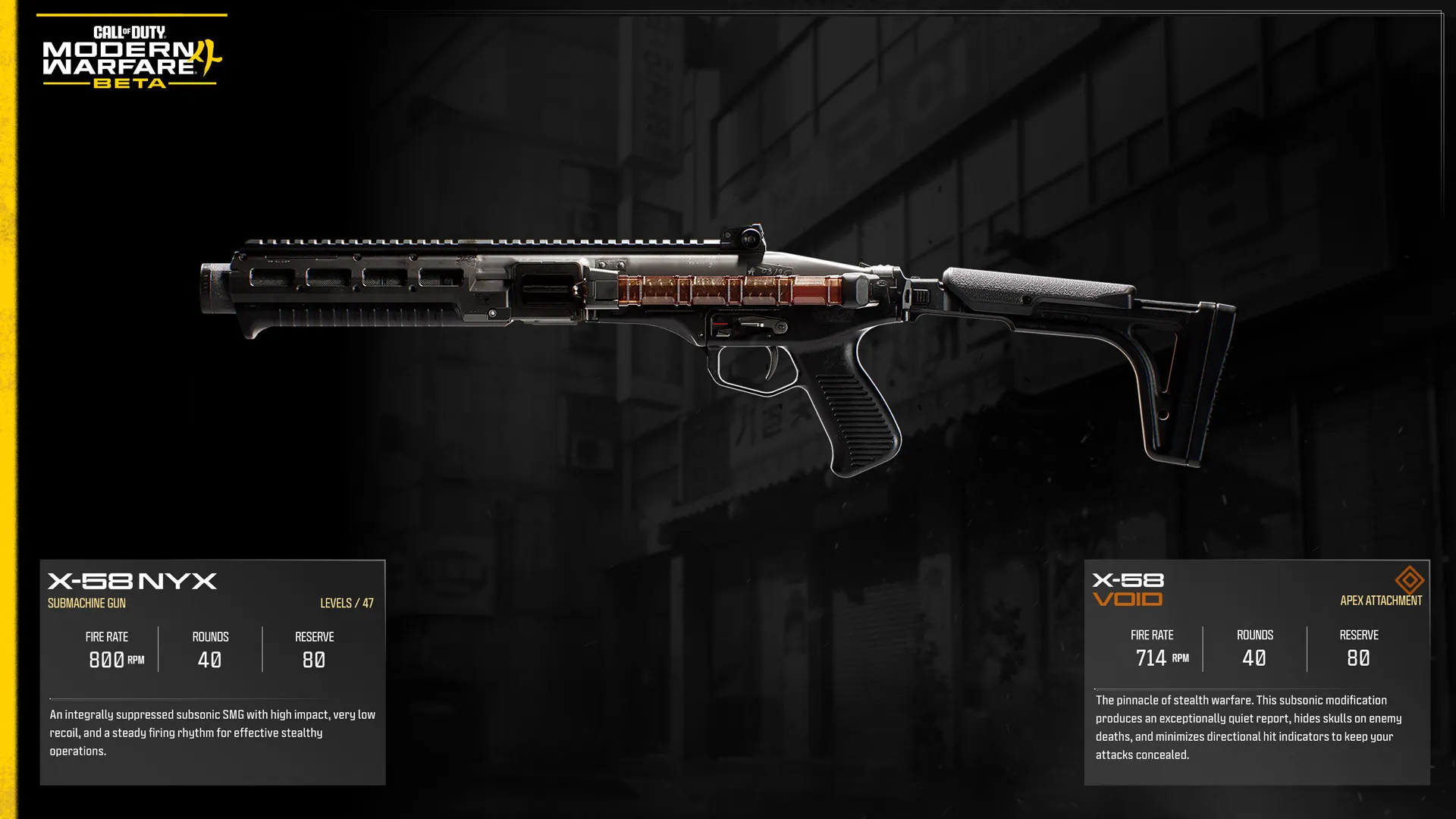
  • X-58 — Submachine gun, An integrally suppressed subsonic SMG with high impact, very low recoil, and a steady firing rhythm for effective stealthy operations.


Level 28 — Staff Sergeant III


  • Molotov Cocktail — Lethal, Improvised incendiary device that explodes on impact, leaving flammable pools in the area.
  • Battle Hardened — Perk, Reduce the effect of enemy Tacticals.


Level 29 — Staff Sergeant IV


  • Smoke Wall — Field Upgrade, Hand-held rocket that emits a long trail of heavy smoke coverage.
  • Shock Stick — Tactical, Electrical device that sticks to surfaces, electrocutes enemies, destroys equipment, and causes vehicles to go haywire.


Level 30 — Staff Sergeant V


  • Signal 50 — Sniper Rifle, Equipped with a recoil-reducing reciprocating barrel, this devastating .50 Cal anti-material rifle offers enhanced shot stability and precision, helping operators stay on target when every round counts.
  • Cold-Blooded — Perk, Undetectable by AI Targeting Systems, Recon Drones, Snapshot Grenades, and High Alert.
  • “Beta Forged” ISO Nightshade (SMG) Weapon Blueprint — Beta Reward


Beta Rewards


Player Levels marked with Beta Rewards unlock unique cosmetic items that become available when Modern Warfare 4launches on October 23. Gameplay unlocks and Player Level progression reset at the end of the Beta, but eligible Beta Rewards remain permanently tied to your Activision Account.


Create a Class


QUICK INTEL:


  • Create a Class is the Multiplayer loadout system where you build and customize your Operator before entering a match.
  • Create a Class has been redesigned for Modern Warfare 4, bringing every major loadout choice together in one streamlined menu.
  • Customize your Operator, Primary Weapon, Secondary Weapon, Melee Weapon, Tactical Equipment, Lethal Equipment, Field Upgrade, Perks, and Killstreaks.
  • Create up to 12 Custom Loadouts (Classes), each with its own Operator, weapons, equipment, Perks, Field Upgrade, and Killstreaks.
  • Assign Operators, Perks, and Killstreaks to individual Custom Loadouts or apply them across all your loadouts.
  • Additional customization options unlock as you increase your Player Level throughout the Beta.

Create a Class is the Multiplayer loadout system in Modern Warfare 4, allowing you to customize every aspect of your Operator before deploying into Multiplayer matches. Enhanced for Modern Warfare 4, every major customization choice now lives in a single streamlined menu, making it faster and easier to build specialized loadouts.


Build specialized Custom Loadouts for different weapons, combat roles, and Multiplayer modes. Assign Operators, Perks, and Killstreak combinations to individual Custom Loadouts or apply them across all your classes, then fine-tune every element before entering a match.


Note: Where is Create a Class? This doesn’t unlock until you reach Player Level 4, before which you can utilize Default Loadouts.


Operators


QUICK INTEL:


  • Operators are now selected as part of every Create a Class loadout, allowing each Custom Loadout to have its own identity.
  • Deploy as one of a broad roster of Tier One Operators, each featuring unique appearances, voice performances, and interchangeable Finishing Moves. 
  • Choose from a broad roster of military specialists and returning fan-favorite Operators during the Open Beta.
  • Pre-order or pre-purchase the Modern Warfare 4 Vault Edition and unlock additional Operators during the Beta.
  • Additional Operators will be available at launch.

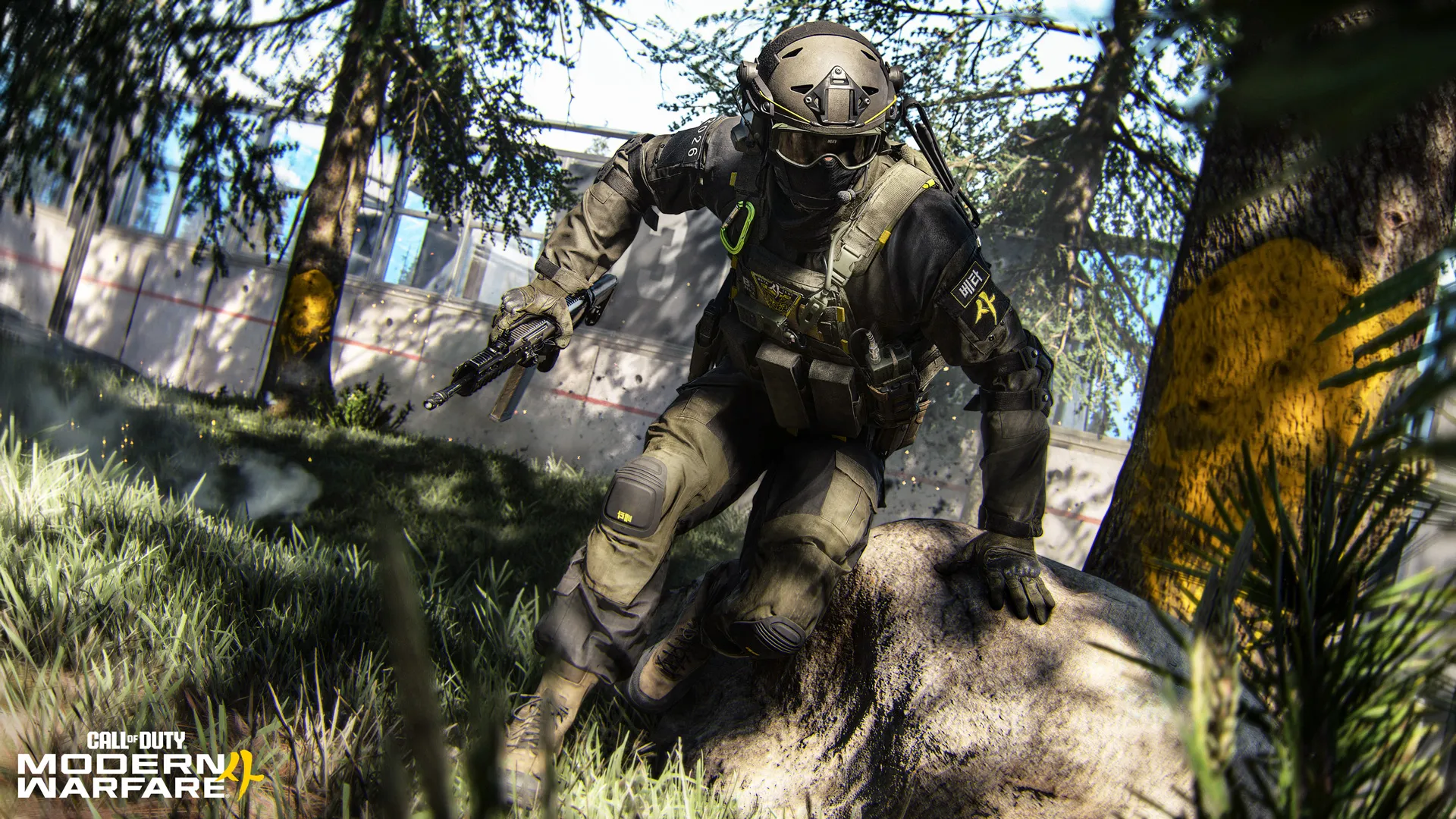
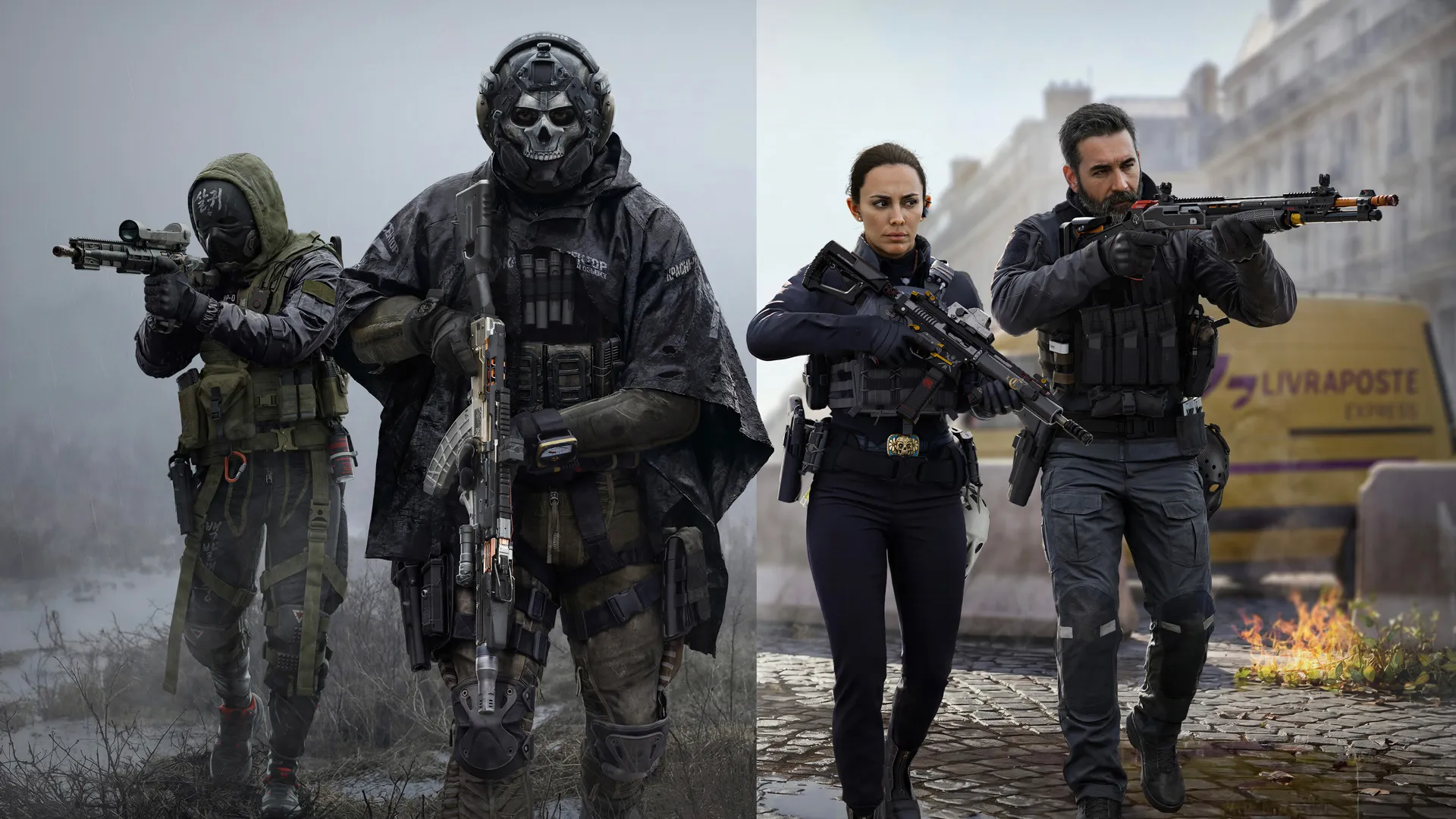
Operators are now an integral part of Create a Class, allowing you to assign a different Tier One Operator to every Custom Loadout. Pair your preferred Operators with different weapons, equipment, and combat roles to create distinctive Classes. Operators are cosmetic and do not provide tactical advantages.


The Open Beta includes a broad roster of Tier One Operators drawn from military and special operations forces around the world, alongside additional Operators included with the Modern Warfare 4 Vault Edition. Customize your Operator with interchangeable Finishing Moves. Select Vault Edition Operators also include additional voice packs and alternate appearances. More Operators will be available at launch.


Operator Selection and Skins


Access the Select Operator menu from Edit Custom Class to browse all available Operators, preview each one, and view the unlock requirements for Operators still locked during the Beta. Some Operators also feature multiple Skin variants. If a number appears in the top-right corner of an Operator portrait, it indicates how many Skins are available for that Operator.


For example, Reece includes both his base Skin and the unlockable "Dread Tiger" Beta Reward Skin.


Vault Edition Operators


The following Operators are available across the Beta to anyone who pre-orders or pre-purchases the Modern Warfare 4: Vault Edition.

Price

Unlocked: Pre-order the Modern Warfare 4 Vault Edition


Faction: [CLASSIFIED], Hostile Alliance Operator Pack, Featured Finishing Move “Blow by Blow” (Melee Brawl), Masked and Unmasked (available via emote)


Valeria

Unlocked: Pre-order the Modern Warfare 4 Vault Edition


Faction: Las Almas Cartel, Hostile Alliance Operator Pack, Featured Finishing Move “Cut And Dry” (Knife Dance), Masked and Unmasked (available via emote)


Ghost

Unlocked: Pre-order the Modern Warfare 4 Vault Edition


Faction: TF 141, Hostile Alliance Operator Pack, Featured Finishing Move “Good Point” (Pistol and Knife)


Blix

Unlocked: Pre-order the Modern Warfare 4 Vault Edition


Faction: SK SF (South Korea), Hostile Alliance Operator Pack, Featured Finishing Move “Tanto Tactics” (Knife)


COM SFT (France)

Unlocked: Pre-order the Modern Warfare 4 Vault Edition


Faction: French SF, Special Forces Operator Pack, Featured Finishing Move “Triple Tap” (Pistol), Voice Pack (French)


KSK Amphibious (Germany)

Unlocked: Pre-order the Modern Warfare 4 Vault Edition


Faction: KSK (German SF), Special Forces Operator Pack, Featured Finishing Move “Triple Tap” (Pistol), Voice Pack (German)


SK Special Forces (South Korea)

Unlocked: Pre-order the Modern Warfare 4 Vault Edition


Faction: SK SF (South Korea), Special Forces Operator Pack, Featured Finishing Move “Triple Tap” (Pistol), Voice Pack (Korean)


SAS (United Kingdom)

Unlocked: Pre-order the Modern Warfare 4 Vault Edition


Faction: UK SF, Special Forces Operator Pack, Featured Finishing Move “Triple Tap” (Pistol), Voice Pack (English (UK))


Additional Beta Operators


The following Operators are available across the Beta to all players.

Coffey

Unlocked:  Available immediately


Faction: JSOF, Finishing Move “Footwork” (Assault Rifle)


Blackwell

Unlocked:  Available immediately


Faction: JSOF, Finishing Move “Footwork” (Assault Rifle)


Reece

Unlocked:  Available immediately


Faction: US SF, Finishing Move “Footwork” (Assault Rifle)


Park

Unlocked:  Available immediately


Faction: ROK, Finishing Move “Footwork” (Assault Rifle)


Kal

Unlocked:  Available immediately


Faction: ROK, Finishing Move “Footwork” (Assault Rifle)


Dallas

Unlocked:  Available immediately


Faction: Shadow Company, Finishing Move “Footwork” (Assault Rifle)


Dunn

Unlocked:  Available immediately


Faction: JSOF/ROK, Finishing Move “Footwork” (Assault Rifle)


Zimo

Unlocked:  Available immediately


Faction: SpecGru, Finishing Move “Footwork” (Assault Rifle)


Minhee

Unlocked:  Available immediately


Faction: SK SF (South Korea), Finishing Move “Footwork” (Assault Rifle)


CTSFO

Unlocked: X Available immediately


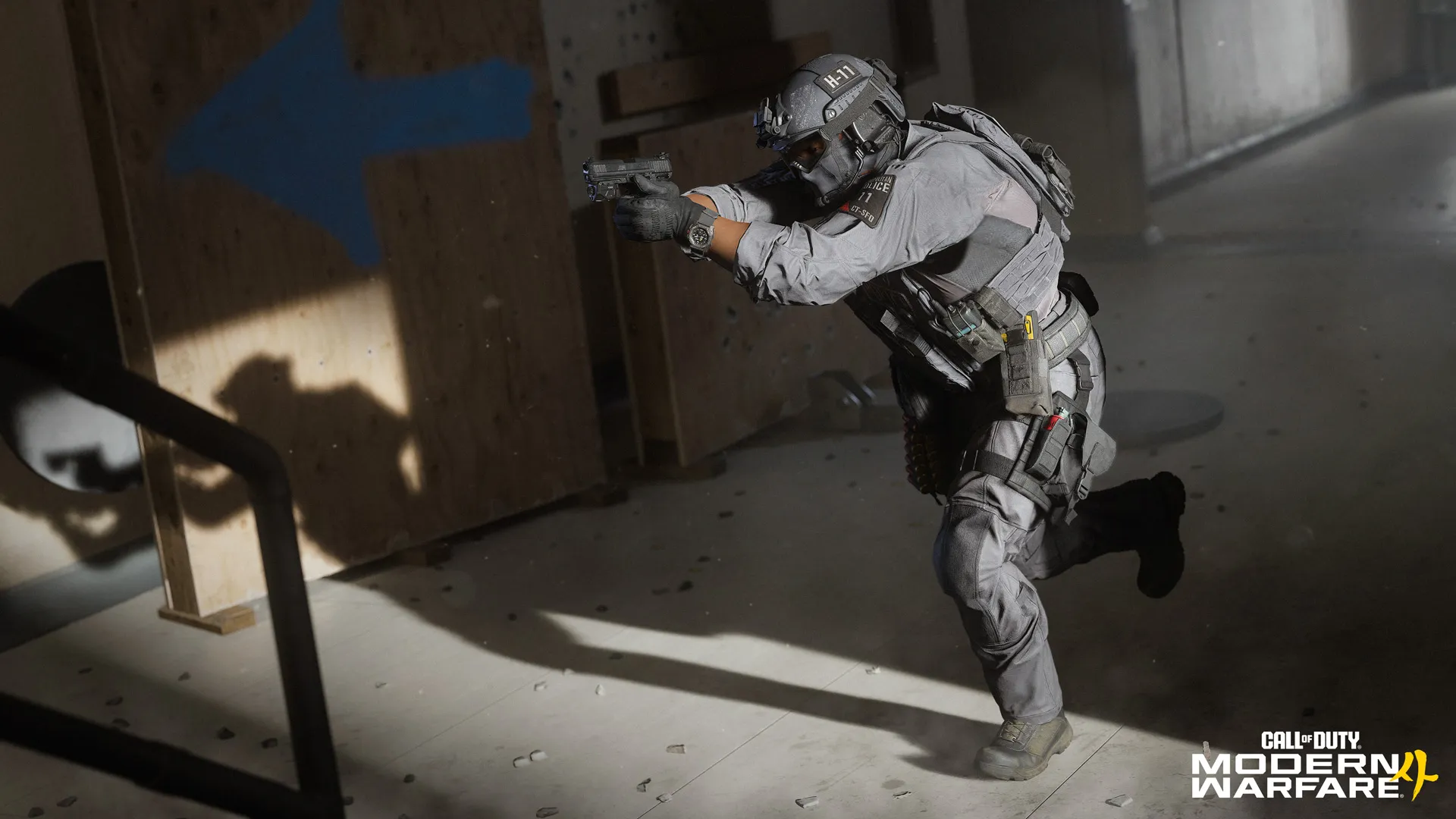
Faction: UK SF, Finishing Move “Footwork” (Assault Rifle)


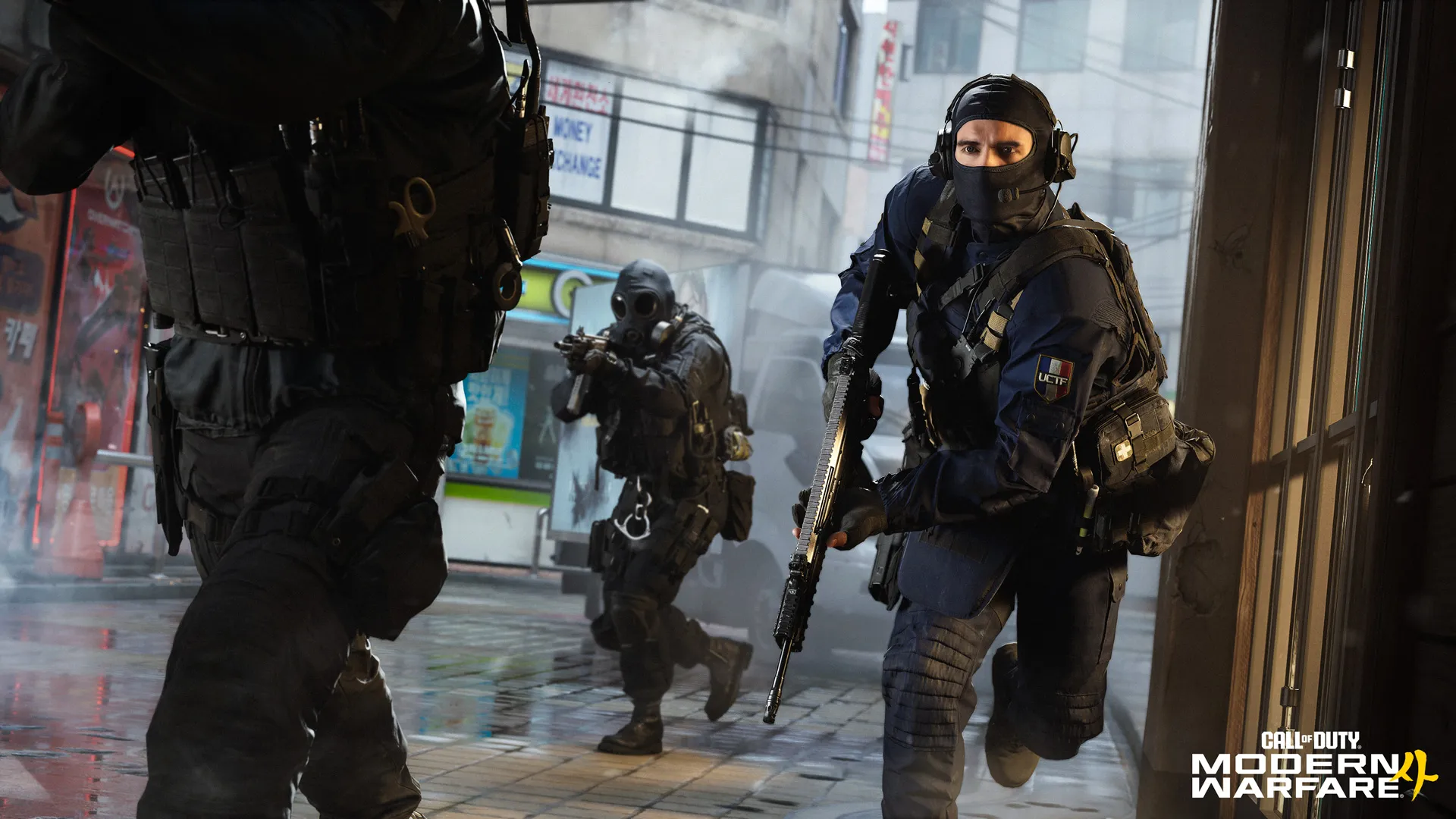
UCTF

Unlocked:  Available immediately


Faction: UCTF (France), Finishing Move “Footwork” (Assault Rifle)


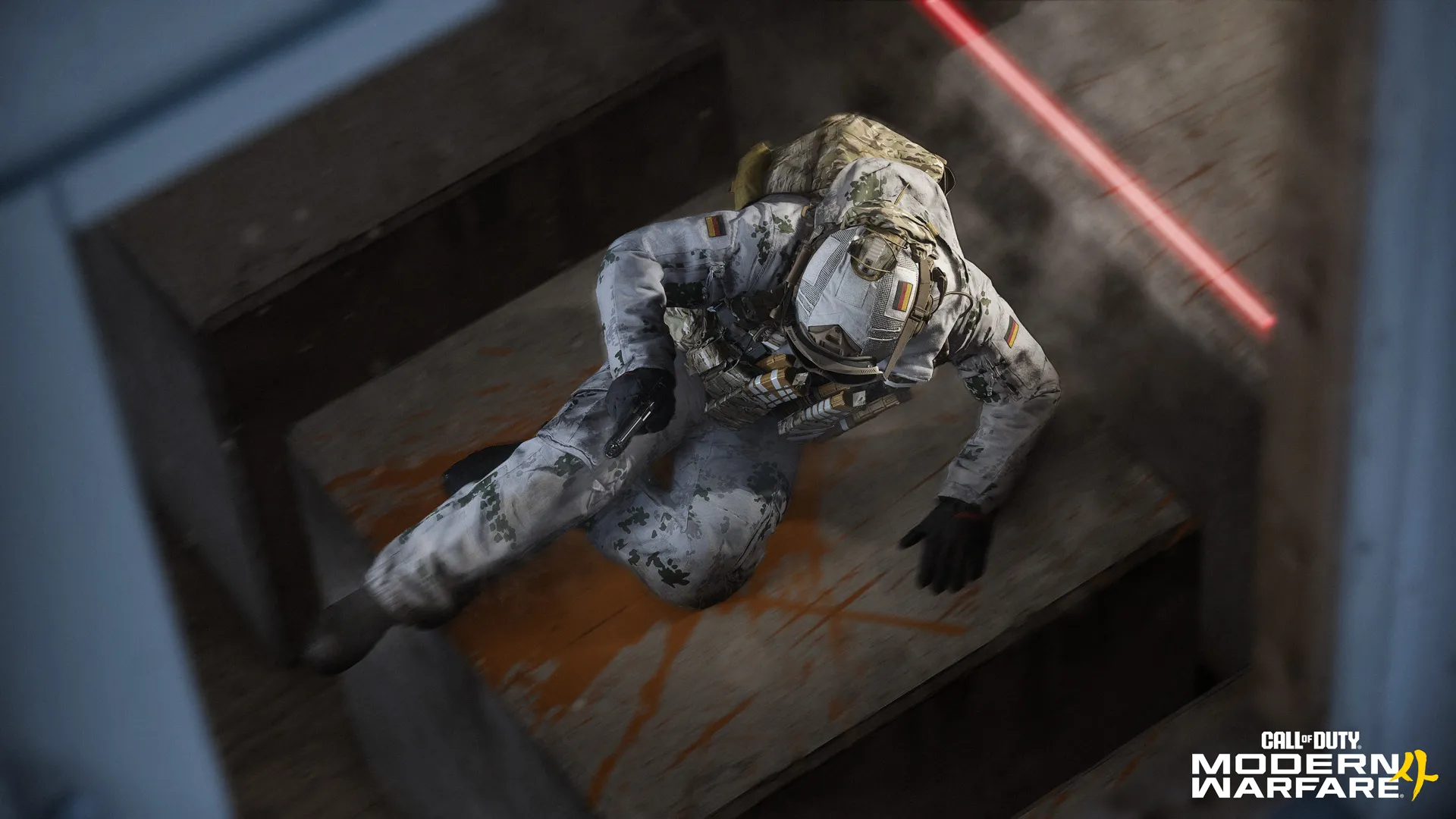
Milsim KSK Arctic

Unlocked:  Available immediately


Faction: KSK (Germany), Finishing Move “Footwork” (Assault Rifle)


Milsim US SF

Unlocked:  Available immediately


Faction: US SF, Finishing Move “Footwork” (Assault Rifle)


Finishing Moves


After assigning an Operator to a Custom Loadout, open the Finishing Move menu to preview, unlock, and equip interchangeable Finishing Moves. Additional Finishing Moves become available as you rank up your player level and progress through the Beta, allowing you to customize every Operator regardless of which character you deploy.


Note: Additional Finishing Moves are available to unlock in the Beta:


“Knees and Knuckles” (Thai Boxing)

“Doctor’s Orders” (Syringe Injection)

“Hammer Down” (Sledgehammer and Pistol)

“Shock Stomper” (Shock Stick)

“12 Gauge Rage” (Shotgun)


Weapons


QUICK INTEL:


  • 22 Weapons available during the Beta.
  • Nine Weapon classes, from Assault Rifles to Melee Weapons.
  • Primary, Secondary, and Melee Weapon categories.
  • Unlock additional Weapons as you rank up.
  • Build every Loadout using Create a Class.

During the Beta, you'll unlock and wield up to 22 of the 33 weapons available at launch, spanning every major weapon class. Whether you favor the adaptability of Assault Rifles, the aggressive mobility of SMGs, the stopping power of Shotguns and Sniper Rifles, or the utility of Launchers and Melee Weapons, the Beta offers a broad selection from the full Multiplayer arsenal.


Weapons are organized into Primary, Secondary, and Melee categories and can be tailored to your preferred combat role using Modern Warfare 4's expanded Create a Class system. Throughout the Beta, experiment with different weapon classes, refine your loadouts, and discover which playstyle best suits every engagement.


Note: All Beta weapons except those only accessible via a Default Loadout, Launchers and the Combat Knife support the new Apex Attachment system, unlocking specialized modifications as you level up each weapon.


Here’s an at-a-glance confirmation of the weapons you can access during the Beta:


  • Six Assault Rifles (ARs): Han 86, M4, Hyeon Burst, Kastov 762, Patriot XMR, Axion (Default Loadout only)*
  • Four Submachine Guns (SMGs): ISO Nightshade, PPSh-41, X-58 Nyx, Wz. 55 Striga (Campaign Mission only)*
  • One Shotgun: Rezi 12
  • Two Light Machine Guns (LMGs): FiNN LMG, Type 73
  • Two Marksman Rifles: MAR-9, Oris 8.6
  • Two Sniper Rifles: KG-7 Vulcan, Signal .50
  • Three Pistols: Krait P68, .50 GS, Sang 9mm (Default Loadout only)*
  • One Launcher: PILA
  • One Melee Weapon: Combat Knife


*Note: The Axion (AR) and Sang 9mm (Pistol) are available within a Default Loadout class you can choose at the beginning of your Player Progression. The Wz. 55 Striga is only available during the Campaign Mission. These weapons have no access to the Gunsmith or their Apex Attachment. All other weapons can be levelled up, and their Attachments and Apex Attachments unlocked.


The Firing Range


Every Weapon category offers its own strengths, handling characteristics, and role within a Multiplayer match. As you unlock additional Weapons throughout the Beta, experiment with different loadouts and Attachment combinations to discover what best suits your preferred combat style. Visit the Firing Range at any time to compare Weapon builds, test Attachments, and evaluate performance before deploying into a match.

WEAPONS: TOP TIPS:


  • Beta test: Try every weapon class early. Each class fills a distinct combat role, and unlocking multiple weapons expands your Create a Class options.
  • Hand-crafted support: Use the default loadouts to sample the available arsenal. They let you try different weapon types while you’re still unlocking custom Create a Class options.
  • Good backup: Don't overlook your Secondary Weapon. Swapping weapons is often faster than reloading during close engagements, making Pistols and Launchers valuable backup options.
  • Proven strategy: Progress your favorite weapons. The more you level a weapon, the more customization options become available through Gunsmith and Apex Attachments.


Apex Attachments

QUICK INTEL:


  • Unlock by fully leveling supported weapons.
  • Equipped separately from standard Gunsmith attachments.
  • Does not consume an attachment slot.
  • Introduce unique gameplay effects and weapon behaviors.
  • One unique Apex Attachment is available for each supported weapon in the Beta.


Apex Attachments introduce a new tier of optional weapon customization, unlocked as the final reward for fully leveling a supported weapon. Equipped separately from standard Gunsmith attachments, they don't consume an attachment slot, allowing you to further specialize your favorite weapons without changing your existing build.


Rather than offering incremental stat adjustments, Apex Attachments fundamentally change how a weapon performs. Some transform familiar platforms into entirely new combat roles, while others introduce alternate fire modes, integrated equipment, or specialized tactical capabilities unavailable through standard Gunsmith customization. Every supported weapon has its own unique Apex Attachment, encouraging experimentation and rewarding players who master the arsenal.

APEX ATTACHMENTS: TOP TIPS


  • Every Apex Attachment is unique. They don't provide generic stat bonuses; they introduce bespoke gameplay effects specific to each supported weapon.
  • They don't consume an attachment slot. Equip an Apex Attachment alongside your standard Gunsmith build to further specialize your weapon.
  • Choose your weapon first, then chase its Apex Attachment. Fully leveling a weapon unlocks its Apex Attachment, making weapon progression worthwhile beyond standard attachment unlocks.


Primary Weapons Available During the Modern Warfare 4 Beta


Assault Rifles Available in the Beta (6)


Assault Rifles (ARs) offer a dependable balance of damage, accuracy, and handling, making them an excellent choice for almost any combat scenario. While they won't match the close-range speed of an SMG or the long-range precision of a Sniper Rifle, their versatility makes them one of the most adaptable Primary Weapon classes.


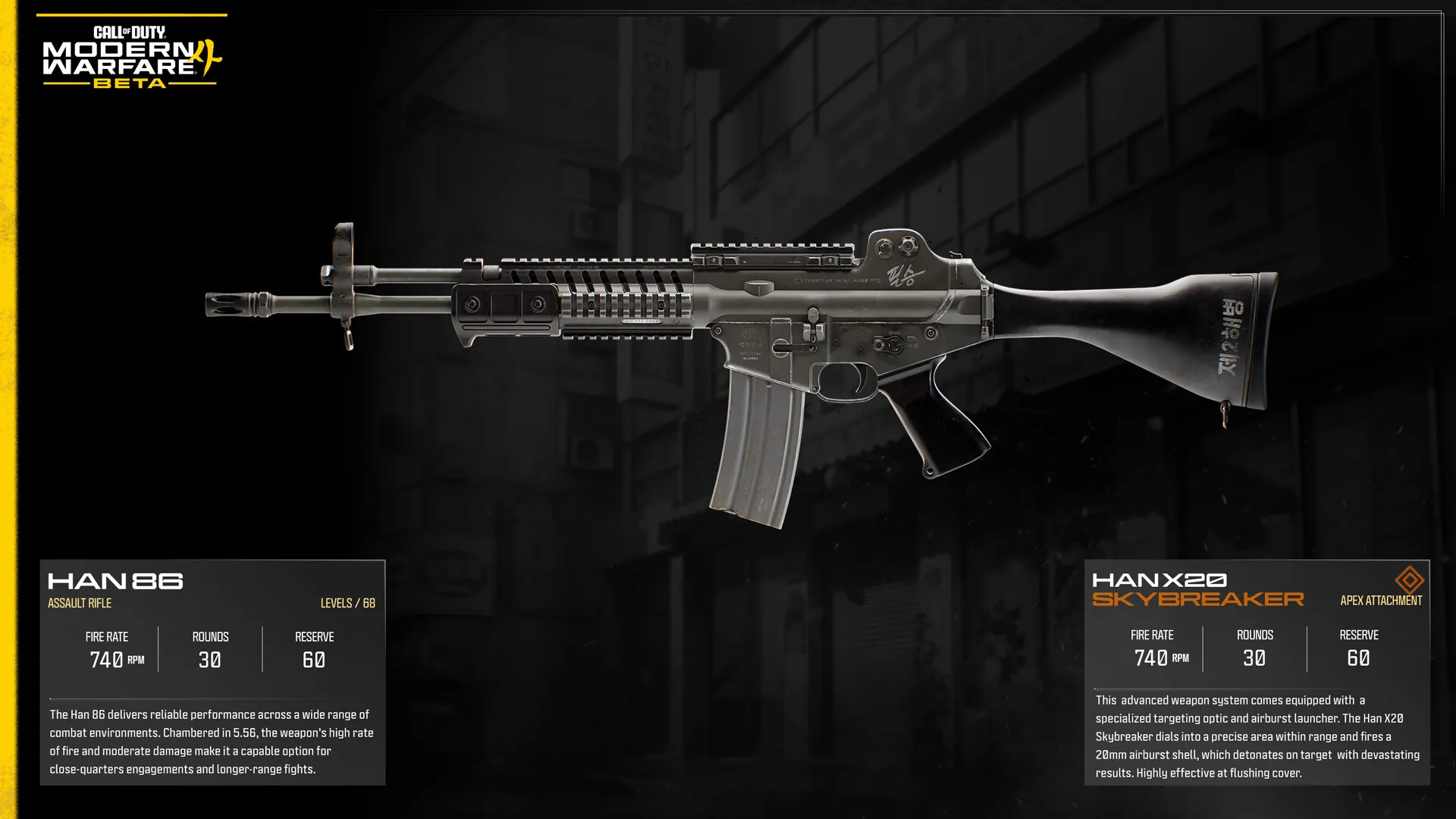
Han 86

Unlocked: Immediately. Levels: 68


Intel: Manufactured for the South Korean military, the Han 86 delivers reliable performance across a wide range of combat environments. Chambered in 5.56, the weapon’s high rate of fire and moderate damage make it a capable option for close-quarters engagements and longer-range fights.


Apex Attachment: HAN 86 X20 SKYBREAKER: This advanced weapons system comes equipped with a specialized targeting optic and airburst launcher. The Han X20 Skybreaker dials into a precise area within range and fires a 20mm airburst shell, which detonates on target with devastating results. Highly effective at flushing cover.


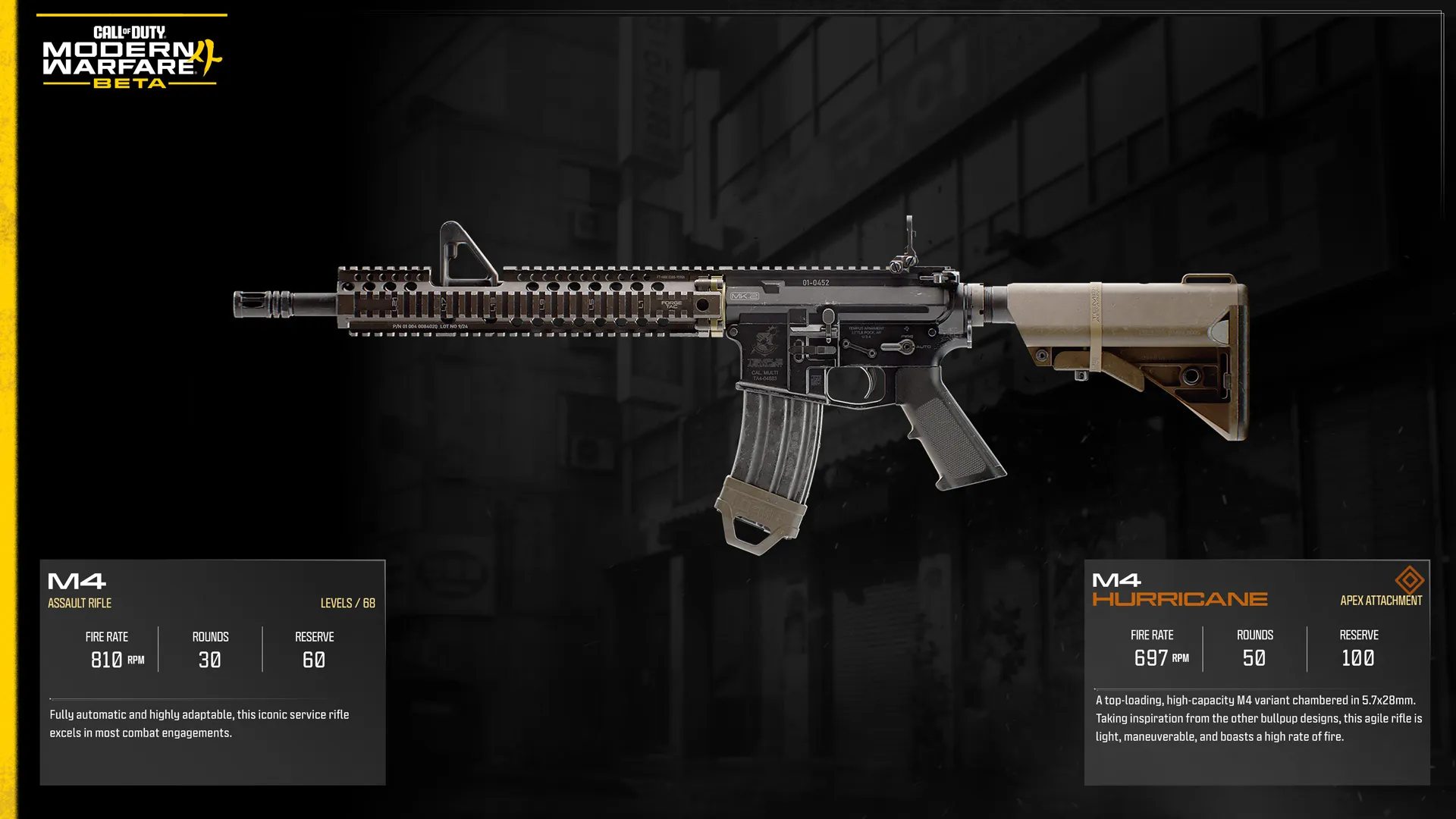
M4

Unlocked: Player Rank 9. Levels: 68


Intel: Fully automatic and highly adaptable, this iconic service rifle excels in most combat engagements.


Apex Attachment: M4 HURRICANE: A top-loading, high-capacity M4 variant chambered in 5.7x28mm. Taking inspiration from other bullpup designs, this agile right is light, maneuverable, and boasts a high rate of fire.


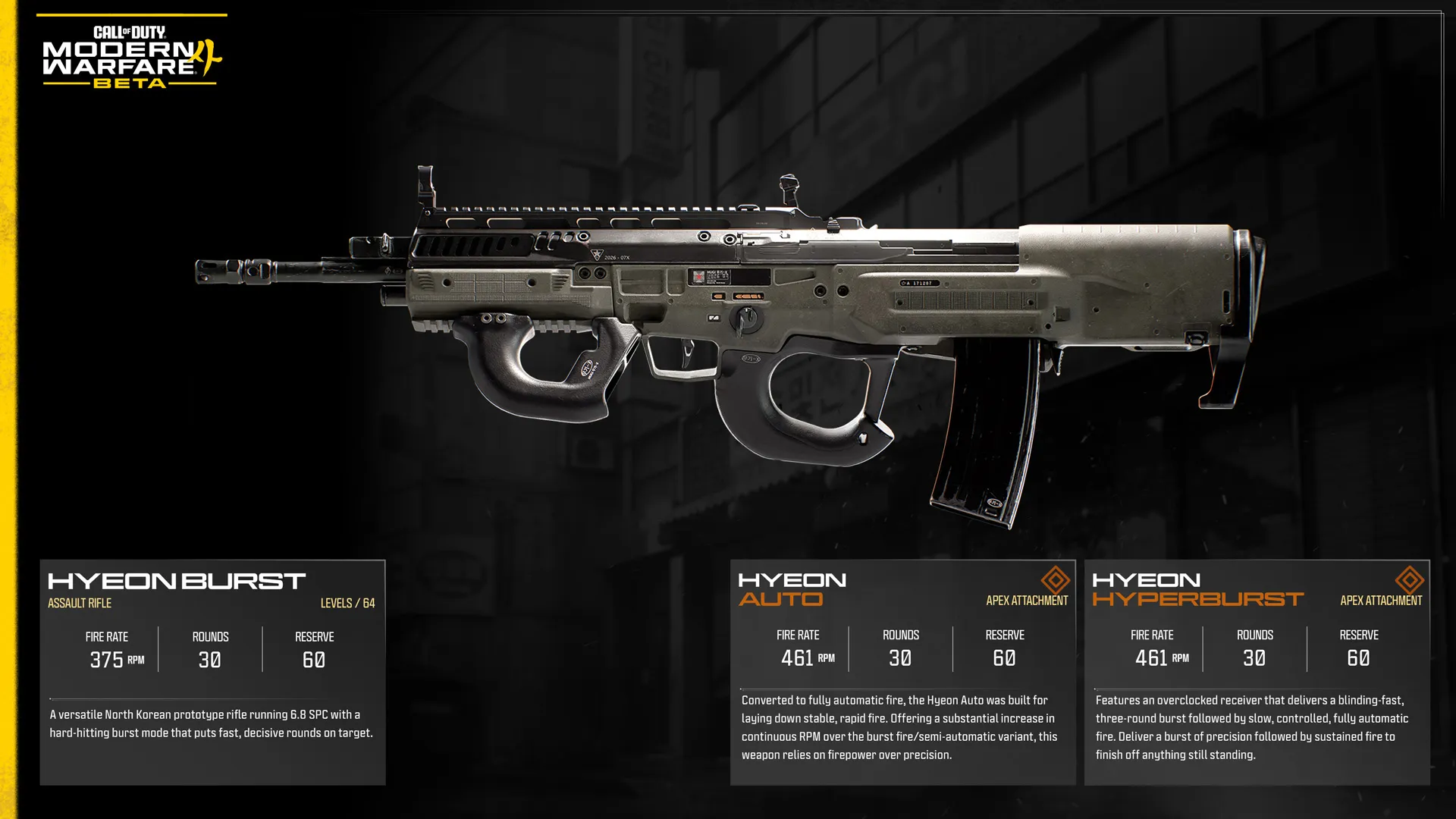
Hyeon Burst

Unlocked: Player Rank 18. Levels: 64


Intel: A versatile North Korean prototype rifle running 6.8 SPC with a hard-hitting burst mode that puts fast, decisive rounds on target.


Apex Attachment 1: HYEON AUTO: Converted to fully automatic fire, the Hyeon Auto was built for laying down stable, rapid fire. Offering a substantial increase in continuous RPM over the burst fire/semi-automatic variant, this weapon relies on firepower over precision.


Apex Attachment 2: HYEON HYPERBURST: Features an overclocked receiver that delivers a blinding-fast, three-round burst followed by slow, controlled, fully automatic fire. Deliver a burst of precision followed by sustained fire to finish off anything still standing.


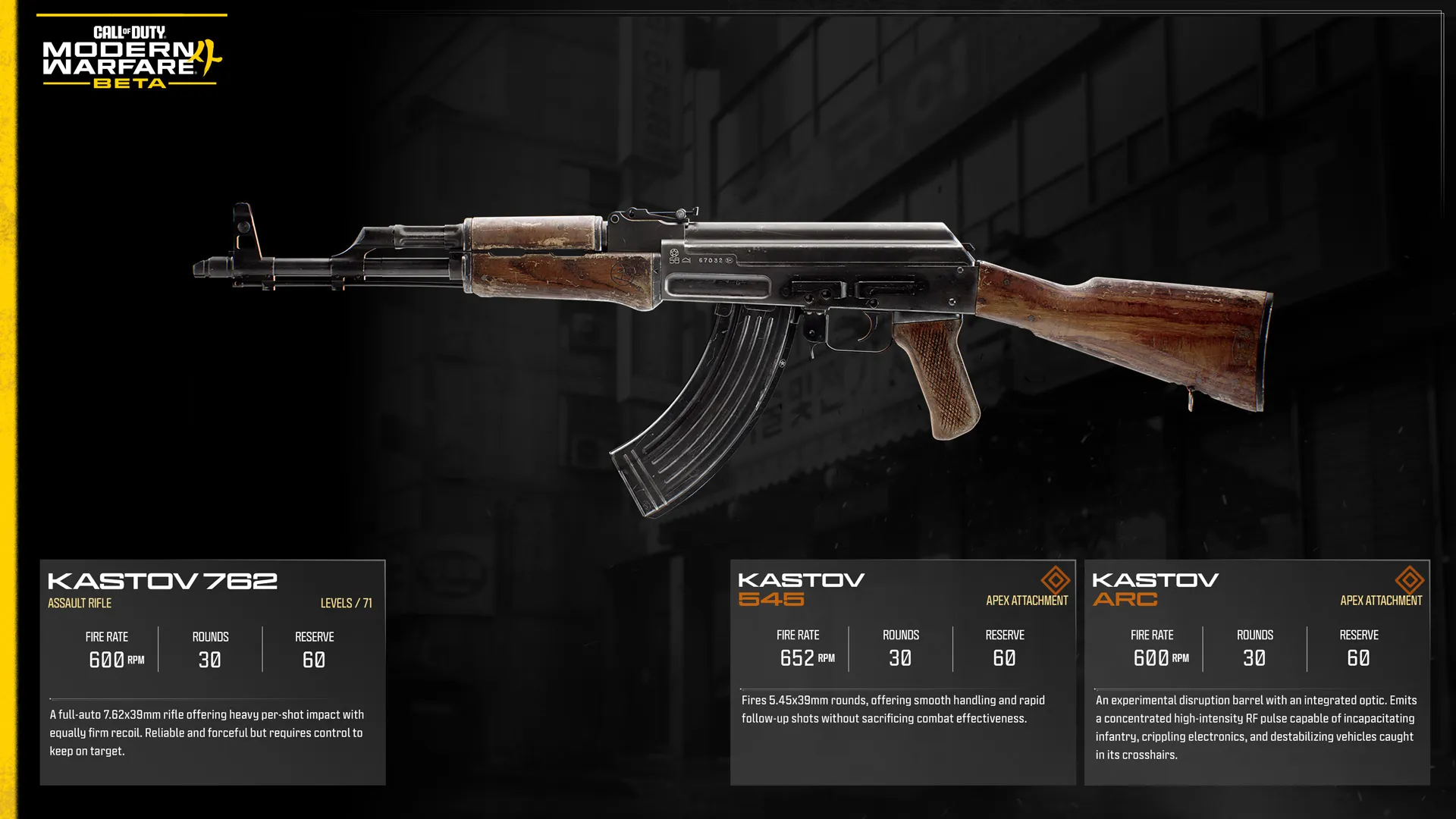
Kastov 762

Unlocked: Player Rank 21. Levels: 71


Intel: A full-auto 7.62x39mm rifle offering heavy per-shot impact with equally firm recoil. Reliable and forceful but requires control to keep on target.


Apex Attachment 1: Kastov 545: Fires 5.45x39mm rounds, offering smooth handling and rapid follow-up shots without sacrificing combat effectiveness.


Apex Attachment 2: Kastov ARC: An experimental disruption barrel with an integrated optic. Emits a concentrated high-intensity RF pulse capable of incapacitating infantry, crippling electronics, and destabilizing vehicles caught in its crosshairs.


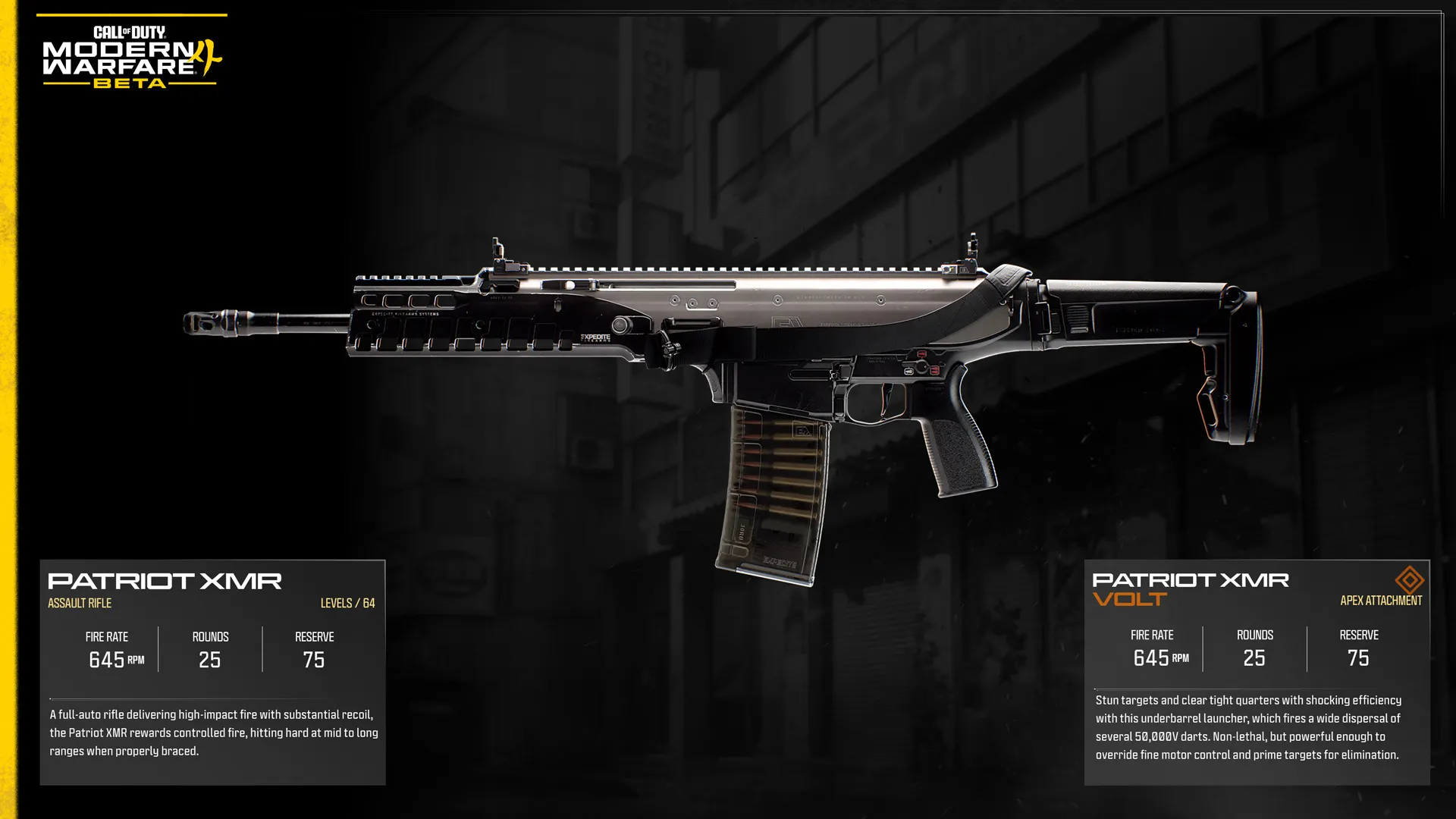
Patriot XMR (Battle Rifle)

Unlocked: Player Rank 25. Levels: 64


Intel: A full-auto rifle delivering high-impact fire with substantial recoil, the Patriot XMR rewards controlled fire, hitting hard at mid to long ranges when properly braced.


Apex Attachment 1: PATRIOT XMR VOLT: Stun targets and clear tight quarters with shocking efficiency with this underbarrel launcher, which fires a wide dispersal of several 50,000V darts. Non-lethal, but powerful enough to override fine motor control and prime targets for elimination.


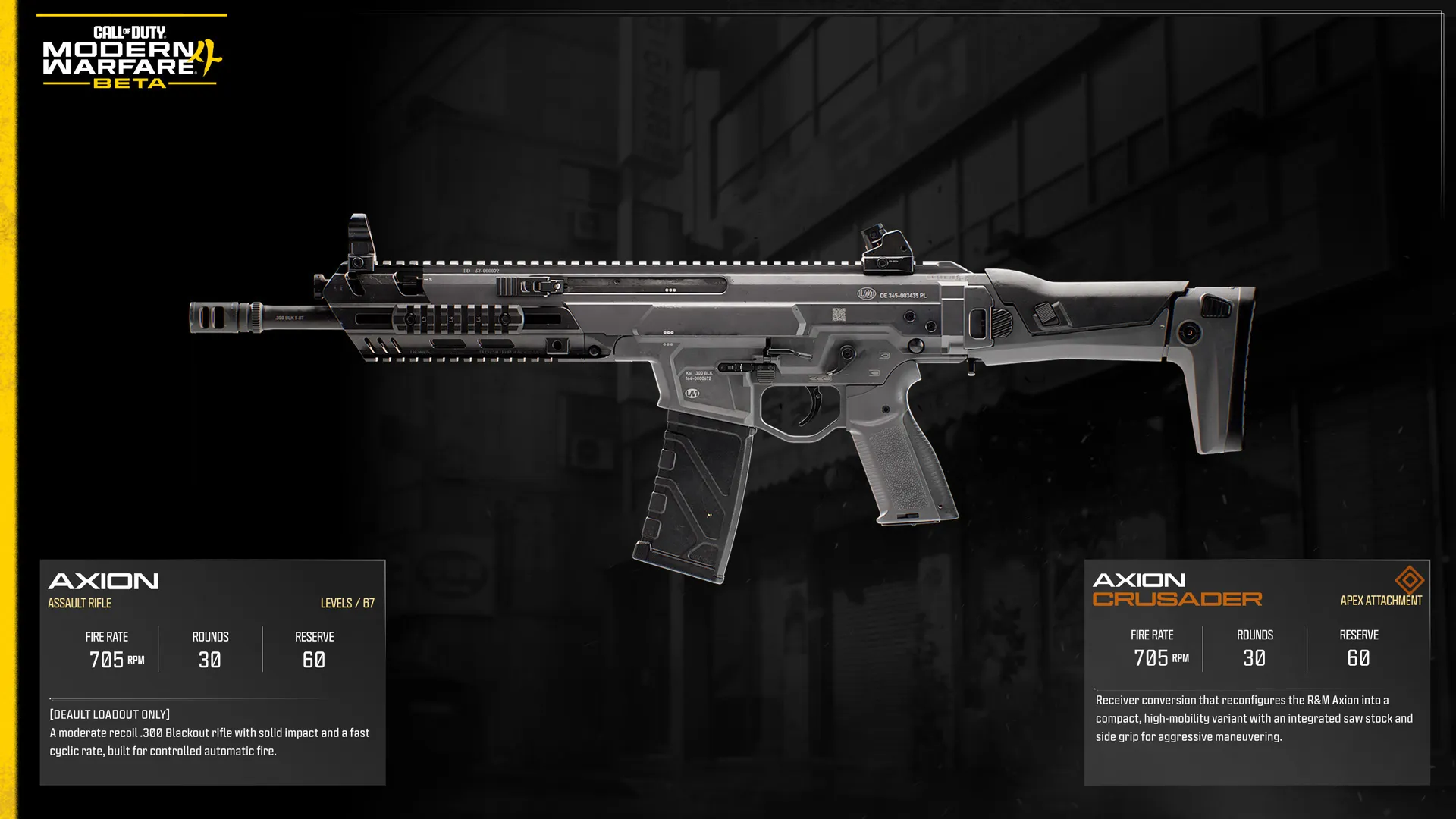
Axion

Unlocked: Default Loadout Only. Levels: 67


Intel: A moderate recoil .300 Blackout rifle with solid impact and a fast cyclic rate, built for controlled automatic fire.


Apex Attachment 1: AXION CRUSADER: Receiver conversion that reconfigures the R&M Axion into a compact, high-mobility variant with an integrated saw stock and side grip for aggressive maneuvering.


Submachine Guns Available in the Beta (4)


Submachine Guns (SMGs) excel in fast-paced, close-quarters combat, pairing high mobility with rapid fire to overwhelm opponents before they can react. Their effectiveness drops off at longer ranges, rewarding Operators who can close the distance and stay on the move.


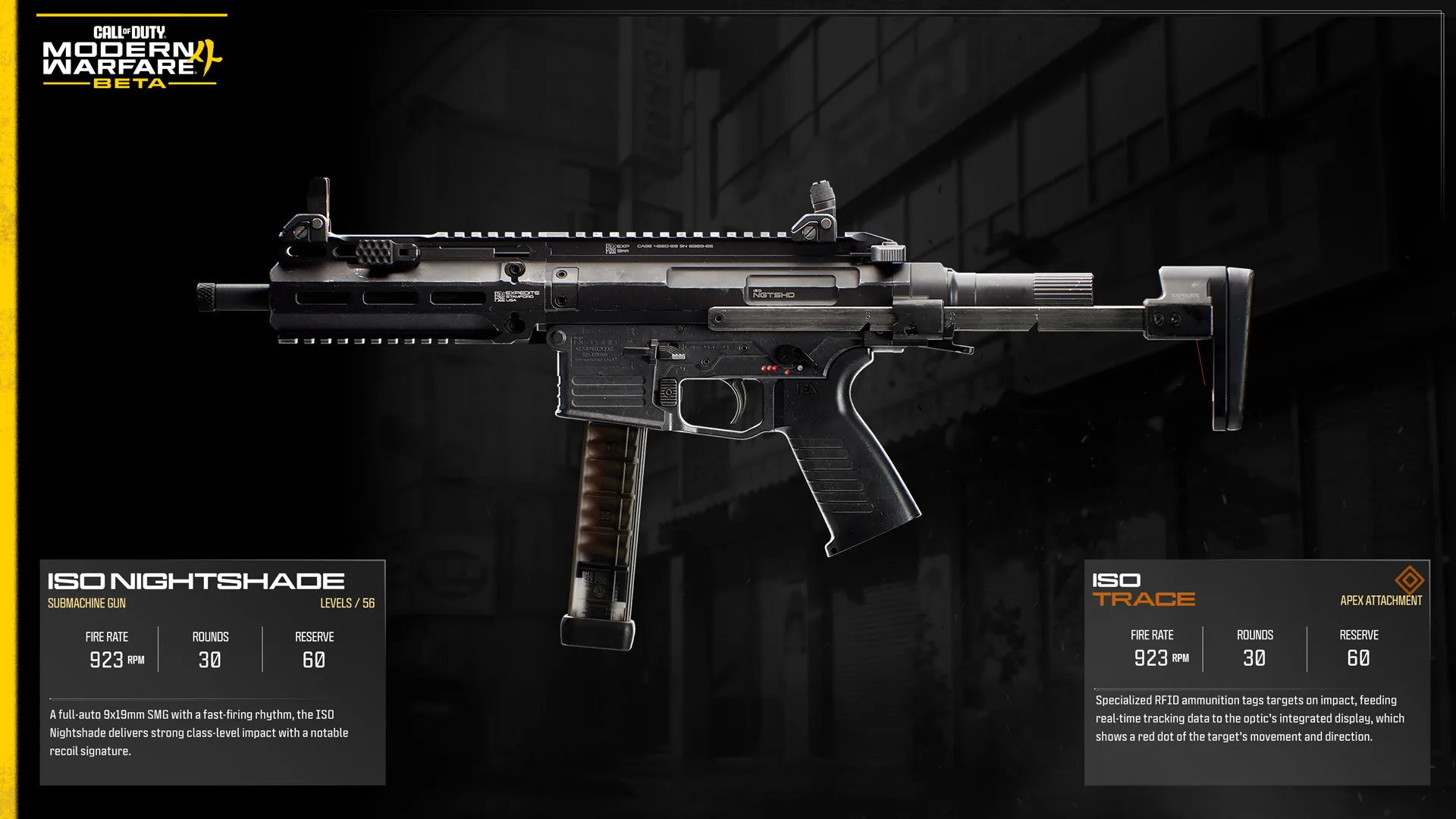
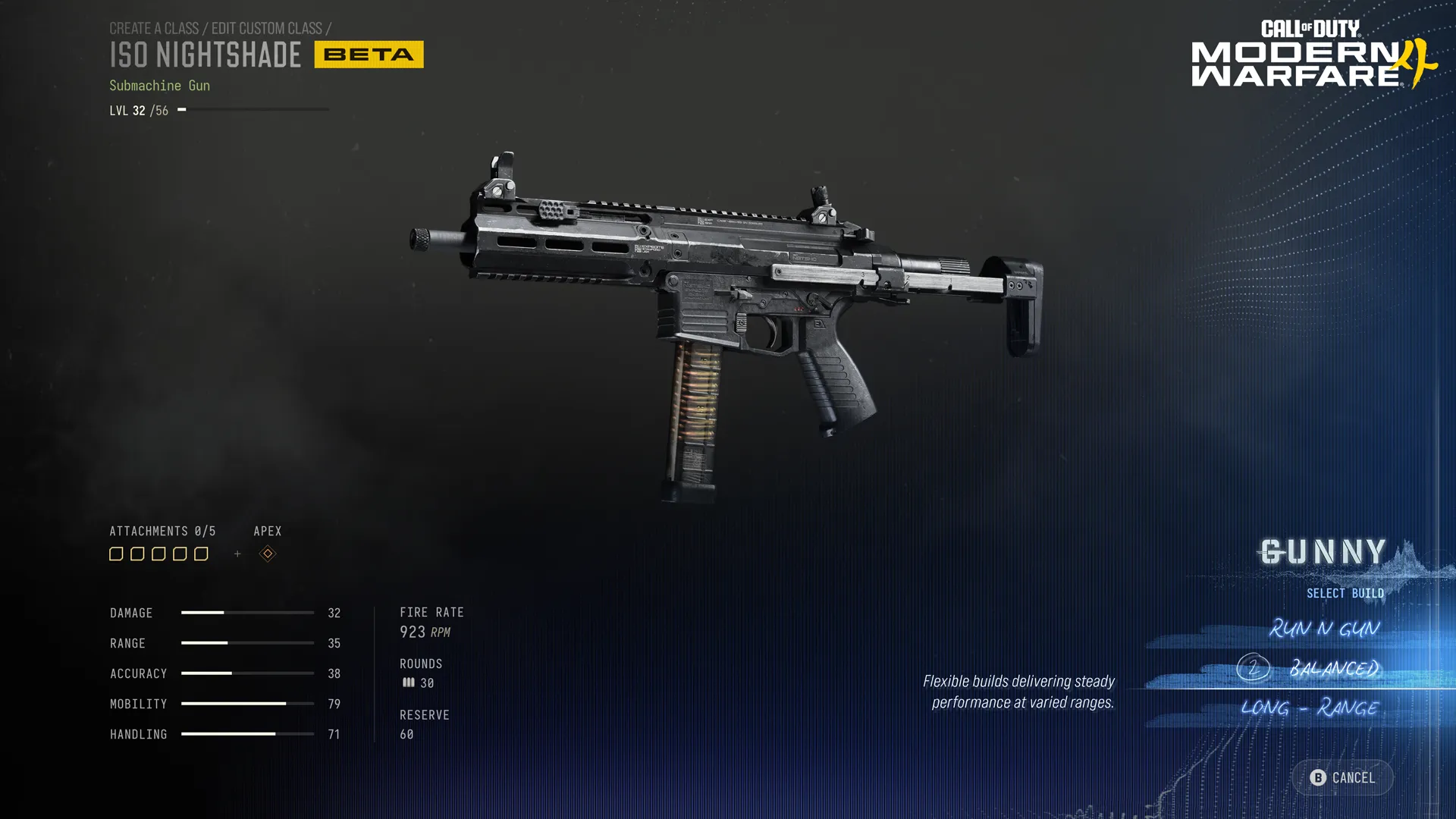
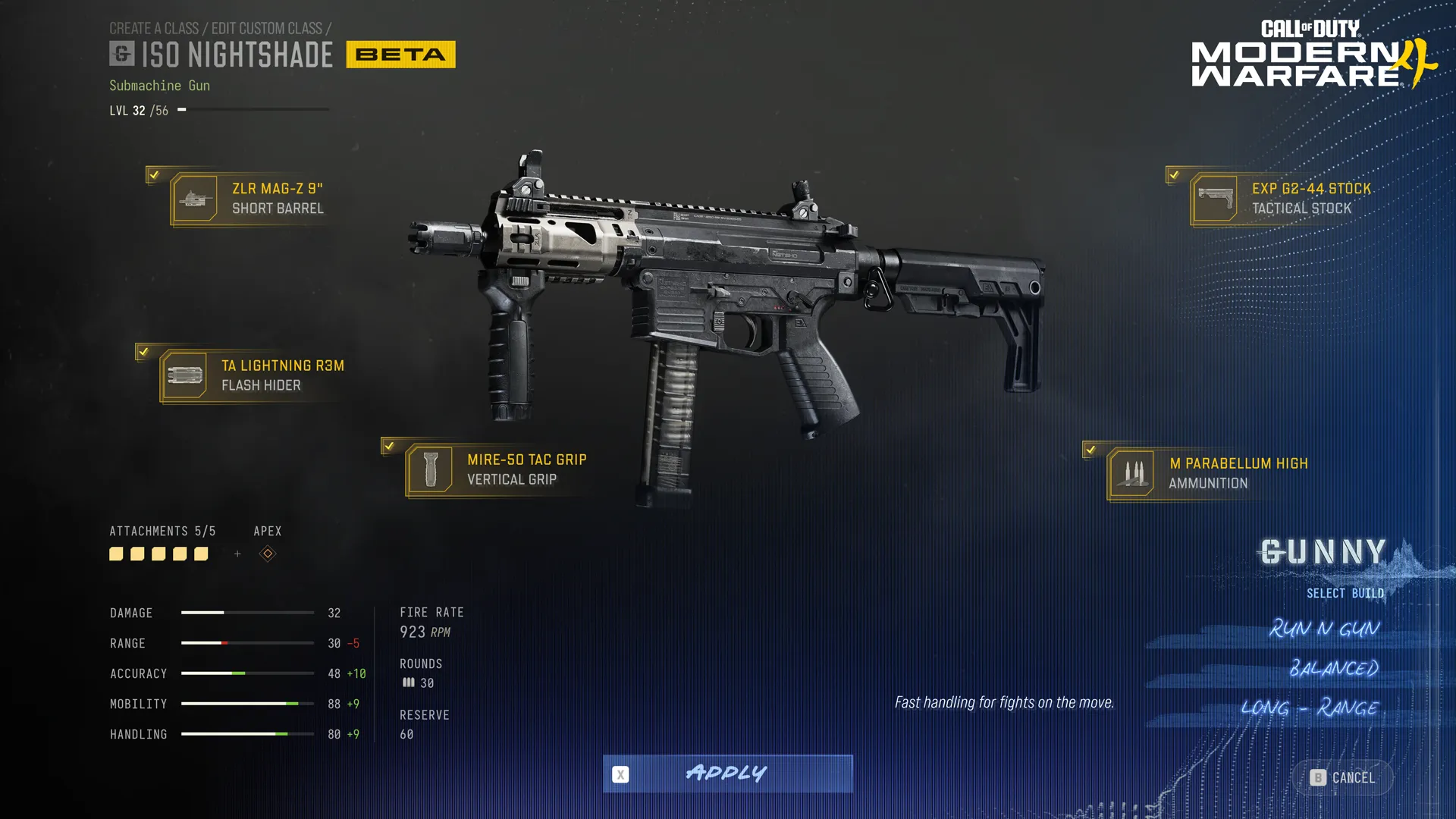
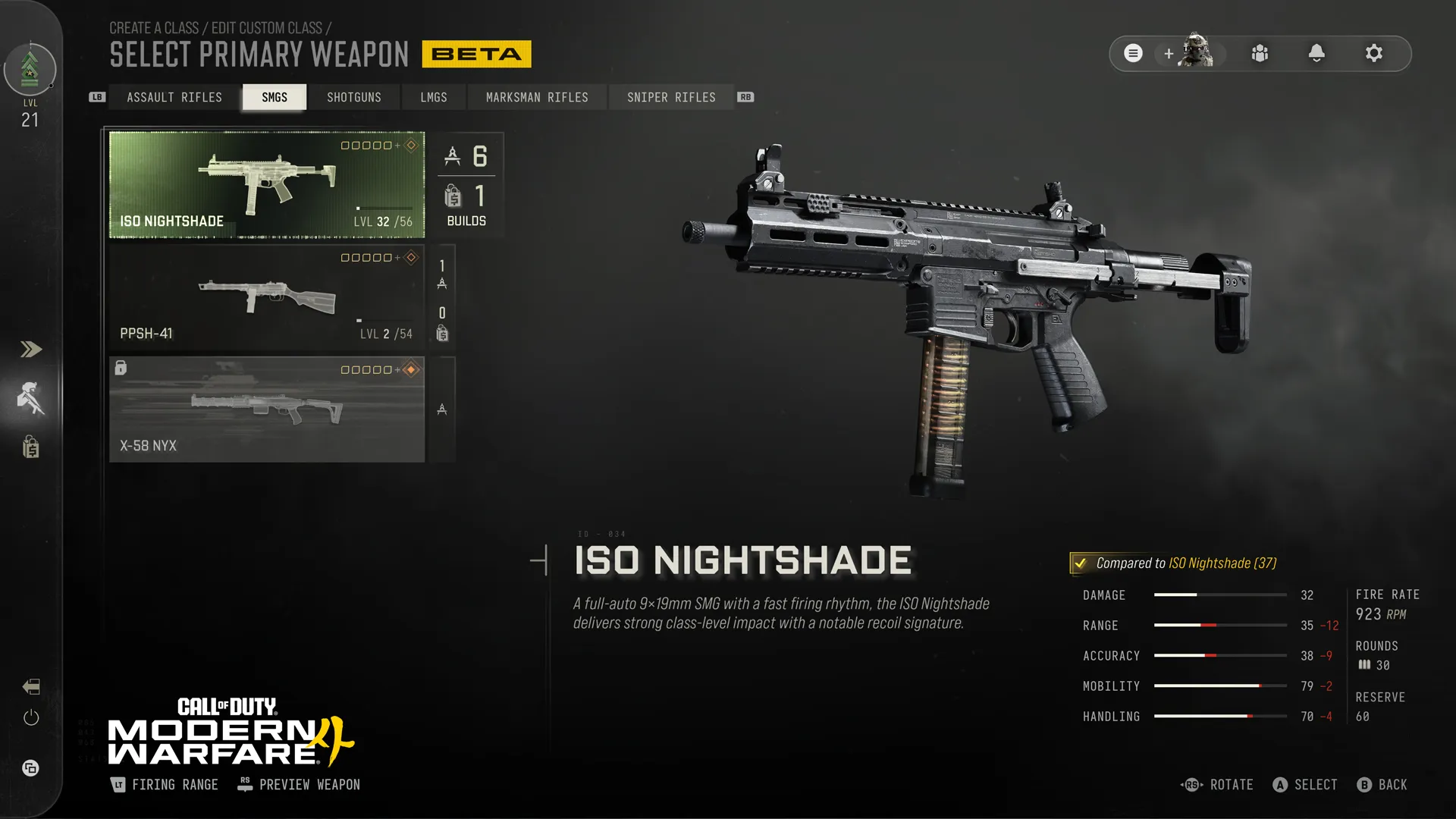
ISO Nightshade

Unlocked: Player Rank Immediately. Levels: 56


Intel: A full-auto 9x19mm SMG with a fast-firing rhythm, the ISO Nightshade delivers strong class-level impact with a notable recoil signature.


Apex Attachment: ISO TRACE: Specialized RFID ammunition tags targets on impact, feeding real-time tracking data to the optic’s integrated display, which shows a red dot of the target’s movement and direction.


PPSh-41

Unlocked: Player Rank 11. Levels: 54


Intel: A legendary submachine gun with over 80 years of combat service, the PPSh-41 overwhelms enemies at close range with its best-in-class rate of fire and generous ammo capacity.


Apex Attachment: PPSH-41 EMBER: A unique underbarrel that launches a rapid burst of advanced pyrotechnic projectiles, laying down intense incendiary coverage that remains burning for a short time, offering area control.


X-58 Nyx 

Unlocked: Player Rank 27. Levels: 47


Intel: An integrally suppressed subsonic SMG with high impact, very low recoil, and a steady firing rhythm for effective stealthy operations.


Apex Attachment: X-58 VOID: The pinnacle of stealth warfare. This subsonic modification produces an exceptionally quiet report, hides skulls on enemy deaths, and minimizes directional hit indicators to keep your attacks concealed.


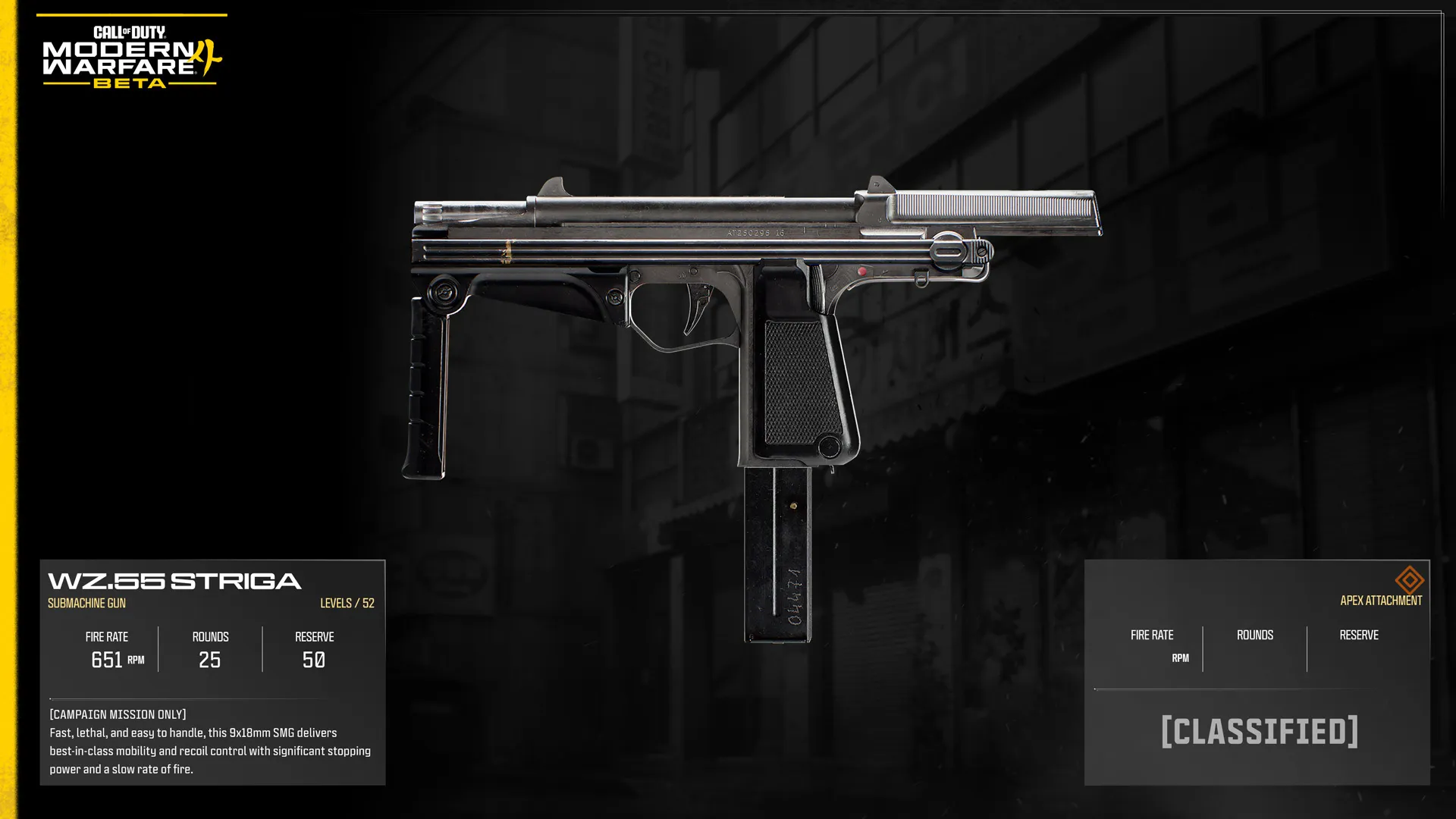
WZ.55 Striga

Unlocked: Campaign Mission Only. Levels: 52


Intel: Fast, lethal, and easy to handle, this 9x18mm SMG delivers best-in-class mobility and recoil control with significant stopping power and a slow rate of fire.


Apex Attachment: [CLASSIFIED]


Shotgun Available in the Beta (1)


Shotguns deliver devastating damage at close range, capable of ending a fight with a well-placed blast. Their limited effective range and slower follow-up shots mean success depends on closing the distance and choosing engagements carefully.


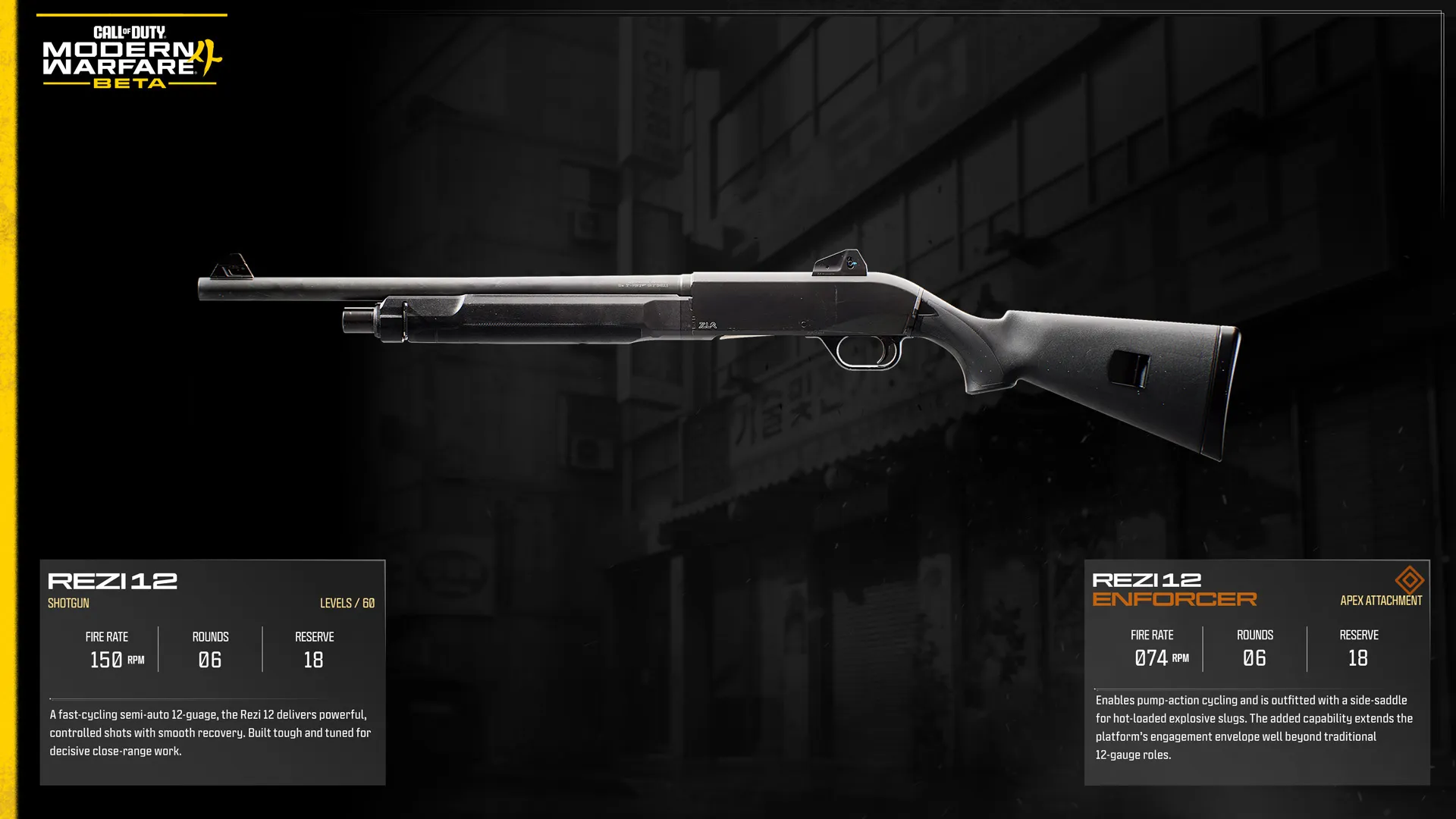
Rezi 12

Unlocked: Player Rank Immediately. Levels: 60


Intel: A fast-cycling semi-auto 12-guage, the Rezi 12 delivers powerful, controlled shots with smooth recovery. Built tough and tuned for decisive close-range work.


Apex Attachment: REZI 12 ENFORCER: Enables pump-action cycling and is outfitted with a side-saddle for hot-loaded explosive slugs. The added capability extends the platform’s engagement envelope well beyond traditional 12-gauge roles.


Light Machine Guns Available in the Beta (2)


Light Machine Guns (LMGs) carry large magazines that let you stay in the fight longer before reloading, making them ideal for defending objectives and engaging multiple enemies. They trade mobility, handling speed, and quicker reloads for sustained firepower and ammunition capacity.


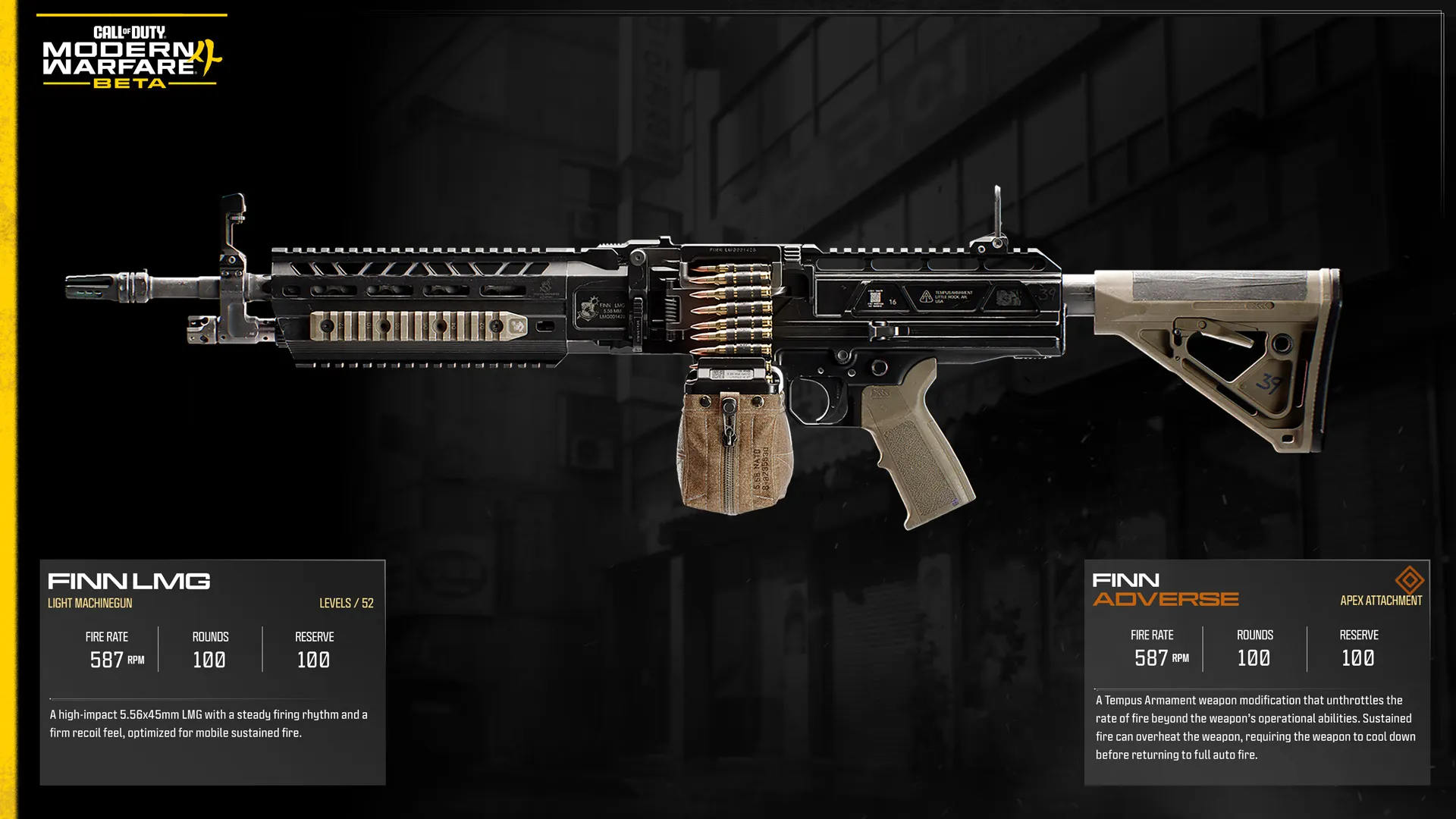
Finn LMG

Unlocked: Player Rank Immediately. Levels: 52


Intel: A high-impact 5.56x45mm LMG with a steady firing rhythm and a firm recoil feel, optimized for mobile sustained fire.


Apex Attachment: FINN ADVERSE: A Tempus Armament weapon modification that unthrottles the rate of fire beyond the weapon’s operational abilities. Sustained fire can overheat the weapon, requiring the weapon to cool down before returning to full auto fire.


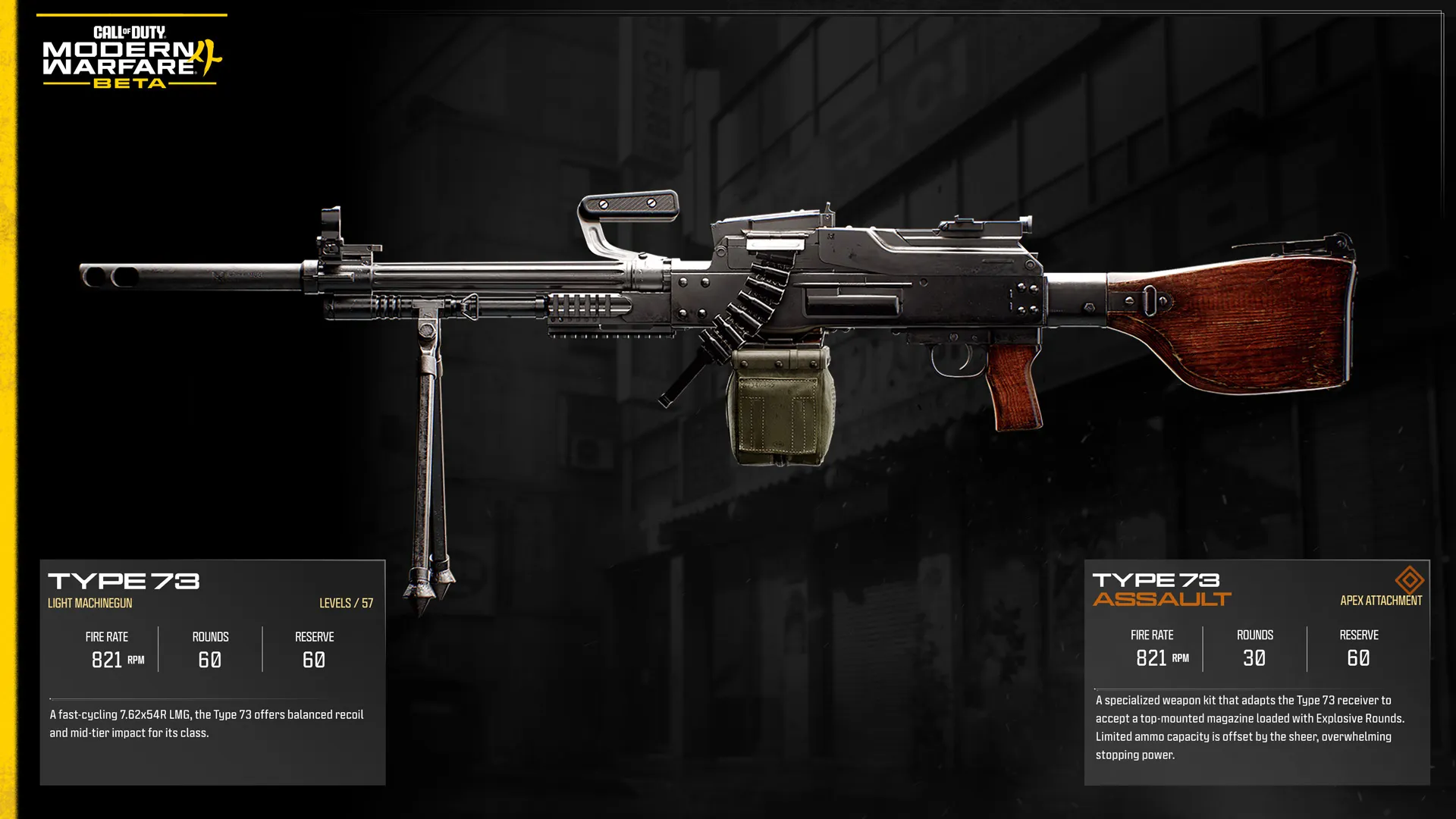
Type 73

Unlocked: Player Rank 5. Levels: 57


Intel: A fast-cycling 7.62x54R LMG, the Type 73 offers balanced recoil and mid-tier impact for its class.


Apex Attachment: TYPE 73 ASSAULT: A specialized weapon kit that adapts the Type 73 receiver to accept a top-mounted magazine loaded with Explosive Rounds. Limited ammo capacity is offset by the sheer, overwhelming stopping power.


Marksman Rifles Available in the Beta (2)


Marksman Rifles bridge the gap between Assault Rifles and Sniper Rifles, combining strong damage with accurate fire at longer distances. They perform best in the hands of Operators who can consistently land precise shots.


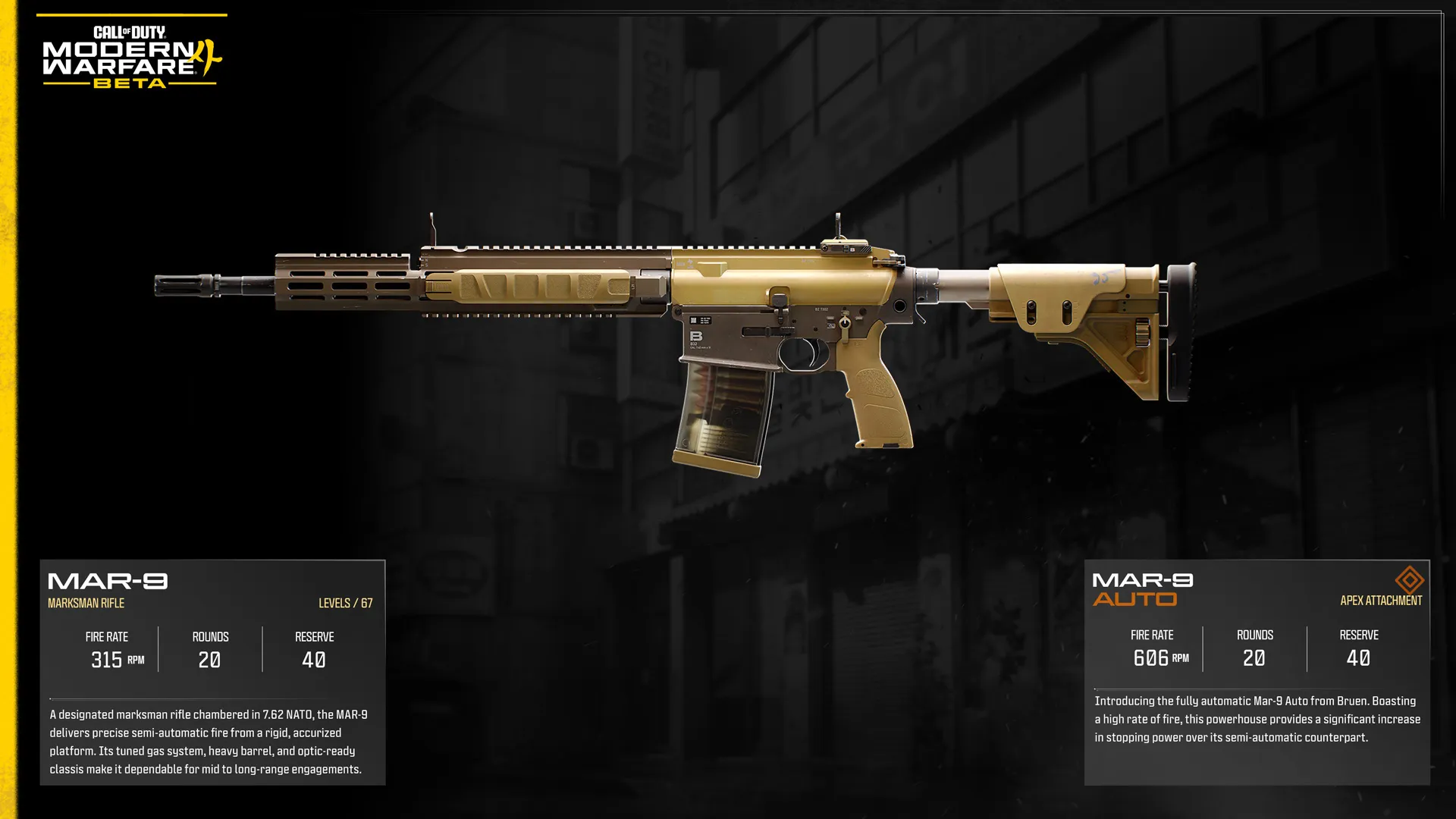
MAR-9

Unlocked: Player Rank Immediately. Levels: 67


Intel: A designated marksman rifle chambered in 7.62 NATO, the MAR-9 delivers precise semi-automatic fire from a rigid, accurized platform. Its tuned gas system, heavy barrel, and optic-ready classis make it dependable for mid to long-range engagements.


Apex Attachment: MAR-9 AUTO: Introducing the fully automatic Mar-9 Auto from Bruen. Boasting a high rate of fire, this powerhouse provides a significant increase in stopping power over its semi-automatic counterpart.


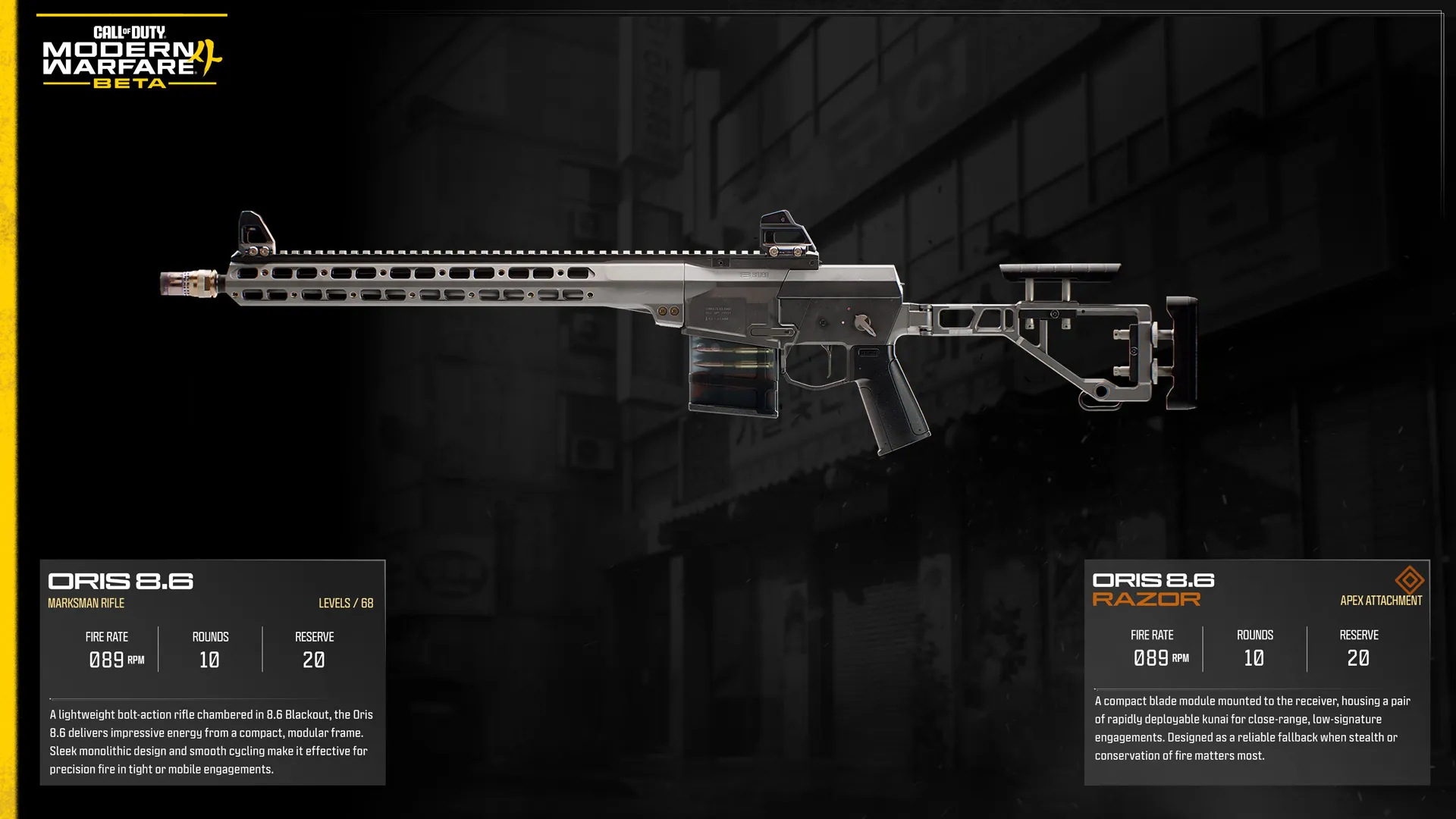
Oris 8.6

Unlocked: Player Rank 14. Levels: 68


Intel: A lightweight bolt-action rifle chambered in 8.6 Blackout, the Oris 8.6 delivers impressive energy from a compact, modular frame. Sleek monolithic design and smooth cycling make it effective for precision fire in tight or mobile engagements.


Apex Attachment: ORIS 8.6 RAZOR: A compact blade module mounted to the receiver, housing a pair of rapidly deployable kunai for close-range, low-signature engagements. Designed as a reliable fallback when stealth or conservation of fire matters most.


Sniper Rifles Available in the Beta (2)


Sniper Rifles are built for extreme-range precision, capable of eliminating enemies with a single well-placed shot. They trade mobility, handling speed, and faster follow-up shots for exceptional accuracy and stopping power.


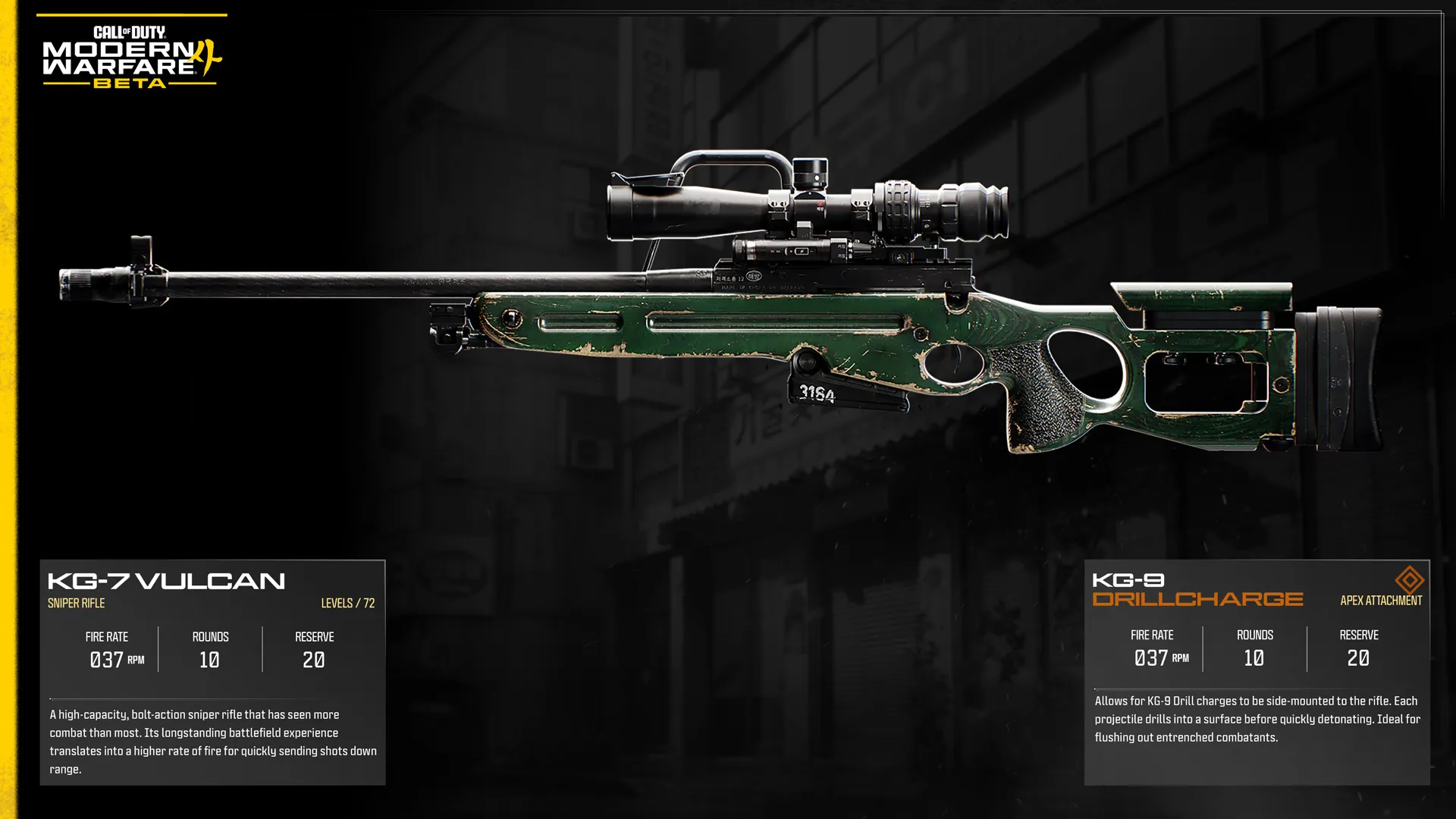
KG-7 Vulcan

Unlocked: Player Rank Immediately. Levels: 72


Intel: A high-capacity, bolt-action sniper rifle that has seen more combat than most. Its longstanding battlefield experience translates into a higher rate of fire for quickly sending shots down range.


Apex Attachment: KG-9 DRILLCHARGE: Allows for KG-9 Drill charges to be side-mounted to the rifle. Each projectile drills into a surface before quickly detonating. Ideal for flushing out entrenched combatants.


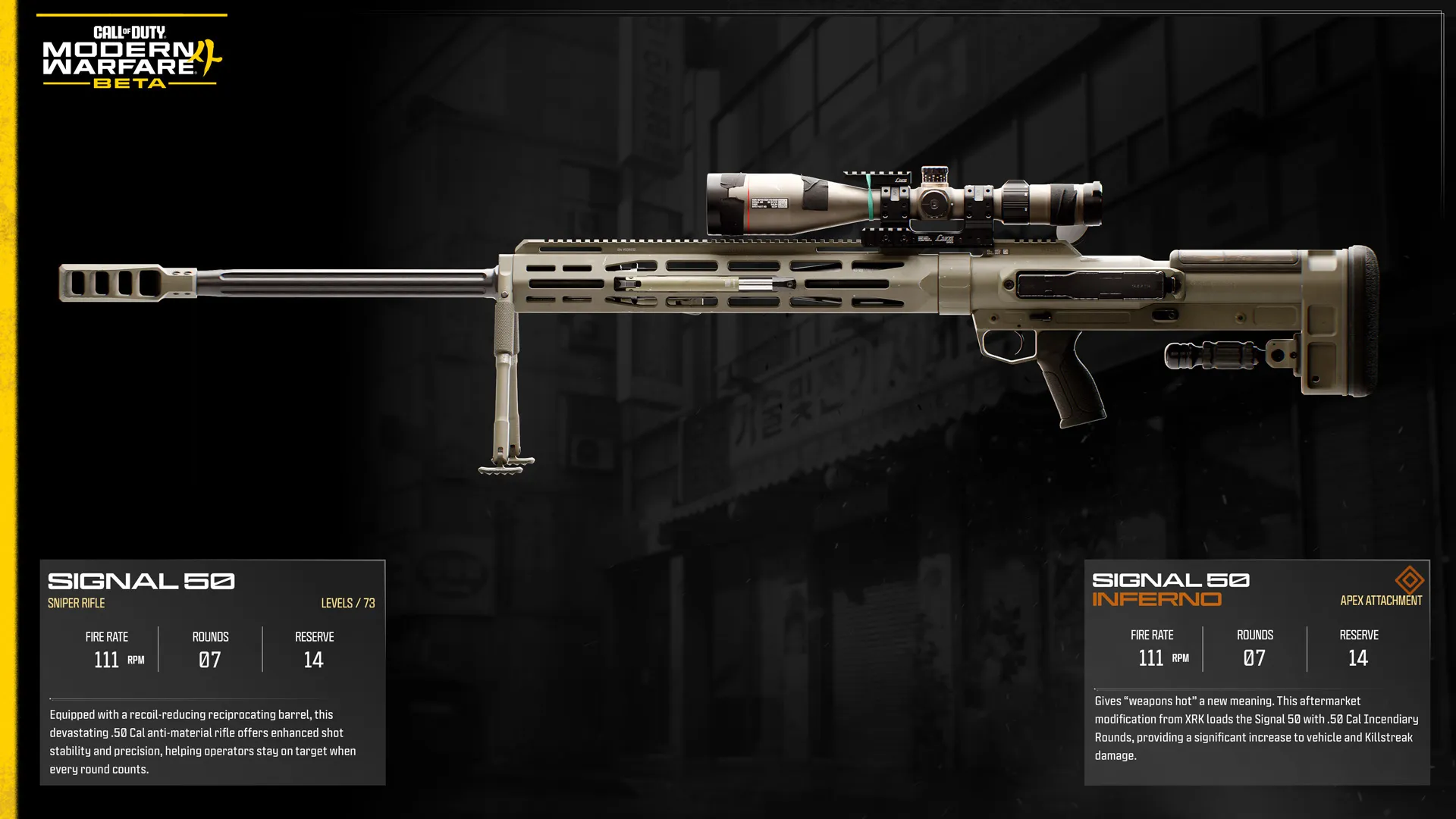
Signal .50

Unlocked: Player Rank 30. Levels: 73


Intel: Equipped with a recoil-reducing reciprocating barrel, this devastating .50 Cal anti-material rifle offers enhanced shot stability and precision, helping operators stay on target when every round counts.


Apex Attachment: SIGNAL 50 INFERNO: Gives “weapons hot” a new meaning. This aftermarket modification from XRK loads the Signal 50 with .50 Cal Incendiary Rounds, providing a significant increase to vehicle and Killstreak damage.


Available During the Modern Warfare 4 Beta: Secondary and Melee Weapons


Pistols Available in the Beta (3)


Pistols provide a dependable backup when your Primary Weapon isn't the right tool for the engagement or needs to be reloaded. While they lack the range and firepower of Primary Weapons, their quick handling and fast weapon swap speed can prove invaluable in a firefight.


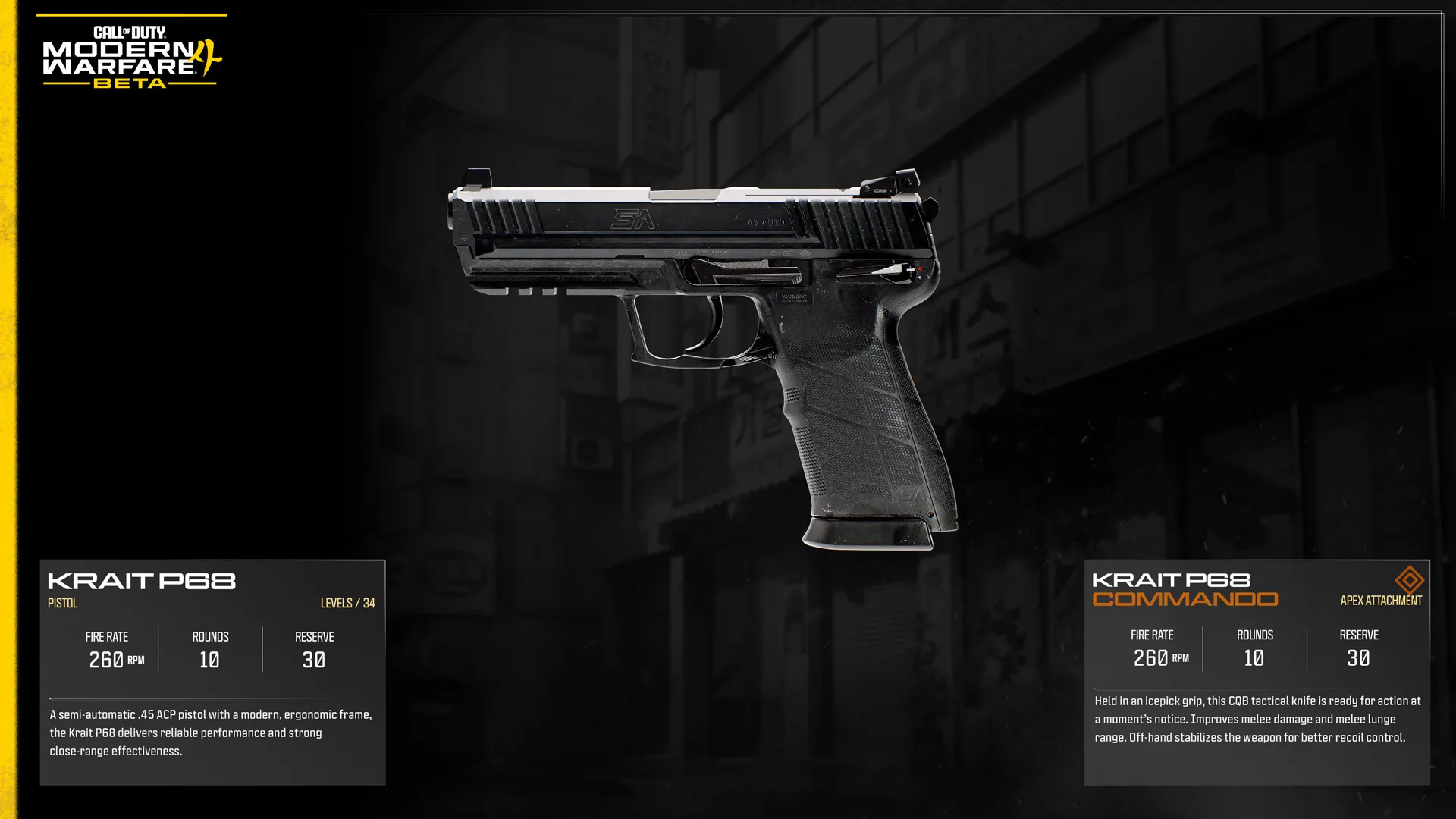
Karit P68

Unlocked: Player Rank Immediately. Levels: 34


Intel: A semi-automatic .45 ACP pistol with a modern, ergonomic frame, the Krait P68 delivers reliable performance and strong close-range effectiveness.


Apex Attachment: KRAIT P68 COMMANDO: Held in an icepick grip, this CQB tactical knife is ready for action at a moment’s notice. Improves melee damage and melee lunge range. Off-hand stabilizes the weapon for better recoil control.


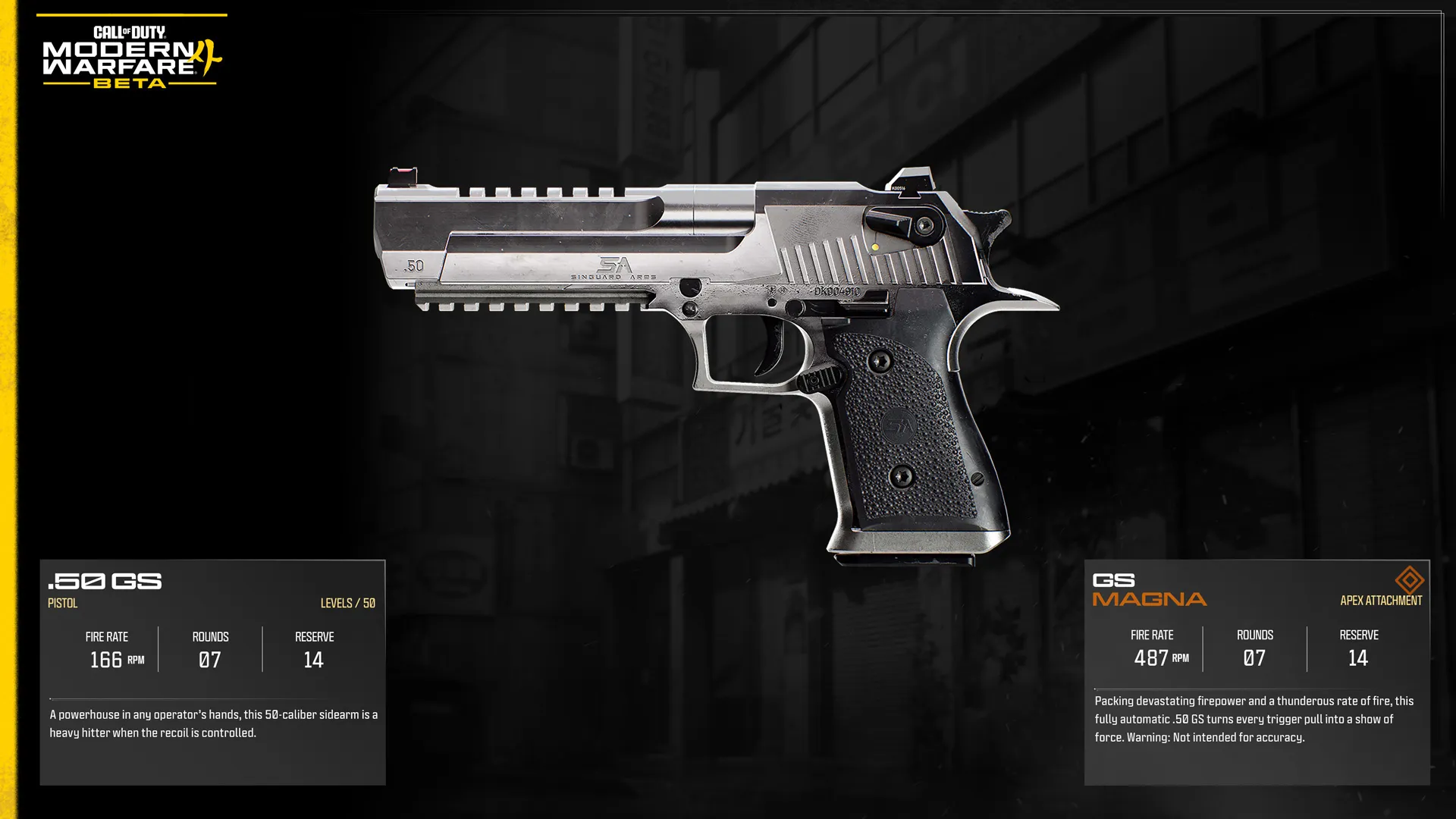
.50 GS

Unlocked: Player Rank 23. Levels: 50


Intel: A powerhouse in any operator’s hands, this 50-caliber sidearm is a heavy hitter when the recoil is controlled.


Apex Attachment: GS MAGNA: Packing devastating firepower and a thunderous rate of fire, this fully automatic .50 GS turns every trigger pull into a show of force. Warning: Not intended for accuracy.


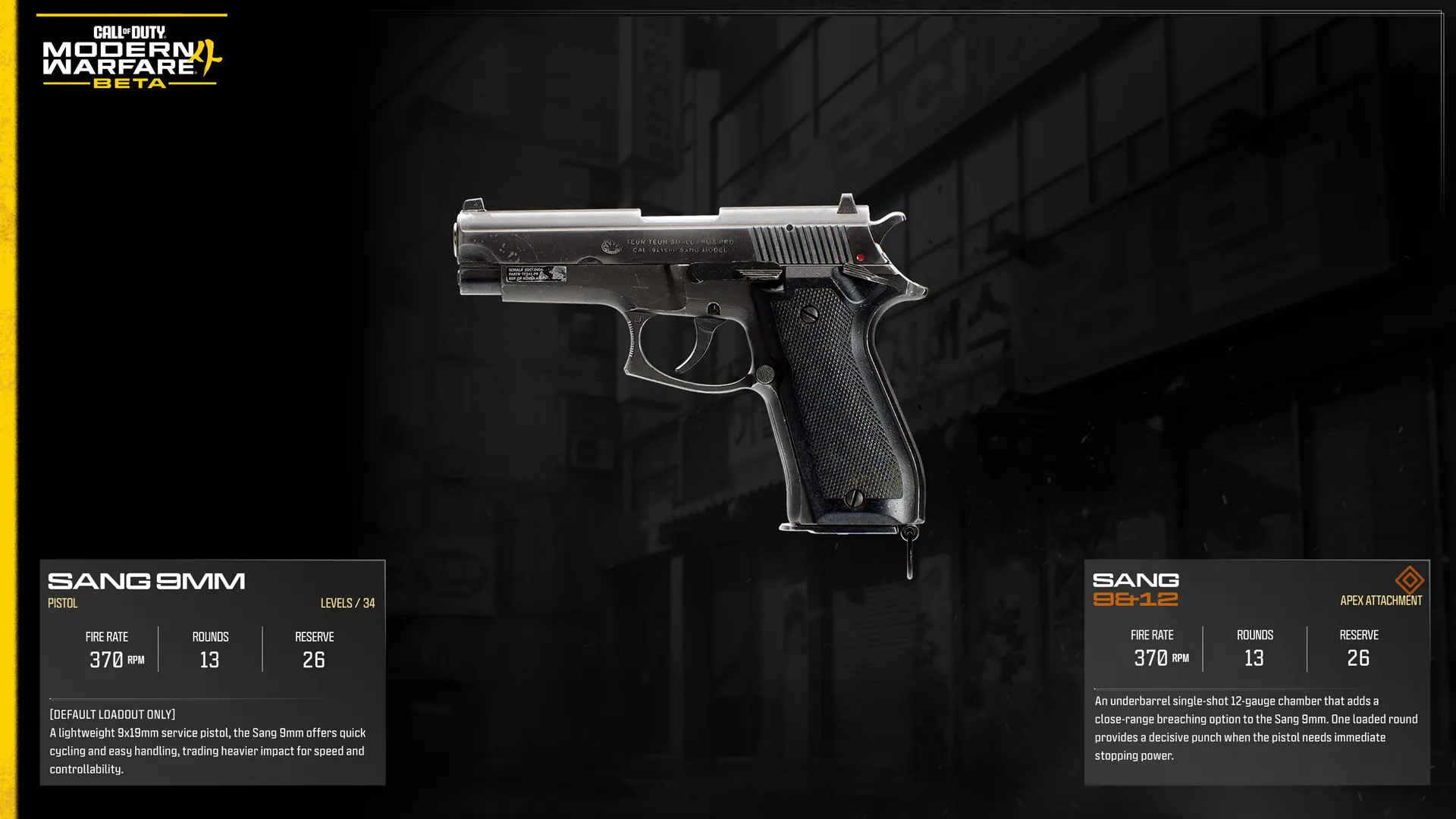
Sang 9mm

Unlocked: Default Loading Only. Levels: 34


Intel: A lightweight 9x19mm service pistol, the Sang 9mm offers quick cycling and easy handling, trading heavier impact for speed and controllability.


Apex Attachment: SANG 9&12: An underbarrel single-shot 12-gauge chamber that adds a close-range breaching option to the Sang 9mm. One loaded round provides a decisive punch when the pistol needs immediate stopping power.


Launchers Available in the Beta (1)


Launchers specialize in destroying vehicles, equipment, and Killstreaks while remaining capable of dealing devastating explosive damage against groups of enemies. Their limited ammunition and slower reload times reward careful shot placement and target selection.


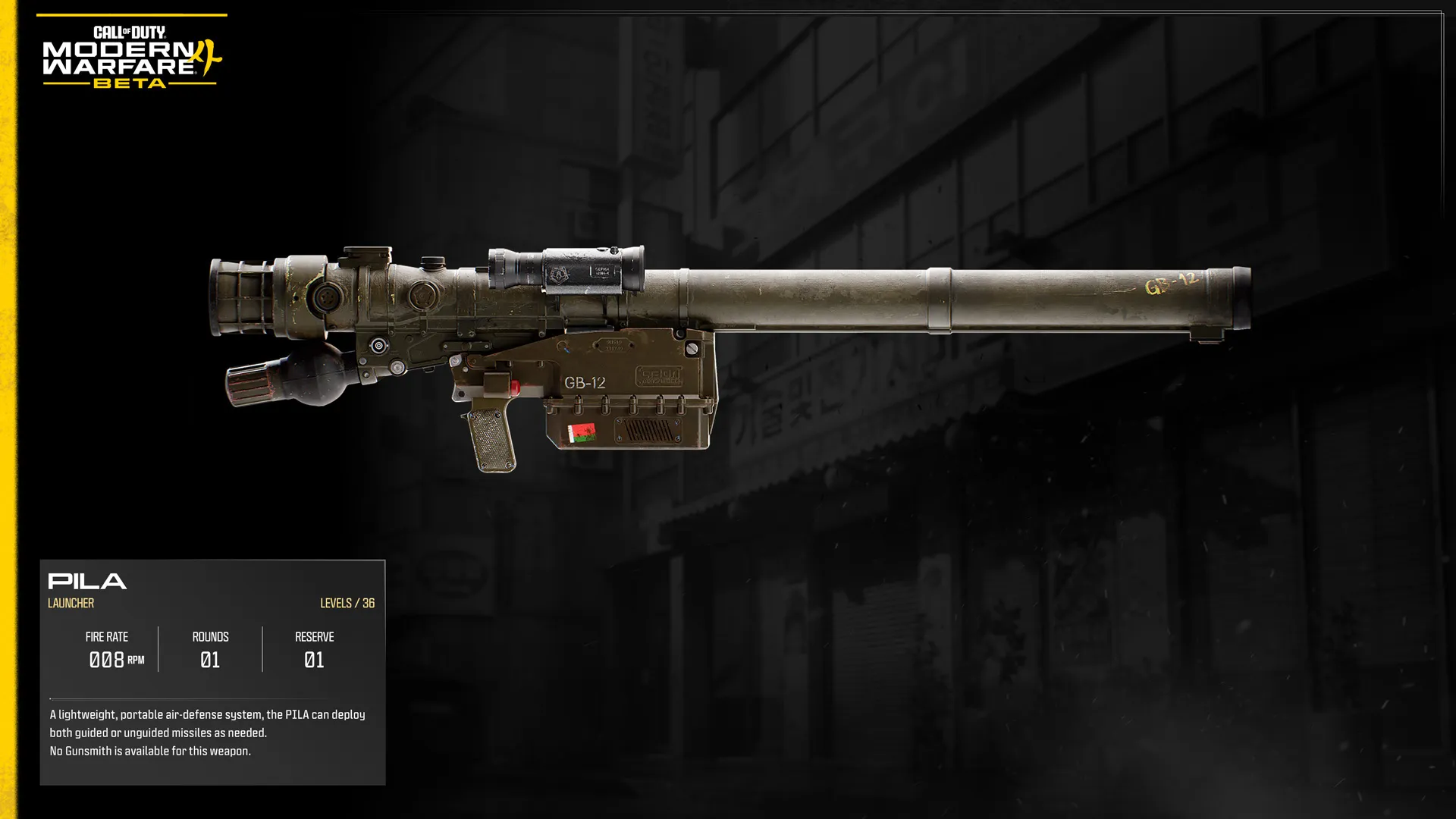
PILA

Unlocked: Player Rank Immediately. Levels: 36


Intel: A lightweight, portable air-defense system, the PILA can deploy both guided or unguided missiles as needed.


Apex Attachment: None: No Gunsmith is available for this weapon.


Melee Weapons Available in the Beta (1)


Melee Weapons are built for silent, close-quarters eliminations, rewarding Operators who can close the distance without being detected. They sacrifice ranged capability entirely in exchange for swift, decisive attacks at point-blank range.


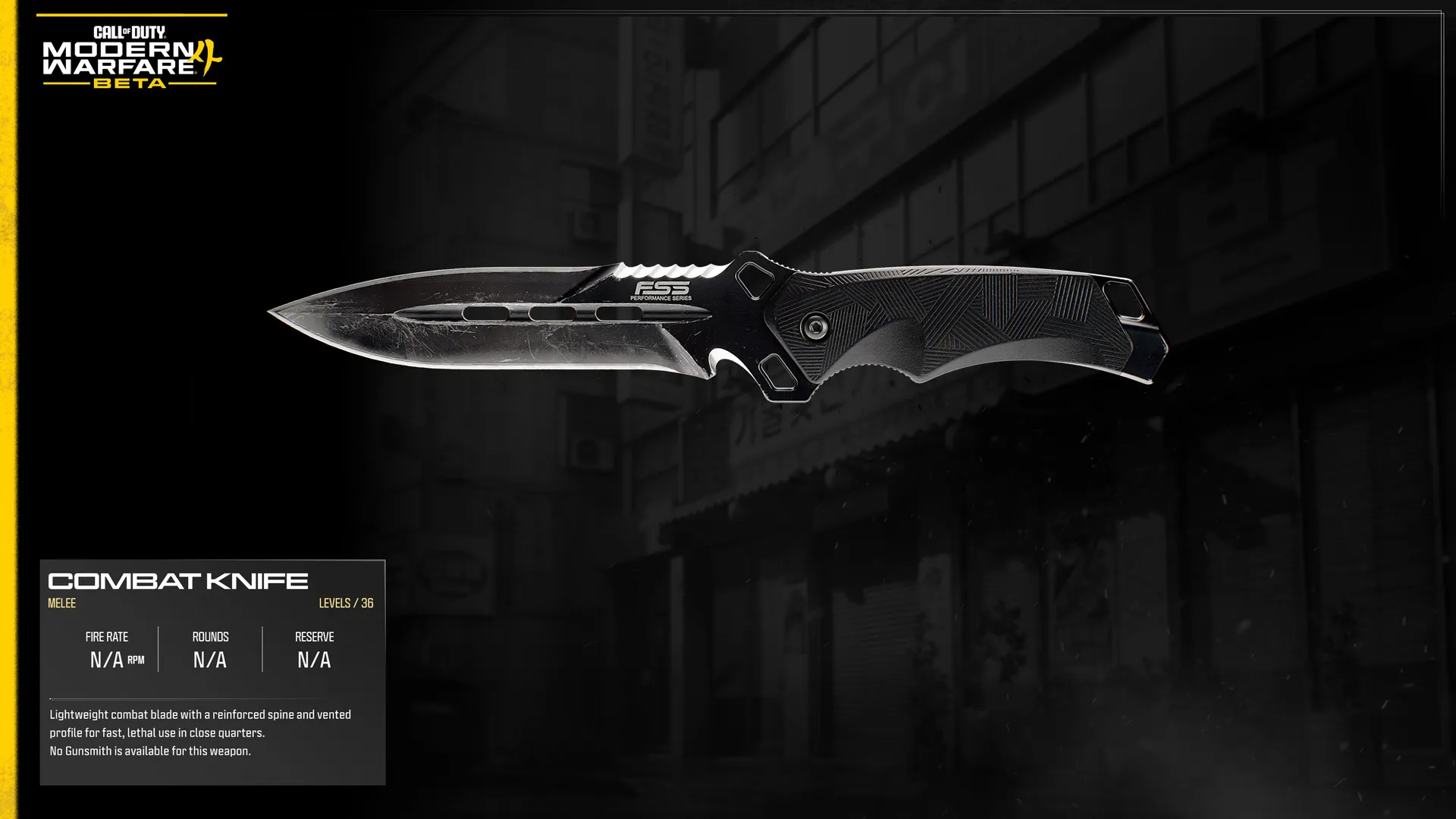
Combat Knife

Unlocked: Player Rank Immediately. Levels: 30


Intel: Lightweight combat blade with a reinforced spine and vented profile for fast, lethal use in close quarters.


Apex Attachment: None: No Gunsmith is available for this weapon.


Gunny

QUICK INTEL:


  • Optional Gunnery Sergeant, nicknamed Gunny.
  • Weapon build recommender within Create a Class.
  • With a click of a button, can generate new builds using the attachments you've already unlocked.
  • Adapts recommendations as your arsenal grows.
  • Built for both new and experienced players.


Short for Gunnery Sergeant, Gunny helps you spend less time building weapons and more time playing. Whether you're looking for a dependable all-round setup or experimenting with different combat roles, Gunny can quickly assemble effective weapon builds using the attachments you've already unlocked. All Gunny’s recommended weapon builds have been crafted by Infinity Ward’s developers.


Gunny serves two key purposes throughout the Beta. It provides ready-to-use weapon builds for players who want to jump straight into the action, while also helping you experiment with different weapon characteristics, engagement ranges, and playstyles as your arsenal expands. As you unlock additional attachments, Gunny's recommendations evolve alongside your Weapon progression, continually offering fresh ways to approach combat.


Gunny is entirely optional. Every recommended build can still be customized manually, giving you complete control over your loadouts whenever you want it.

GUNNY: TOP TIPS:


  • Try Gunny early. Generate a recommended build as soon as you unlock Create a Class to get into Multiplayer with a dependable weapon configuration.
  • Experiment with different builds. As your arsenal grows, compare Gunny's Short Range, Balanced, and Long Range recommendations to discover which combat role best suits your playstyle.
  • Make Gunny your starting point. Use a recommended build as-is or treat it as the foundation for your own Gunsmith customization as additional attachments become available.


Gunsmith

QUICK INTEL:


  • Customize Weapon performance, handling, and appearance.
  • Equip a wide range of Attachments to suit your playstyle.
  • Unlock Apex Attachments by fully leveling supported Weapons.
  • Compare Weapon performance using detailed Gunsmith statistics.
  • Build your own loadouts or use Gunny for optimized recommendations.


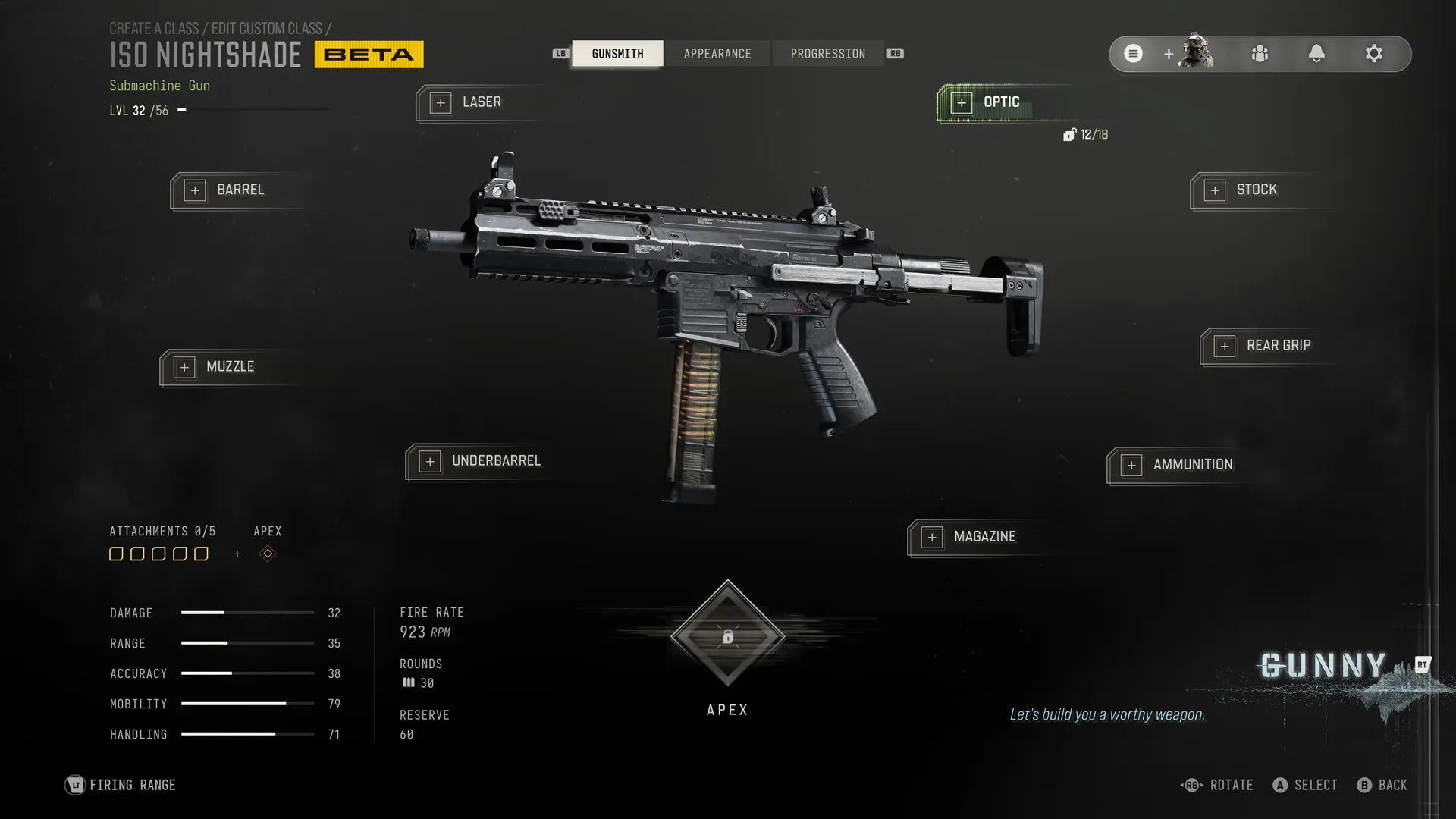
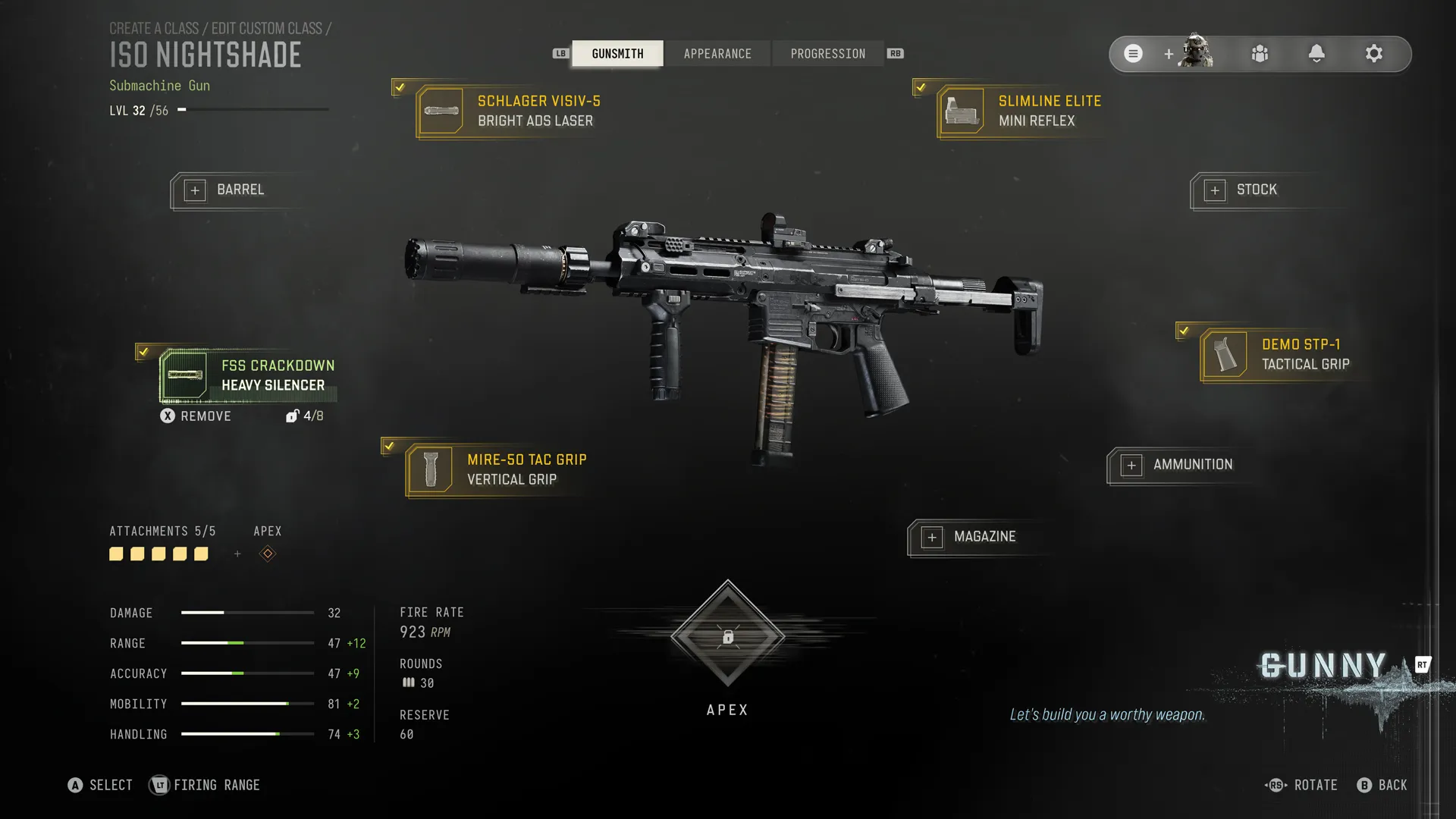
Modern Warfare 4’s Beta features a robust Gunsmith, a deep Weapon customization system that lets you tailor a firearm's performance, handling, and appearance by equipping Attachments and, new to Modern Warfare, Apex Attachments to suit your preferred playstyle.

Returning players will already be familiar with Gunsmith, while newcomers can expect a broad range of Attachment categories that allow you to customize every aspect of your weapon:


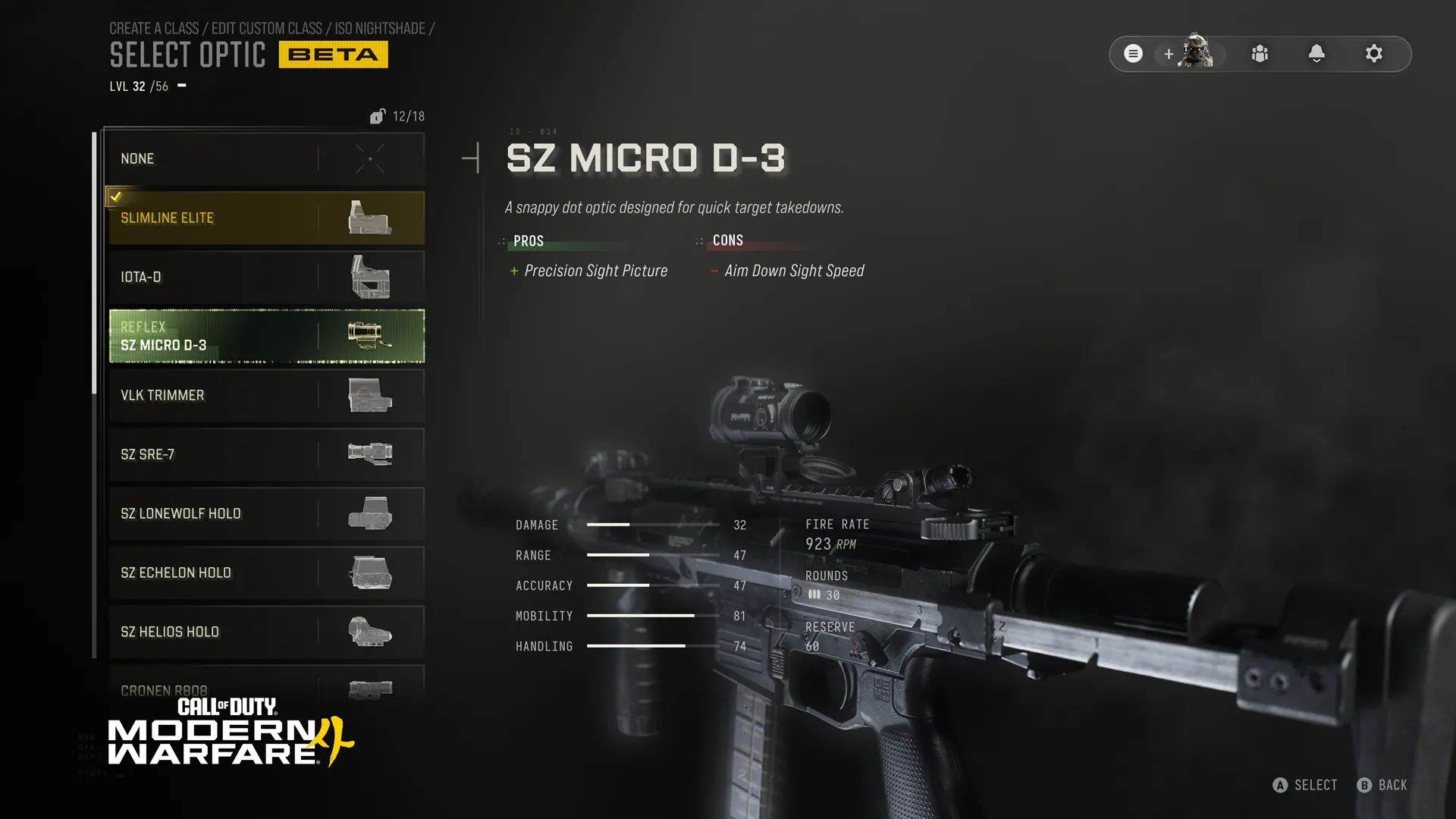
  • Optics: Improve target acquisition with a variety of sights, helping you line up shots more effectively.
  • Lasers: Tighten hip-fire spread, support a Canted Stance, highlight enemies, and provide other close-quarters aiming benefits—though some lasers may reveal your position.
  • Barrels: Adjust a Weapon's damage range, bullet velocity, and other ballistic characteristics.
  • Muzzles: Reduce recoil, suppress weapon fire, or otherwise refine shot control and weapon accuracy.
  • Underbarrels: Enhance recoil control and aiming stability or equip specialized launcher attachments where available.
  • Stocks: Boost mobility, accuracy, flinch resistance, or handling related handling traits.
  • Rear Grips: Adjust weapon handling, including Aim Down Sight (ADS) and Sprint-to-Fire speeds.
  • Ammunition: Modify your weapon's rounds to alter ballistic performance, adding specialized effects or enhancing attributes like bullet velocity, damage range, or penetration.
  • Magazines: Increase ammunition capacity or improve reload efficiency to keep you in the fight longer.

Infinity Ward has introduced some streamlining to the way Attachments are accessed:


  • Each Attachment is only unlocked once, meaning there is no redundant grinding. The same Attachment is available across all weapons that use it, once unlocked the first time.
  • Each weapon can unlock all attachments available to it.
  • Players do not have to utilize a different weapon to earn an attachment on their favorite gun(s).
  • Grow your arsenal: The more attachments you unlock, the more that become immediately available when you start to use a new weapon.
  • Weapon Progression Speed: If you reach a level on a weapon that would award you an attachment you already own, you skip that level with a Bonus Level Up.

GUNSMITH: TOP TIPS:


  • Start with a purpose. Build your weapon around the engagement distances and combat role you expect to face rather than trying to improve every stat. 
  • Use Toggle Details frequently. Compare detailed weapon statistics before equipping Attachments to understand exactly what changes. 
  • Balance your build. Improving one attribute often comes with trade-offs elsewhere, so compare multiple builds before settling on a favorite. 
  • Experiment with different Attachment categories. Small changes to optics, grips, ammunition, or stocks can dramatically alter how a weapon handles. 
  • Let Gunny do the heavy lifting if you're unsure. Generate an optimized build first, then fine-tune it manually as you unlock additional Attachments.
  • Canted Stance: Unlock compatible Laser Attachments such as the 1mW and 5mW Canted Lasers to access Canted Stance. This greatly improves ADS responsiveness and tactical mobility, though your laser beam will remain visible while aiming.
  • Hollow Point Ammunition: Returning for Modern Warfare 4, Hollow Point rounds delay enemy healing and cause critically injured Operators to leave a blood trail, making wounded enemies easier to track down.


Tactical Equipment

QUICK INTEL:


  • Choose a Tactical Equipment item that complements your weapons, Perks, and playstyle.
  • Six Tactical Equipment items are available during the Open Beta, with two available through specific Default Loadouts only.
  • Depending on the Tactical, gather intelligence, obscure vision, disrupt enemy movement, or create tactical opportunities for your squad.
  • Experiment with different Tacticals to discover new ways to approach every combat engagement.
  • Additional Tactical Equipment will be available at launch.


Tactical Equipment helps shape the engagement before the firefight truly begins. Rather than focusing on direct eliminations, Tacticals gather intelligence, obscure sightlines, disrupt enemy movement, and create opportunities for you and your squad to exploit. Every Tactical approaches that challenge differently, making your equipment choice just as important as your weapons and Perks.


During the Open Beta, you'll have access to six Tactical Equipment items representing a broad range of combat roles, with two available through specific Default Loadouts early in your Player Ranking progression. Some Tacticals reveal enemy positions, others obscure vision or disrupt attacks, while others help you recover or regain the initiative during combat. Experiment with each one to discover which best complements your preferred weapons, Perks, and overall approach to combat. Additional Tactical Equipment will be available at launch.


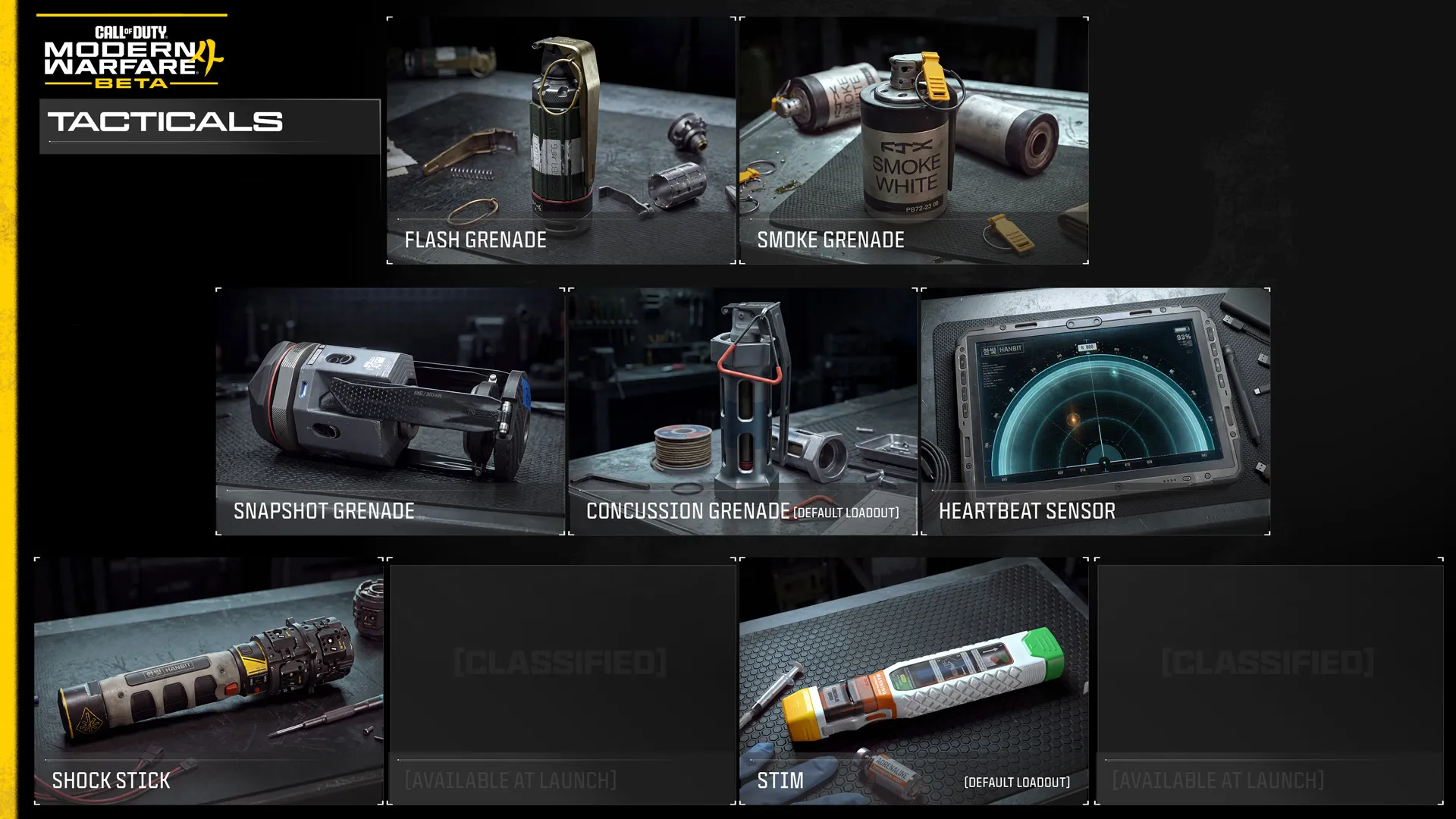
Tacticals at a Glance (7 Available during the Beta)


  • Flash Grenade (Unlocked immediately):  Blinds and deafens targets.
  • Smoke Grenade (Unlocked immediately): Deploy a dense smoke screen that blocks vision and disrupts automated targeting systems. Sustained gunfire and explosive impacts can disperse the smoke, creating temporary sightlines through the dispersing cloud.
  • Snapshot Grenade (Unlocked at Player Level 10): Provides a momentary glimpse of enemies within the immediate area for your team.
  • Concussion Grenade (AKA Stun Grenade, unlocked immediately, Default Class): Explodes on impact with the ground, causing nearby enemies to become inaccurate and have blurred vision. 
  • Heartbeat Sensor (Unlocked at Player Level 23): A limited use tablet that displays rough information about nearby enemies.
  • Shock Stick (Unlocked at Player Level 29): Electrical device that sticks to surfaces, electrocutes enemies, destroys equipment, and causes vehicles to go haywire.
  • Stim (Unlocked Immediately, Default Class): Military stimulant that immediately starts health regeneration and refreshes Tactical Sprint. 


Every Tactical Equipment item solves a different problem in the field, whether revealing hidden threats, disrupting enemy advances, blocking sightlines, or helping your squad seize the initiative. As you unlock more options throughout the Beta, experiment with different Tacticals to discover which best complements your preferred weapons, Perks, and overall combat role.


TACTICALS: TOP TIPS:


  • Use your Tactical often. Tactical Equipment is designed to create opportunities throughout a match, not just during critical moments.
  • Coordinate with your squad. Combining Tactical Equipment with your teammates can be far more effective than using it alone.
  • Match your Tactical to your loadout. Choose equipment that complements your weapons, Perks, and preferred combat role. Examples are shown below.
  • Think tactically. The best Tactical Equipment often creates opportunities for your team rather than securing kills directly.


Lethal Equipment

QUICK INTEL:


  • Choose one Lethal Equipment item to support your preferred combat role.
  • Eight Lethal Equipment items are available during the Open Beta.
  • Breach defended positions, deny key routes, and secure eliminations with a range of offensive equipment.
  • Experiment with explosive, incendiary, and deployable Lethals to suit your approach to combat.
  • Additional Lethal Equipment will be available at launch.


Lethal Equipment brings explosive firepower to every Create a Class. Rather than gathering information or creating opportunities like Tactical Equipment, Lethals solve combat problems by clearing defenders from cover, denying key routes, protecting objectives, breaching fortified positions, and securing eliminations. Every Lethal approaches these challenges differently, making your equipment choice an important part of every Create a Class.


The Open Beta features eight Lethal Equipment items spanning explosive, incendiary, and deployable offensive options. Some excel at flushing defenders from cover, others deny movement or protect objectives, while new additions such as the Trip Wire and Zip Gun introduce entirely new ways to pressure opponents. Experiment with each one to discover which best complements your preferred weapons, Perks, and combat role. Additional Lethal Equipment will be available at launch.


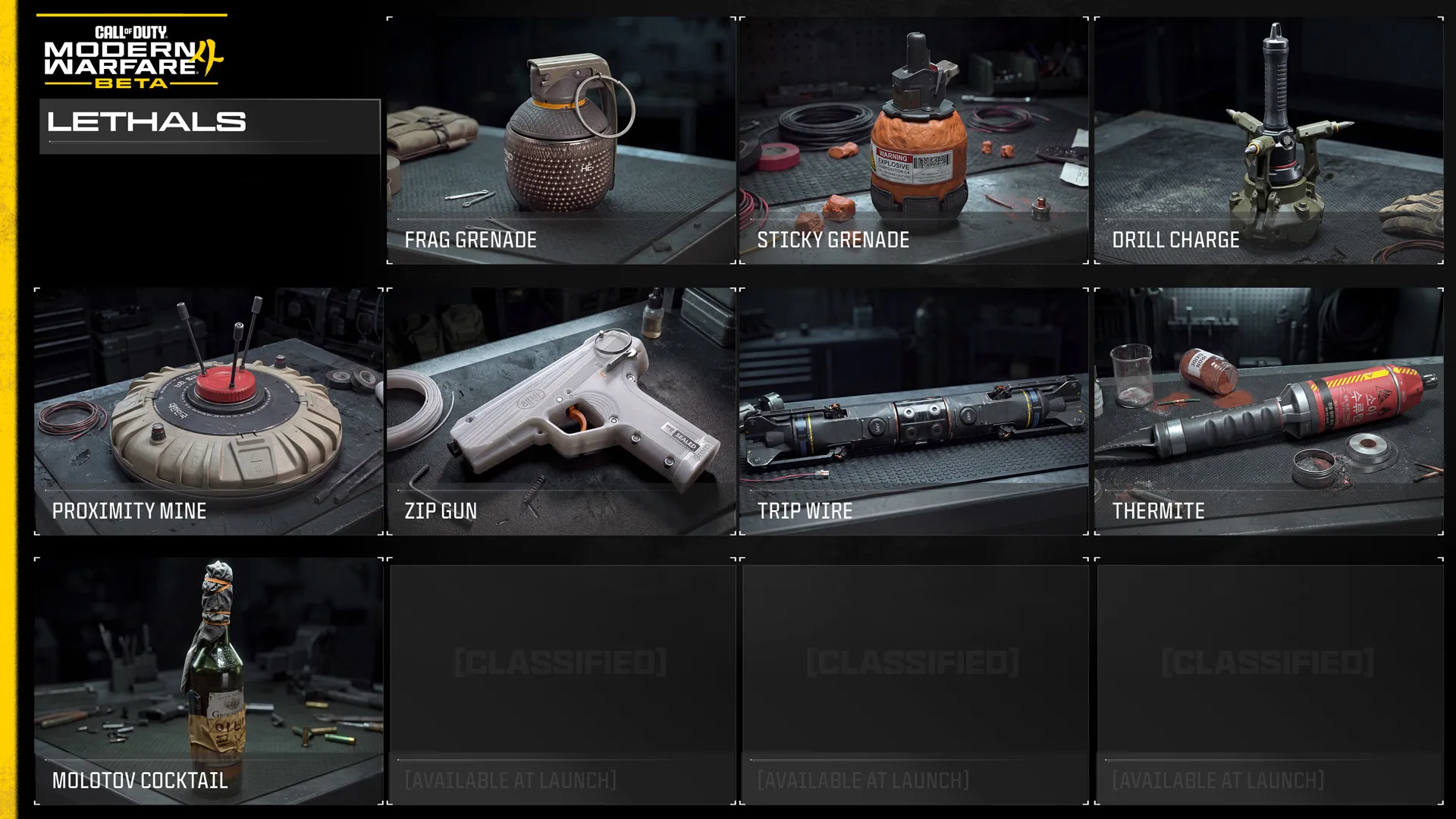
Lethals at a Glance (8 Available during the Beta)


  • Frag Grenade (Unlocked immediately): Cookable fragmentation grenade.
  • Sticky Grenade (Unlocked immediately): Timed sticky grenade.
  • Drill Charge (Unlocked at Player Level 7): Thermal lance that burrows through surfaces before exploding.
  • Proximity Mine (Unlocked at Player Level 7): Proximity-triggered explosive that launches upward before detonating, dealing heavy damage to the surrounding area.
  • Thermite (Unlocked at Player Level 26): Sticky incendiary device that ignites on impact.
  • Trip Wire (Unlocked at Player Level 22): Throwable explosive trap that deploys a detonation wire upon landing. Multiple Trip Wires can link together, creating a connected network of explosives.
  • Zip Gun (Unlocked at Player Level 17): Single-use pistol that can be deployed quickly, capable of eliminating hostiles at close range.
  • Molotov Cocktail (Unlocked at Player Level 28): Improvised incendiary device that explodes on impact.


Every Lethal Equipment item solves a different problem, whether clearing entrenched defenders, denying enemy movement, protecting objectives, or securing eliminations. As you unlock more Lethals throughout the Beta, experiment with each one to discover which best complements your preferred weapons, Perks, and combat role.


LETHALS: TOP TIPS:


  • Force movement before forcing eliminations. The best Lethals often succeed by making opponents abandon strong positions, giving you the advantage before the firefight begins.
  • Choose the right tool for the job. Some Lethals excel at clearing cover, others defend objectives or restrict enemy movement. Match your equipment to the situation.
  • Think ahead. Deployable Lethals are most effective when placed where enemies are likely to move, not where they are already standing.
  • Coordinate with your squad. Time your Lethals with teammate pushes to maximize pressure and capitalize on disrupted enemy positions.


Field Upgrades

QUICK INTEL:


  • Equip one rechargeable Field Upgrade to provide a powerful ability during a match.
  • Eight Field Upgrades are available during the Open Beta, with one available through a specific Default Loadout.
  • Field Upgrades recharge automatically over time after use, with each Upgrade recharging at its own rate, allowing them to be deployed multiple times during a match.
  • Deploy specialized tools to gather intelligence, support teammates, defend objectives, disrupt enemy equipment, or create new tactical opportunities.
  • Additional Field Upgrades will be available at launch.

Field Upgrades provide powerful rechargeable abilities that help your squad adapt as a match unfolds. Unlike Tactical and Lethal Equipment, Field Upgrades recharge automatically over time after use, allowing every Operator to repeatedly deploy specialized tools that gather intelligence, support teammates, protect objectives, create cover, or counter enemy threats. Familiar equipment has also found a new home in this category. For example, the Riot Shield is now a placeable, destructible Field Upgrade, opening new tactical possibilities. Every Field Upgrade approaches these challenges differently, making your selection an important part of every Create a Class.

During the Open Beta, you'll have access to eight Field Upgrades spanning reconnaissance, defensive, support, and area-denial roles, with Razor Wire available through a specific Default Loadout. Some reward careful planning before an engagement, while others are best deployed in the middle of a firefight or to reinforce a position already under attack. Experiment with each one to discover which best complements your preferred weapons, Perks, equipment, and overall combat role. Additional Field Upgrades will be available at launch.


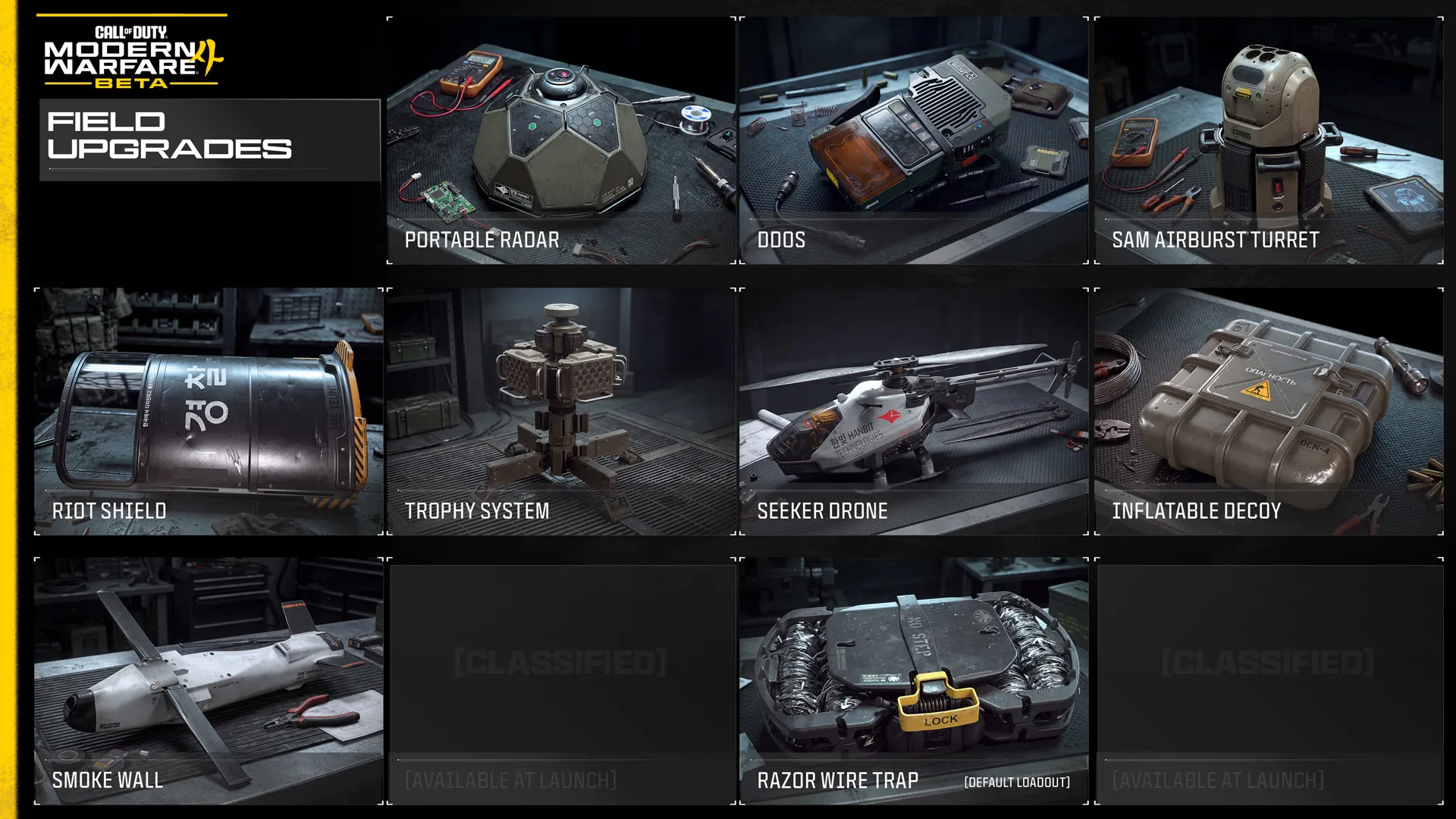
Field Upgrades at a Glance (9 Available during the Beta)


  • Portable Radar (Available immediately): Emits a periodic radar ping to detect nearby enemies.
  • DDOS (Available immediately): Activates a device that deactivates electronics and disrupts enemy sensors in the immediate area for a short time.
  • SAM Airburst Turret (Available Player Level 8): Portable artillery turret that intercepts aerial threats.
  • Riot Shield (Available Player Level 11): Deploy a placeable, destructible Riot Shield to defend your team, reinforce objectives, or hold the frontline.
  • Trophy System (Available Player Level 14): Deployable defense system that destroys up to three airborne projectiles. Larger targets will take multiple shots to counter.
  • Seeker Drone (Available Player Level 19): Deploy a drone that will seek nearby enemies and snapshot them.
  • Inflatable Decoy (Available Player Level 25): Proximity-activated decoy mine. Upon activation, the reinforced fiber target is violently deployed to confuse and distract. Press the activation button a second time for manual activation.
  • Razor Wire (Available immediately, Default Class): Deploy a mine which ensnares your enemies in razor wire. 
  • Smoke Wall (Available Player Level 29): Fire a fast-moving rocket that leaves a trail of smoke behind it, providing safer battlefield rotations.


Each Field Upgrade excels in different situations. Experiment with the available options throughout the Beta to discover which best complements your preferred loadout, combat role, and style of play.


FIELD UPGRADES: TOP TIPS:


  • Consider the recharge rate. A faster-recharging Field Upgrade may be available several times during a match, while a slower option may reward more deliberate deployment.
  • Deploy with purpose. Avoid activating a Field Upgrade simply because it is ready. Consider the objective, nearby threats, and what your squad is about to do.
  • Plan before contact. Reconnaissance, defensive, and area-denial Field Upgrades are often most effective when deployed before the enemy reaches your position.
  • Respond to the battle. Save disruptive or protective Field Upgrades for moments when they can directly counter an enemy push, aerial threat, or fortified position.
  • Protect deployed equipment. Place stationary Field Upgrades where they can perform their role without being immediately exposed to enemy fire.
  • Coordinate with your squad. A well-timed Field Upgrade can support an advance, strengthen a defense, or create a safer route for multiple teammates.


Killstreaks

QUICK INTEL:


  • Equip up to three Killstreaks before entering a Multiplayer match.
  • Earn Killstreaks by achieving consecutive kills without being eliminated.
  • Killstreaks unlock after earning 3, 5, 7, 9, or 11 eliminations, depending on the Killstreak selected.
  • Apply your selected Killstreaks to a single Custom Loadout or across all your Custom Loadouts.
  • Additional Killstreaks will be available at launch.


Killstreaks are powerful combat rewards earned by achieving consecutive eliminations without being killed yourself. Unlike Scorestreak systems, only your elimination streak counts toward unlocking them, making survival just as important as securing eliminations. Choosing the right combination of Killstreaks is an important part of every Multiplayer loadout.

During the Multiplayer portion of the Open Beta, you'll have access to 10 Killstreaks spread across five kill requirements: 3, 5, 7, 9, and 11 eliminations. Lower-tier Killstreaks can be earned more consistently throughout a match, while higher-tier rewards require longer streaks in exchange for greater impact. Once you've built your preferred combination, assign it to individual Custom Loadouts or apply the same Killstreaks across all your loadouts. Additional Killstreaks will be available at launch.


Killstreaks at a Glance (10 Available during the Multiplayer Portion of the Beta)


  • UAV (Available immediately): Recon ship that reveals enemy locations on the minimap.
  • Care Package (Available at Player Level 9): Call in a random Killstreak Care Package to your location.
  • Bomb Glider (Available at Player Level 6): Hand-held glider with an explosive payload.
  • Impact Warhead (Available at Player Level 12): Launch an Impact Warhead that rips through multiple floors.
  • Crossfire (Available at Player Level 20): Call in dual airstrikes to annihilate enemies from both directions.
  • Combat Drone (Available at Player Level 26): Remote-controlled anti-personnel drone.
  • Artillery Beacon (Available immediately): Throw a sticky beacon to call in heat-seeking MLRS on the target.
  • Wheelson (Available at Player Level 16): AI-controlled vehicle that hunts down nearby targets or guards the area around the owner.
  • Missile Salvo (Available at Player Level 24): Call in air support to rain cruise missiles down from above.
  • Attack Helicopter (Available immediately): Call in a deadly overwatch helicopter to patrol an area.


Each Killstreak offers a different way to support your team and influence the battle, from gathering intelligence and disrupting enemy positions to delivering devastating firepower or autonomous support. Experiment with different Killstreak combinations throughout the Beta to discover which best complements your preferred weapons, Perks, equipment, and combat role.


KILLSTREAKS: TOP TIPS


  • Build a balanced set. Pair reliable lower-tier Killstreaks with one or two higher-tier rewards that can change the course of a match.
  • Protect your streak. As you approach your next reward, surviving becomes just as important as earning another elimination.
  • Choose the right moment. Waiting a few seconds for the right opportunity often produces better results than activating a Killstreak too hastily.
  • Support your squad. Reconnaissance and support Killstreaks can be just as valuable as offensive firepower when attacking or defending objectives.
  • Adapt your selection. Different maps, modes, and playstyles favor different Killstreak combinations.


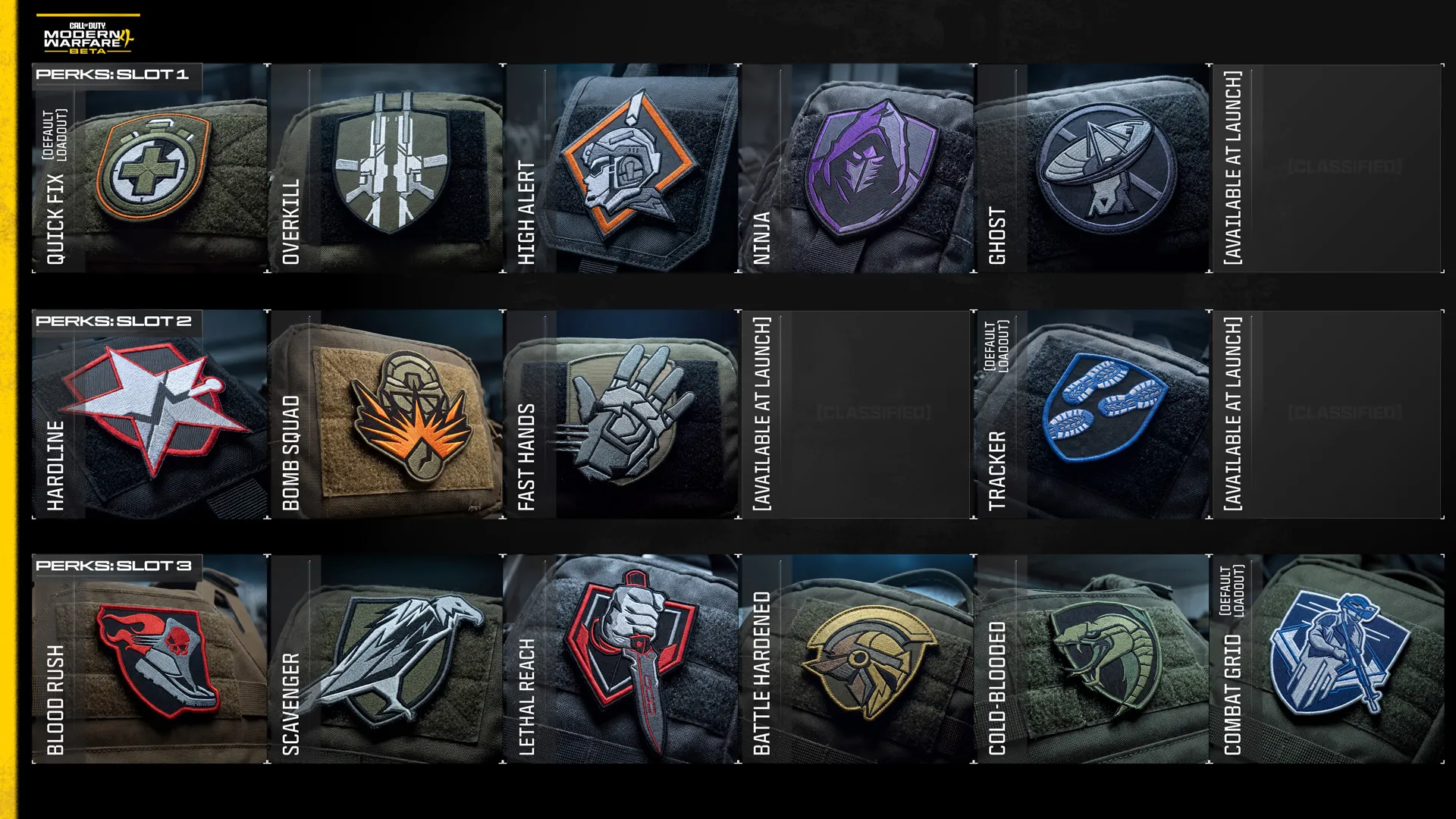
Perks

QUICK INTEL:


  • Customize your Operator with the Pick 3 Perk System.
  • Equip one Perk from each of three Perk slots within Create a Class.
  • Mix and match Perks to support different combat roles and playstyles.
  • 16 Perks are available during the Open Beta, with three available through Default Loadouts only.
  • Use the Apply to All Loadouts option to quickly equip your chosen Perk combination across every Create a Class loadout.


Perks are passive abilities that help define how your Operator performs in combat. Whether you're moving quietly around the map, recovering more quickly after eliminations, improving your equipment usage, or staying hidden from enemy reconnaissance, every Perk contributes to a different style of play.

Modern Warfare 4's Pick 3 System lets you equip one Perk from each of three Perk slots, encouraging you to build combinations that complement your preferred weapons, equipment, and overall approach to combat. Some combinations reward aggressive objective play, while others emphasize stealth, survivability, mobility, or tactical awareness. During the Beta, 16 Perks are available to experiment with, including three available through specific Default Loadouts early in your progression. More Perks will arrive at launch. 


Perks at a Glance 


Perk 1 Slot (5)


  • Overkill (Available immediately): Carry two Primary Weapons.
  • Ninja (Available at Player Level 20): Quieter footsteps.
  • High Alert (Available at Player Level 16): Warns when an unseen enemy spots you.
  • Quick Fix (Available immediately): Regenerate health after eliminations and while capturing objectives. (Default Loadout during Beta)
  • Ghost (Available at Player Level 24): Remain undetected by multiple enemy reconnaissance tools.


Perk 2 Slot (4)


  • Fast Hands (Available at Player Level 12): Faster reloads, equipment use, and weapon swaps.
  • Hardline (Available immediately): Reduce Killstreak costs by one.
  • Bomb Squad (Available immediately): Increased protection against explosives.
  • Tracker (Available immediately, Default Class Only): Track enemy footprints and conceal your kill markers. (Default Loadout during Beta)


Perk 3 Slot (6)


  • Scavenger (Available immediately): Replenish ammunition from fallen enemy Operators.
  • Lethal Reach (Available at Player Level 8): Throw equipment farther with a trajectory preview and automatically perform a dedicated melee attack.
  • Blood Rush (Available immediately): Longer Tactical Sprint, faster crouch movement, and stamina restored after eliminations.
  • Combat Grid (Available immediately, Default Class Only)): Highlight enemy equipment, Field Upgrades, Killstreaks, vehicles, and friendly teammates. (Default Loadout during Beta)
  • Battle Hardened (Available at Player Level 28): Reduce the effects of enemy Tactical equipment.
  • Cold-Blooded (Available at Player Level 30): Remain undetected by AI targeting systems and several reconnaissance tools.


As you unlock additional Perks throughout the Beta, don't be afraid to experiment. A small adjustment to one Perk can dramatically change how a loadout performs, and the Apply to All Loadouts option makes it easy to update every custom class with your favorite three-Perk combination in a single step.


Modern Warfare 4 Beta: Modes

The Modern Warfare 4 Open Beta showcases the full range of Multiplayer combat. Deploy into classic modes like Team Deathmatch and Domination, master all-new experiences including Hijack and Inflation, test your skills in intense 3v3 Gunfight matches, or join combined-arms Ground War battles featuring tanks and other vehicles. Explore the mode overviews below.


Team Deathmatch (Core 6v6)

QUICK INTEL:


  • Eliminate enemy Operators to earn points for your team.
  • The first team to reach the score limit or the lead when time expires wins the match.
  • Unlimited respawns keep the action moving while rewarding smart engagements, teamwork, and consistent gunplay.
  • Full Create a Class functionality lets you experiment with all available weapons, Equipment, Perks, Field Upgrades, and Killstreaks.

Team Deathmatch is Modern Warfare 4 Multiplayer in its purest form. Two teams compete to earn points by eliminating enemy Operators, with every kill bringing your team one step closer to victory. Without objectives to capture or defend, success comes from consistently winning engagements while denying the enemy opportunities to score.

Every elimination counts but surviving to fight the next battle is just as important. Winning consecutive engagements not only denies the enemy points; it also earns valuable Killstreaks that can strengthen your team's advantage. Whether you're jumping into your first Multiplayer match or sharpening your gunfighting skills before tackling objective-based modes, Team Deathmatch rewards smart decision-making, teamwork, and consistent performance.


Hijack (Core 6v6)

QUICK INTEL:


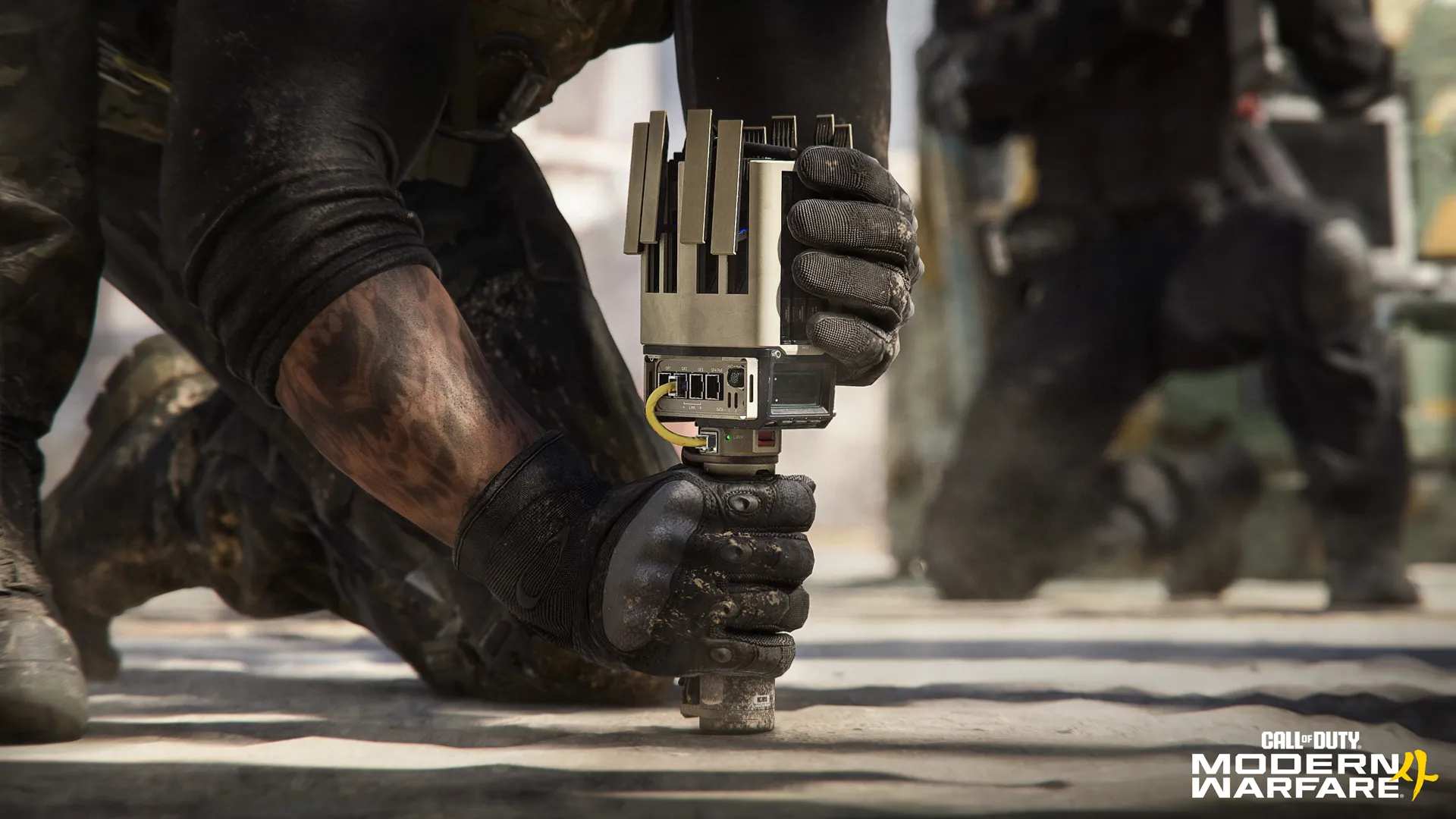
  • NEW: Fight to capture a Data Spike around the central area of the map.
  • Carry, throw, or pass the Spike to teammates as you advance.
  • Plant the Spike at the enemy Comm Station to earn points over time, plus a bonus score when it detonates.
  • Defuse enemy Spikes before they can score.

Hijack is a brand-new objective mode where both teams battle over a single Data Spike, then advance it toward the enemy Comm Station. Once planted, the Spike continuously generates points for your team, forcing the opposition to launch a counterattack before it detonates or risk falling behind.

Victory depends on momentum as much as firepower. Keep the Spike moving by carrying it yourself or throwing it to teammates to maintain the attack. Full Create a Class functionality gives your team multiple ways to escort the Spike, disrupt enemy advances, and defend the objective as you fight to maximize your score.

HIJACK: TOP TIPS:


  • Protect the carrier: While carrying the Data Spike, the Lethal input is used to throw it, preventing the carrier from deploying their equipped Lethal. Teammates should clear dangerous routes, support their carrier with their Equipment, and be ready to recover the Spike if the carrier is eliminated.
  • Keep the Spike moving: A stationary Spike gives the enemy time to regroup. Carry it, throw it to a teammate, or quickly recover it after a firefight to maintain the attack.
  • Fight for the Comm Station: Planting the Spike is only half the battle. Prepare defensive positions before the enemy counterattack arrives and protect the Spike until it detonates.
  • Use the fight equipment for the job: The carrier loses access to their equipped Lethal, making the surrounding squad’s loadout choices especially important. Use equipment and Killstreaks to clear routes, protect the advance, and secure the Comm Station after planting.
  • Adapt as the Spike moves: Every time the Data Spike resets, both teams race to regain possession. Recover quickly, adjust your routes, and don't allow the enemy time to establish their next defense.


Inflation (Core 6v6)

QUICK INTEL:


  • NEW: Eliminate enemies to collect cash and build your fortune.
  • Defeat wealthy HVT Operators to steal the cash they're carrying.
  • The richest players become marked High Value Targets for everyone to hunt.
  • Survive the escalating chaos of Overtime, where increased cash multipliers can dramatically swing the match.

Inflation is a new Multiplayer mode that transforms every successful Operator into a bigger prize… and target. Eliminate enemies to collect cash, but the more wealth you carry, the greater the target on your back. Once you reach the High Value Target threshold, your position is revealed, inviting the entire enemy team to hunt you down while your teammates defend your position, recover dropped cash, and continue building their own fortunes.

As fortunes grow, so do the stakes. Every elimination can dramatically swing the score as teams choose whether to protect their richest players or launch coordinated attacks against enemy High Value Targets. Overtime raises the tension even further with increased cash multipliers, creating a chaotic finale where fortunes can change hands in moments. Full Create a Class functionality gives your team the tools to hunt High Value Targets, defend your biggest earners, and survive the escalating chaos as the match reaches its dramatic conclusion.


INFLATION: TOP TIPS:


  • Think beyond eliminations: Every fight is an opportunity to earn cash, recover dropped wealth, deny the enemy a payout, or eliminate an HVT. The best play isn't always the next gunfight.
  • Protect your biggest earners: HVTs become priority targets for the opposing team. Stay close enough to defend them while maintaining crossfires and multiple angles.
  • Recover dropped cash quickly: Eliminated Operators drop cash that either team can collect. Denying the enemy these recoveries is often just as valuable as securing them yourself.
  • Prepare for Overtime: Increased cash multipliers make the closing moments the most valuable phase of the match. Save powerful Killstreaks, Field Upgrades, and coordinated pushes for when they can have the greatest impact.


Domination (Core 6v6)


QUICK INTEL:


  • Capture and defend three objectives marked A, B, and C.
  • Holding objectives generates points for your team.
  • Teams switch sides once half the score limit has been reached.
  • The first team to 200 points wins.

Domination is one of Call of Duty's signature objective modes, challenging teams to capture and defend three strategic objectives across a Core 6v6 map. Every objective under your team's control generates points over time, rewarding teams that balance aggressive captures with disciplined defense while denying the enemy opportunities to score.


Holding territory is the key to victory. Teams switch sides at halftime, requiring both teams to attack and defend from each side of the map before the match concludes. Unlimited respawns, Perks, Killstreaks, and full Create a Class functionality encourage communication, map control, and coordinated objective play.

Hardpoint (Core 6v6)

QUICK INTEL:


  • Capture and hold the active Hardpoint to earn points for your team.
  • Only one teammate is required inside the Hardpoint to score.
  • Hardpoints rotate to a new location every minute.
  • The first team to 250 points wins.

Hardpoint puts both teams in a race to control a single scoring zone marked by a visible perimeter. Holding the Hardpoint continuously earns points for your team, but only while your team controls the objective uncontested. With unlimited respawns, every moment spent holding the Hardpoint matters.


Every minute, the Hardpoint rotates to the next location, forcing both teams to reposition and fight for control again. Unlimited respawns, full Create a Class functionality, Perks, Killstreaks, and Field Upgrades encourage coordinated pushes, disciplined defense, and smart rotations between Hardpoints.

Kill Confirmed (Core 6v6)


QUICK INTEL:


  • Eliminate enemies and collect their Dog Tags to score for your team.
  • Recover friendly Dog Tags to deny enemy points.
  • Eliminations alone do not increase your team's score.
  • The first team to reach the score limit wins.

Kill Confirmed adds an extra objective to every engagement. Eliminating an enemy causes them to drop a Dog Tag. Recover enemy Dog Tags to score points for your team, while collecting friendly tags denies the enemy the opportunity to score. Dog Tags can quickly become flashpoints, with both teams fighting to recover or deny them.


Success depends on more than accurate shooting. Strong teams know when to secure a nearby tag, when to deny the enemy a point, and when to leave a dangerous tag behind. Full Create a Class functionality, Perks, Killstreaks, and Field Upgrades provide countless ways to recover friendly tags, secure enemy tags, and fight through contested pickups.

Search and Destroy (Core 6v6)

QUICK INTEL:


  • Alternate between attacking and defending two bomb sites.
  • Attackers win by eliminating the enemy team or detonating the bomb.
  • Defenders win by eliminating the attackers, preventing the bomb plant, or defusing the bomb.
  • One life per round. No respawns.

Search and Destroy is a classic round-based attack-versus-defense mode, where every player gets a single life to help plant or defuse the bomb at one of two sites. The high stakes, dramatic reversals, and clutch plays have made it one of the franchise's defining Multiplayer experiences.

Every round raises the stakes. With no respawns, each elimination reduces your team's fighting strength, leaving the remaining Operators to adapt as the odds shift throughout the round. Attackers must plant and defend the bomb, while defenders work to stop the plant or defuse the bomb before it detonates. Teams switch sides every round, requiring both squads to master attack and defense.


Accurate shooting, communication, teamwork, and the intelligent use of information are often the deciding factors, while full Create a Class functionality provides the tools to gather intel on enemy route plans and positions, protect objectives, support teammates, and secure crucial round wins.


Core Multiplayer Maps (6v6)


QUICK INTEL:


  • Battle across a selection of Core 6v6 maps from the 12 maps available at launch.
  • Experience a diverse selection of global conflict zones featuring elevated rooftops, dense shopping districts, industrial facilities, rail terminals, and battle-damaged coastal villages. 
  • Every core map offers its own layout, engagement ranges, and tactical opportunities.


The Modern Warfare 4 Beta features a selection of the 12 Core 6v6 maps available at launch. Each map delivers its own combat rhythm, from sprawling rooftops and compact urban streets to industrial complexes and battle-scarred villages. Learn the layouts, identify key landmarks, and discover what makes every map unique with the Map images showcased below:


Cachette

Fight across a secret hideout next to a French rail terminal where cobblestone streets, shipping containers, rooftops, and compact interior spaces combine to create a tightly connected arena packed with flanking opportunities and upper floor routes.

CACHETTE TOP TIPS:


  • Incoming strike: Punish the enemy by striking critical routes along the Backlot, Central Containers, and Front Gate with explosive Killstreaks like the Bomb Glider and Artillery Beacon. Keep up the pressure by equipping the Hardline Perk to earn your streaks faster. 
  • Feet off the ground: If you’re not getting results on the ground, climb up for a better view. Jump across the containers and rooftops in the middle for an expanded view with quick access into the Armory and Lounge while maintaining the second story advantage. 
  • Zap ’em with the Zip Gun: If your weapon isn’t suited for close-quarters fights, bring the Zip Gun Lethal along as a defensive measure when you’re forced inside. The 3D printed, single-use pistol is quickly deployed, making it an ideal tool in narrow spaces like the Garage, Armory, and Server Room.


Lithium

Enter a damaged lithium processing facility in rural Mexico, where industrial buildings, processing equipment, interactive garage doors, and strong mid-range sightlines support a wide variety of combat styles.

LITHIUM TOP TIPS:


  • Score big in the mid-range: Mid-ranged sightlines dominate Lithium, making it a great map for Assault Rifles, LMGs, and Marksman Rifles. Experiment with different Optics and Gunsmith configurations to find the mid-ranged option that best compliments your playstyle across the facility. 
  • Garage slide: You can press the buttons by the garage doors to toggle them open and partially shut. In the shut position, there’s just enough room to slide underneath. Use the opportunity to surprise enemies on the other side, firing your weapon mid-slide for a stylish finish. 
  • Truck cover: Get in the back of the camouflaged truck parked on the eastern Road for an excellent vantage point covering the immediate area including sights toward the Runoff Area and Refinery.


Lotus

Experience a battle-scarred Korean fishing village where abandoned tanks, burning buildings, narrow streets, and accessible interiors blend close quarters combat with longer sightlines across a main thoroughfare.

LOTUS TOP TIPS:


  • Diversify with Overkill: Adapt on the fly with the Overkill Perk, allowing you to equip two Primary Weapons to your Loadout. Pair a Marksman Rifle and SMG or some other combo that gives you one option when fighting in the open and another for engaging enemies up close.
  • Boathouse pipe: Climb the pipe outside the Boathouse to reach the lower roof and second floor. Stay outside to cover the Docks or duck into the burning building to fight inside. If things get too hot, you can always dive into the Water. Bring a Pistol.
  • Room clear: Take a Shotgun into tight spaces like the Restaurant, Hostel, Fish Market, and Boathouse. Keep up the pressure to dislodge enemies attempting to get a foothold in these core locations.


Rooftops

Battle across the snow-covered rooftops of New York's Hotel Times West, where elevated platforms, exterior walkways, and compact interior spaces reward precision movement while offering multiple routes around the city block.

ROOTOPS TOP TIPS:


  • Catwalk ambush: Drop down to the Catwalk on the east side of Construction to get out of sight and set up ambushes against unsuspecting Operators. Catch them from behind to execute a Finishing Move. 
  • Clear the skies: Use the map’s density to find some breathing room when you need to handle enemy aerial threats. It’s a clear shot overhead, so bring a Launcher and help your team by downing UAVs and other airborne threats. 
  • Party at the Patio: Get behind the Patio counter for a protected view over the large Construction zone. When the area gets hot, slip into the Laundry or Electrical Room, or throw enemies off by jumping onto the Scaffolding and attacking from there.


Silkworm

Fight through a dense South Korean shopping district centered on a busy subway entrance. Storefronts, alleyways, apartments, and narrow streets keep combat fast, grounded, and focused on close- to mid-range engagements.

SILKWORM TOP TIPS:


  • Ground fight: Silkworm keeps fights grounded with street level combat, featuring minimal vantage points in favor of face-to-face skirmishes. Look for Attachments that improve your Aim Down Sight Speed and other weapon handling bonuses to quicken your response time against enemies rounding the next alleyway or storefront.  
  • Chain reaction: Main Street is lined with vehicles, several of them grouped up in tight clusters. Inflict damage to the engine to set cars on fire, resulting in an explosion. Heavy armaments like Frag Grenades, Launchers, and LMGs tend to work best. Time your attack to catch enemies in the blast.  
  • Game Room hero: Shoot for a high score in the Game Room. Close-quarters Loadouts excel there. Watch the Convenience Store from behind the front counter and use the pillars out back as cover on the way toward the Warehouse and Basketball Court. There’s a lot to work with in a small area, keeping fights fast and frenetic.


Transit 213

Expect skirmishes throughout an overgrown Indian bus depot where a parking lot of rusting buses divide the battlefield into tight lanes, concealed routes, and close-range ambushes balanced by impressive sightlines across the Center Lot.

TRANSIT 213 TOP TIPS:


  • Unleash the arsenal: The smaller the map, the easier it is to affect enemies with your Equipment and Field Upgrade. Clear out the open busses with Frag Grenades, obscure your movements with a Smoke Grenade, defend your position with a Trophy System… the more variety you add to your plays, the better your chances of winning the round.  
  • Center Lot dead zone: Beware the Center Lot busses. They provide cover and concealment against targets on the ground, but their central position makes them easy to rush and often the target of incoming grenades. Always look for enemies inside, and don’t linger too long near the windows.  
  • Quick on the draw: Speed up your actions with the Fast Hands Perk to reload, use Equipment, and swap weapons faster. On a small map like Transit, it pays to minimize your time spent on these actions so you’re ready to go in the next fight.


Gunfight (3v3, 10v10, Kill Block)

QUICK INTEL:


  • NEW: Gunfight returns on Kill Block, featuring 3v3 and the all-new 10v10 variants.
  • Single-life rounds featuring randomized shared loadouts.
  • Kill Block reconfigures every two rounds with a new Combo and Loadout rotation.
  • Eliminate the opposing team or capture the Overtime Flag to win the round.

Gunfight returns in the Modern Warfare 4 Beta, bringing its signature single-life elimination gameplay to Kill Block. Fight in either 3v3 or the all-new 10v10 variant as teams battle across ever-changing Kill Block map Combos, with every player using the same randomized Loadout. Victory comes through teamwork, weapon proficiency, and adapting quickly as both the map and your equipment change throughout the match.

Every two rounds, Kill Block reconfigures into a new Combo — a trio of connected scenic Slabs — while a new randomized Loadout is issued to every player. Teams swap spawn sides between rounds, ensuring both sides compete on the same layout with identical equipment before the next Combo is randomly created. If neither team secures the elimination before time expires, an Overtime Flag appears, forcing one final fight for the round.

KILL BLOCK GUNFIGHT: TOP TIPS:


  • Squad up: A lone Operator is an easy target. Push with teammates, trade eliminations, and communicate enemy positions.
  • Master every Loadout. Every player receives the same randomized weapons, so success comes from adapting quickly rather than relying on a favorite class.
  • Play both sides. Teams swap spawn points every round, giving each side an opportunity to attack and defend the same Combo before it changes.
  • Break the stalemate: Don't forget the Overtime Flag. If neither team is eliminated before time expires, the Overtime Flag becomes the fastest route to victory.
  • Win the opening fight and use equipment wisely. Tactical and Lethal Equipment unlock shortly after each round begins. Win the opening engagement with positioning and gunplay before relying on equipment.


Combat Outpost (24v24, Ground War)

QUICK INTEL:


  • NEW Ground War mode for Modern Warfare 4 available across two large-scale maps.
  • Large-scale objective combat across a sprawling battleground featuring infantry and vehicles.
  • Captured Outposts become additional spawn locations for your team, expanding your team’s front line.
  • Unlock escalating team rewards, from Local UAV coverage to armored vehicle support.


Combat Outpost reimagines Domination for Ground War, expanding the familiar three-flag battle into a large-scale conflict across a sprawling battleground. Capture Outposts to earn a steady stream of points while expanding your team's available spawn locations, allowing friendly forces to reinforce the front line and maintain pressure across the map.

The battle doesn't end once an Outpost is secured. Continue Reinforcing captured positions to unlock increasingly powerful team rewards, from Local UAV coverage and a JLTV airdrop to a Light Tank delivered straight to your Headquarters. With Capture and Reinforce objectives often overlapping, Combat Outpost rewards coordinated teams that can seize territory, defend key positions, and leverage the battlefield advantages they earn.


Ground War Multiplayer Maps (24v24, Beta)

QUICK INTEL:


  • Battle across two large-scale Combat Outpost battlegrounds set within the Haijin region.
  • Fight between open countryside and dense urban terrain with infantry and vehicle combat across both maps.
  • Both maps offer unique routes, landmarks, and tactical opportunities.


Combat Outpost spans two distinct large-scale theaters of conflict, each offering a different approach to Ground War combat. Whether crossing open farmland or fighting through dense urban streets, learning the terrain, major landmarks, and key routes is essential to supporting your team and maintaining control of the match.


Imjin Farmlands

Battle across the rural outskirts of Haijin, where open fields, waterways, scattered farms, and the large-scale mill combine with roads and rail lines to create a combat zone suited to long sightlines, vehicle maneuvering, and coordinated assaults on key strongholds.


IMJIN FARMLANDS TOP TIPS:


  • Against the grain: The mill towers over the Imjin Farmlands, making it a prime spot for snipers and Operators looking to get a lay of the land from up high. When approaching from the outskirts, use cover to minimize sightlines onto your position and work with teammates to breach the inner facility from multiple angles. Once inside, switch to close-ranged weapons to speed up combat. 
  • Road tax: The Imjin Farmlands are relatively flat with narrow roads and shortcuts connecting its various sections. When facing enemy vehicles, carry a Launcher into battle and use the even terrain to land hits on target.  
  • Hold for reinforcements: Don’t just capture and run. In Combat Outpost, victory depends on reinforcing your positions, earning powerful rewards over time including armored vehicles, tanks, and a twin-engine helicopter. Get the goods and then go into battle with the advantage.


 Wolves Stadium

Fight through the heart of Haijin in a dense urban environment centered on the Wolves Stadium. Multi-story buildings, transit lines, tunnels, rooftops, and surrounding hillsides create a highly versatile arena of battle where every route offers multiple ways to advance.


WOLVES STADIUM TOP TIPS:


  • Amphitheater ambush: Ambush foes from the amphitheater stage, protected by a circle of terrain that’s difficult for vehicles to penetrate. Wolves Stadium is full of defensible POIs like this; achieving victory is partly in knowing when to buckle down and defend and when to move on toward the next target. 
  • Ascend: Look for ascenders, ladders, pipes, and anything else that you can use to quickly scale structures. Especially in the thick of downtown, using these shortcuts to obtain a vantage point ASAP will help you lock down critical routes with minimal setup. 
  • Refill for Killstreaks: Play the long game by sticking near Outposts where you can refill your supplies and fend off attackers from a fortified position. Build up your Killstreaks so that when it’s time to push forward or defend against a large attack, you have the extra support to help turn the battle in your favor.


Call of Duty: Warzone™ Resurgence (44 players, Zodiac Map)

QUICK INTEL:


  • NEW: Experience Resurgence on the all-new Zodiac map during Weekend Two of the Modern Warfare 4 Beta.
  • Battle across the DRC Advanced Systems drone assembly headquarters.
  • Stay alive while your teammates redeploy, then eliminate enemies and complete Contracts to shorten their return timer.
  • Outlast every opposing squad to secure the win.

Resurgence returns with the all-new Zodiac, a compact combat zone built around the DRC Advanced Systems drone assembly and manufacturing headquarters. 

Fight from the company Admin building through and beneath the central double Trackline with multiple trains, then push toward the R&D facility and shipping docks as squads battle across offices, manufacturing buildings, rooftops, tunnels, and the surrounding shoreline. Expect an explosive tank battle, legendary loot, action across the ground and air, and other surprises to find during your matches.

Every Loadout has room to dominate and are default for the Beta. Choose from AR, SMG, LMG, or Sniper Default Loadouts. Close-range Operators can weave between buildings and through the center of the facility, while longer-range Loadouts benefit from rooftops and elevated windows overlooking the facility’s points of interest. Beneath it all, an underground tunnel network offers another way to rotate, flank enemy squads, or briefly disappear before launching your next attack.


Development Credits


Call of Duty: Modern Warfare 4 development is led by Infinity Ward and will be available globally on XBOX Series X|S, PlayStation 5® and PC via Battle.net, XBOX on PC, Steam, and Nintendo Switch 2 on Friday, October 23, 2026. 


Call of Duty: Modern Warfare 4 for the PC delivers a fully optimized experience, led by Infinity Ward in partnership with Beenox, for Battle.net, Blizzard Entertainment’s online gaming service, XBOX on PC, and Steam.


Infinity Ward, in partnership with Digital Legends, is developing Modern Warfare 4 natively for Nintendo Switch 2. 


Additional development in alphabetical order: Activision Central Design, Activision Central Technology, Activision QA, Activision Shanghai, Beenox, Demonware, High Moon Studios, Raven Software, Sledgehammer Games, and Treyarch.


* Actual launch date(s), times, and platform availability of MP Beta subject to change. Seewww.callofduty.com/beta for more details. Minimum Open Beta duration is 2 days. Limited time only. Internet connection required. Online multiplayer subscription may be required for MP Beta.


©/TM/® 2026 Activision Publishing, Inc.


For more information, please visit www.callofduty.com and www.youtube.com/callofduty, and follow @Activision and @CallofDuty and @InfinityWard on X, Instagram, and Facebook. For Call of Duty Updates, follow @CODUpdates on X.


Join Call of Duty's Official Discord to get the latest updates and maybe even meet your next squadmate!