Call of Duty Black Ops 7 Multiplayer Tac Map

SLUMS


Prebrief

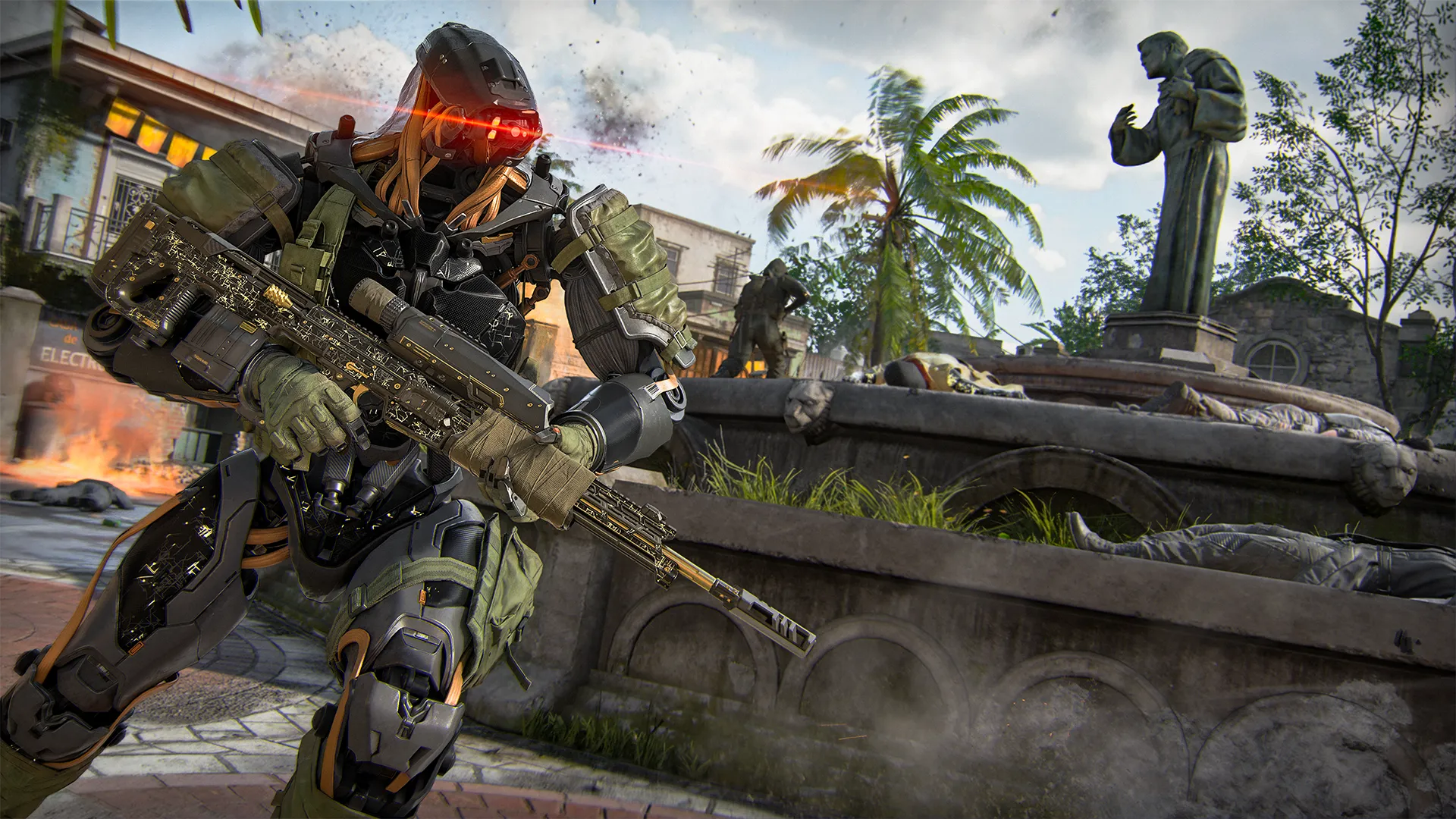
Armored soldier with glowing red visor aiming a rifle near a stone fountain in a tropical plaza.

Welcome to the Slums. First introduced in Call of Duty®: Black Ops II and back in all its glory, Slums is a highly dynamic 6v6 Multiplayer Map that keeps you on your toes every minute of the match. While revered for its action-packed moments on Hardpoint, Slums provides a full platter of strategic and epic moments in any game mode. Take the battle to the streets and use every possible angle against the enemy to secure victory for your team. Even though this map is classic and one of our favorites, there is some new tech just waiting to be found through the advanced Omnimovement.

While most of the action takes place around the Plaza in the center of the map, both the Lower Street and Upper Street draw major focal points back and forth throughout any given match. Utilize the Church and Barbor areas adjacent to the Plaza to get out of danger, fast, or get the drop on the unsuspecting enemy.


Slums Intel

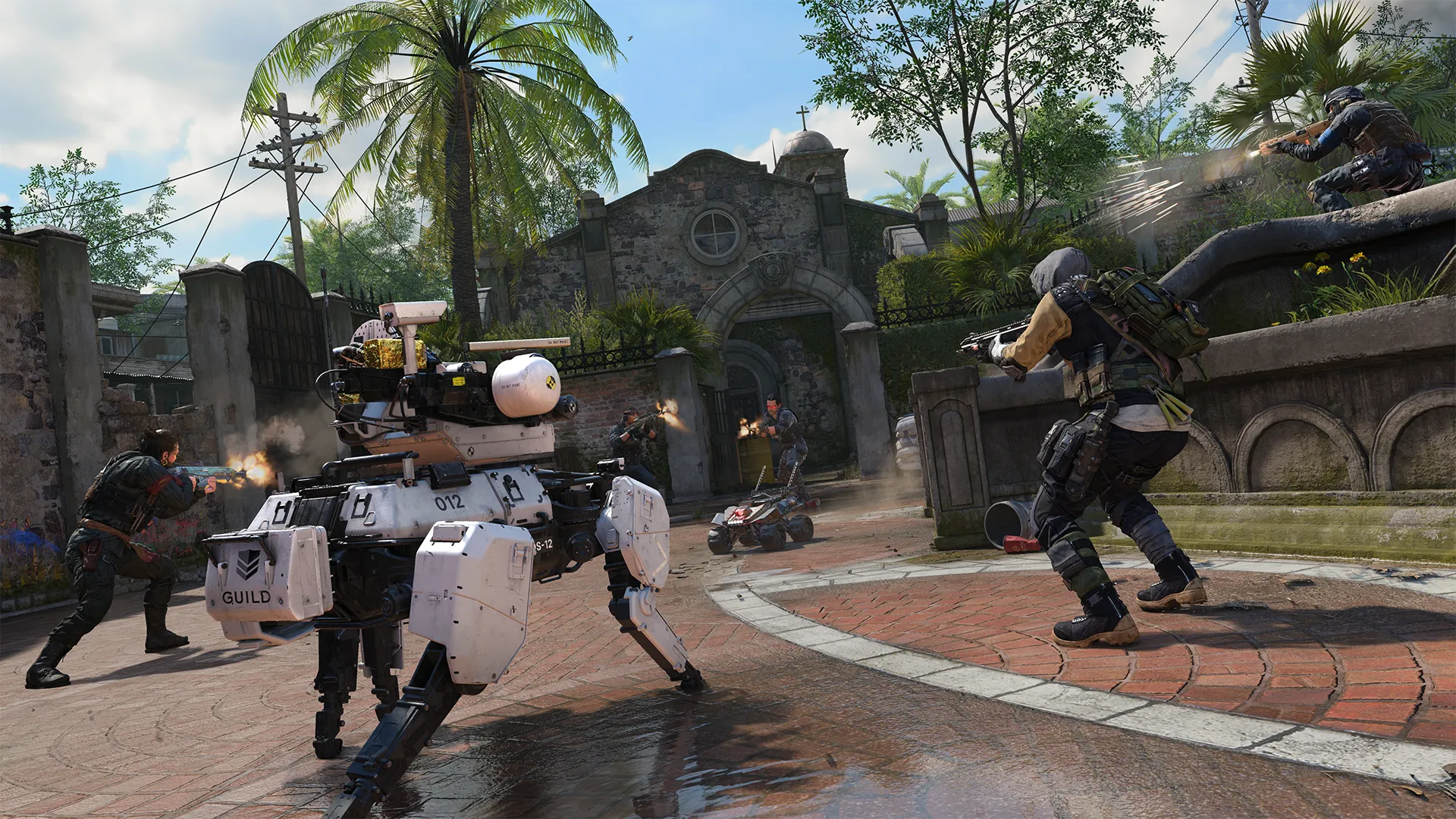
Firefight in a courtyard with armed soldiers and a white combat robot near a gated church entrance.


1. Protect your flank: Slums is a very well-known map in Black Ops history for its breadth of strategic paths available in getting the upper hand at any time during a given match. Stay aware and communicate with your team so you can peek around corners in tandem and be confident that your most vulnerable blind spots are protected.

2. Eye on the exits: There are multiple exits in almost every location in Slums. Whether there are enemy players storming through the exits or you need a place to escape, there’s usually a good option. Get your reps on the map and stay keen as to which one you’ll take when things get hairy. Try to stay close to cover at all times in case you take a few hits and need to retreat before it’s too late.

3. Go around: It’s always better to rotate to a high danger zone rather than force your way through it; use the minimap whenever you’re unsure because there’s always a shortcut in Slums. Whether you need to get to a further location or just get a different angle on a sightline or lane, there’s likely a quick path that will be an alternative to the obvious. That way you can keep the other team guessing.


Advanced Map Tips

High Jump — Alpha (A)

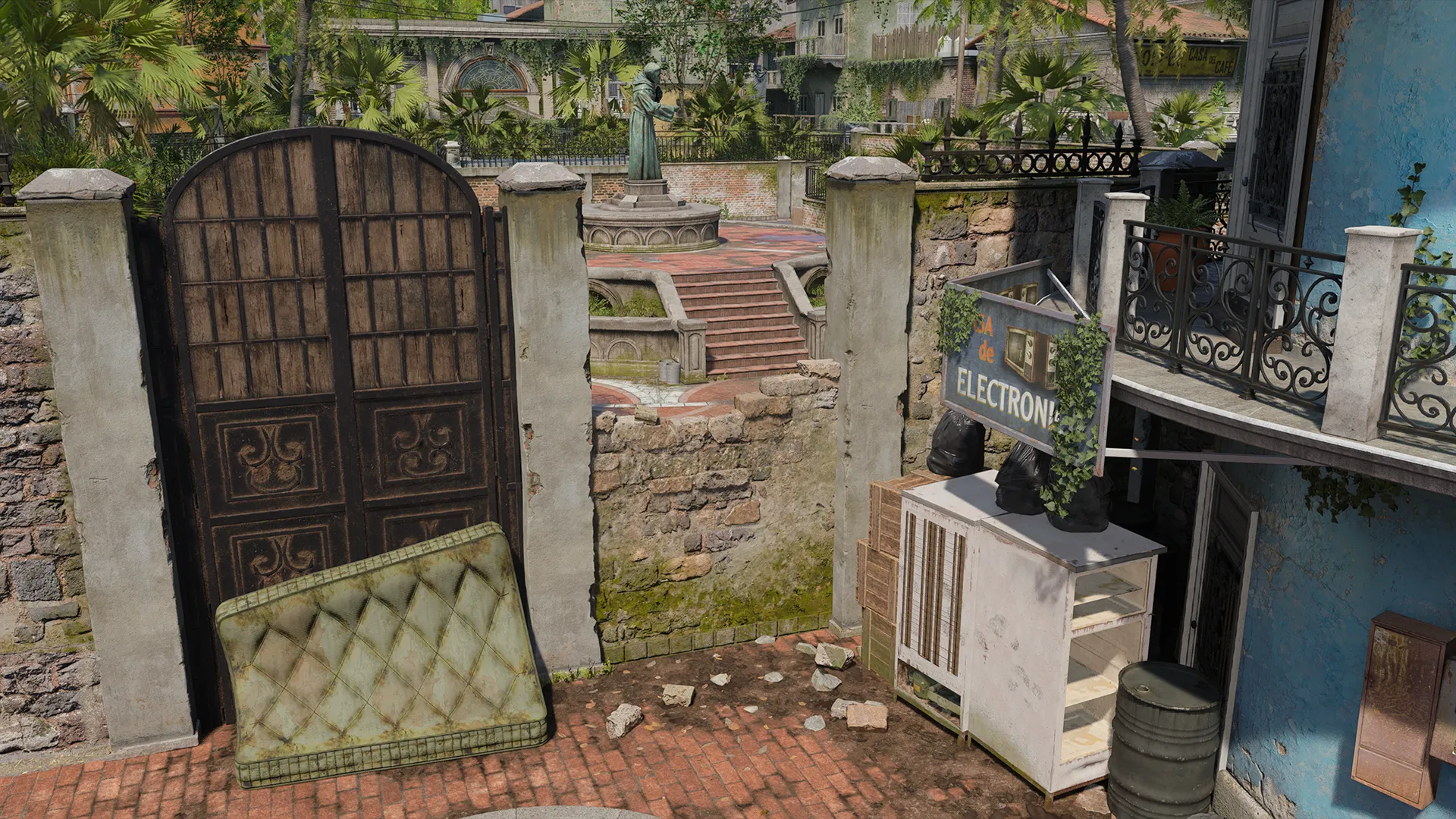
Worn courtyard entrance with iron gate, stone walls, and a statue visible beyond.

One of the many entry points into the Plaza is the broken wall between the Church and the Electronics store. You can take your time and mantle your way through the hole, or you can Wall Jump off the refrigeration unit for quicker entry. Either way, you may want to toss some equipment over, if only to gather some intel and look for a hitmarker before charging in headfirst. Alternatively, if you’re looking to be a bit more aggressive and want to take the enemy by surprise, go for the direct approach and get in before they even know you’re there.


Electronics Buffer — Beta (B)

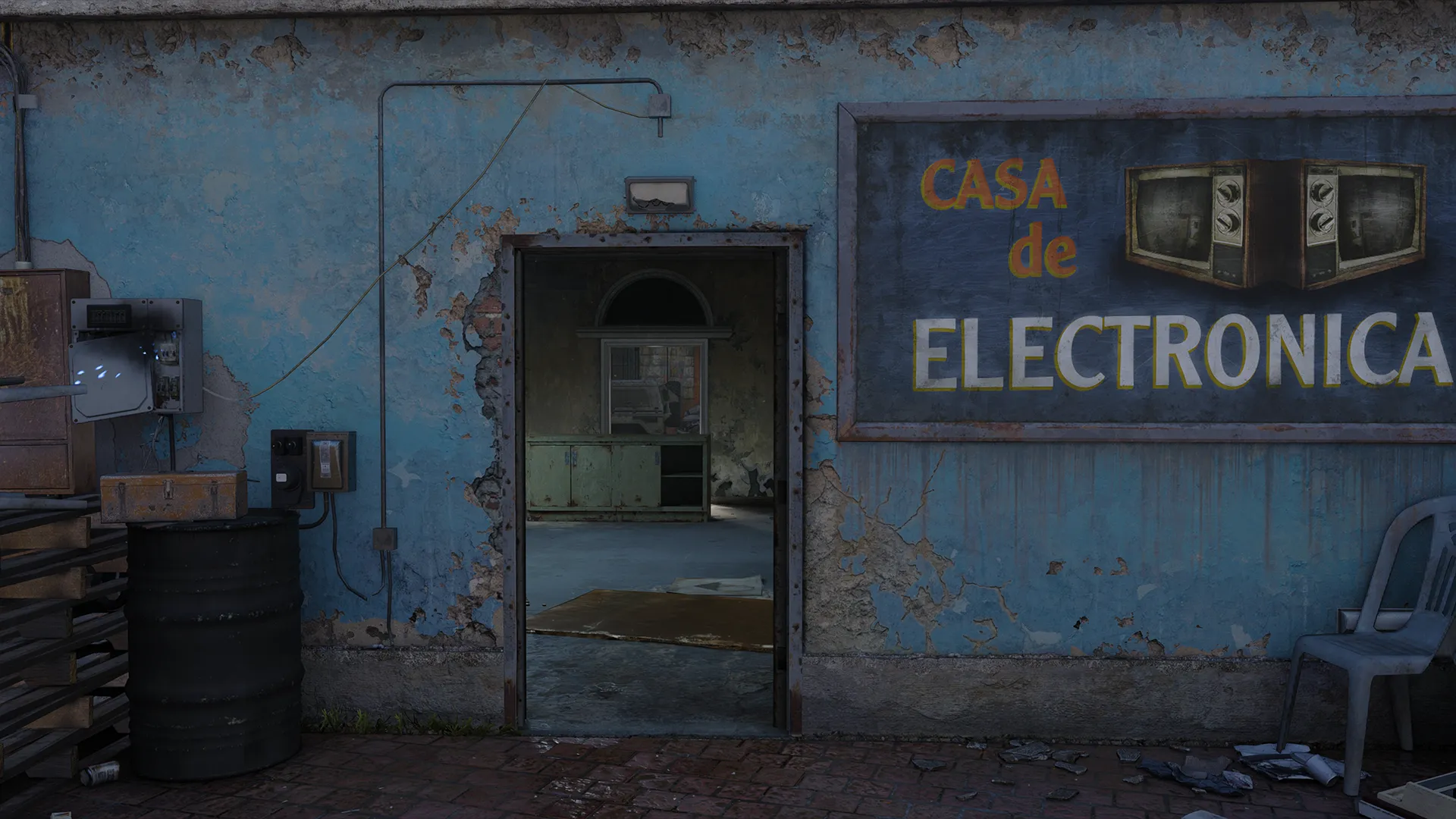
Exterior of a weathered electronics shop with peeling blue paint and Spanish signage.

Staying put in the Electronics store is often a dangerous strategy. Covering all angles of where the enemy player can see you from is tough, but using the store as a strategic buffer can be powerful. Use the windows and the doorway as your firing paths and protect the store from the outside.


Home Garage — Gamma (Γ)

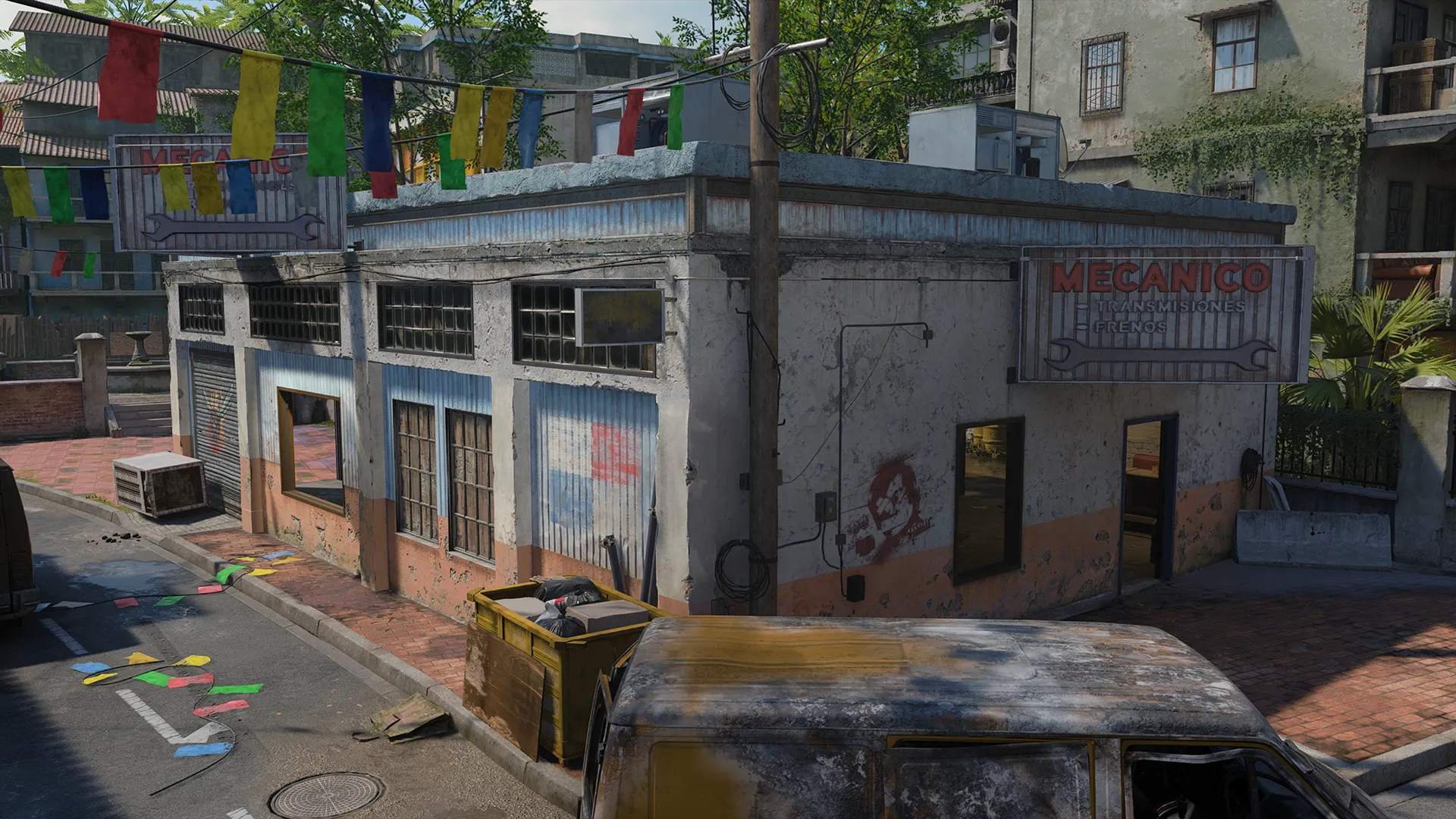
Street corner with a small auto repair building, hanging banners, and damaged vehicles.

The Garage is a location with many exits and a ton of cover. With two rooms in the Garage, flow between them and gain angles on any approaching enemy players. Whether you’re defending the Search and Destroy site or watching for rotations in Domination or Hardpoint, using the Garage to take cover is always a good move. Even if you’re just passing through, a quick stop in the Garage to secure your path can mean the difference between your next elimination or your next death.


©/TM/® 2026 Activision Publishing, Inc. 

For more information, please visit www.callofduty.com and www.youtube.com/callofduty, and follow @Activision and @CallofDuty on X, Instagram, and Facebook. For Call of Duty Updates, follow @CODUpdates on X.

  • Legal
  • Terms of Use
  • Privacy Policy
  • Careers
  • Cookie Policy
  • Support
  • Code of Conduct
  • Activision logo
  • Treyarch Logo
  • Sledgehammer Games Logo
  • High Moon Studios logo
  • Digital Legends Entertainment logo
  • Shanghai Studio logo
  • Infinity Ward logo
  • Raven logo
  • Solid State Studios logo
  • Demonware logo
  • Beenox logo
  • ESBR Privacy Certified Logo
  • Mature 17+: Blood and Gore, Intense Violence, Strong Language, Suggestive Themes, Use of Drugs, In-game Purchases / Users Interact

©/TM/® 2026 Activision Publishing, Inc.

Choose your region

Selected region: United States

  • United States


Skip To Main Content
Guides logo
  • Blog
    • Black Ops 7

    • Black Ops 6

    • Modern Warfare III

    • COD: Warzone

    • Call of Duty Mobile

  • Guides
    • Black Ops 7

    • Black Ops 6

    • Modern Warfare III

    • COD: Warzone

    • COD: Mobile

  • Patch Notes
    Call of Duty logo
    • Games
      • Black Ops 7
      • Black Ops 6
      • COD: Warzone
      • Call of Duty Mobile
    • News
      • Blogs
      • Guides
      • Patch Notes
    • Store
    • Esports
      • Call of Duty League
      • Call of Duty Mobile World Championship
      • World Series of Warzone
    • Support
    • Xbox Game Pass
      Login | Sign Up
      Profile | Sign Out
      Call of Duty logo
      Guides logo
      • Blog
        • Black Ops 7

        • Black Ops 6

        • Modern Warfare III

        • COD: Warzone

        • Call of Duty Mobile

      • Guides
        • Black Ops 7

        • Black Ops 6

        • Modern Warfare III

        • COD: Warzone

        • COD: Mobile

      • Patch Notes
        Login
        • Linked Accounts
        • Basic Info
        • Preferences
        • Sign Out
        Get Black Ops 7 Get BO7
        • Games
          • Black Ops 7
          • Black Ops 6
          • COD: Warzone
          • Call of Duty Mobile
        • News
          • Blogs
          • Guides
          • Patch Notes
        • Store
        • Esports
          • Call of Duty League
          • Call of Duty Mobile World Championship
          • World Series of Warzone
        • Support
        • Xbox Game Pass
        • Blog
          • Black Ops 7

          • Black Ops 6

          • Modern Warfare III

          • COD: Warzone

          • Call of Duty Mobile

        • Guides
          • Black Ops 7

          • Black Ops 6

          • Modern Warfare III

          • COD: Warzone

          • COD: Mobile

        • Patch Notes
        Login | Sign Up
        Profile | Sign Out
        Call of Duty Black Ops 7 Multiplayer Tac Map

        SLUMS


        Prebrief

        Armored soldier with glowing red visor aiming a rifle near a stone fountain in a tropical plaza.

        Welcome to the Slums. First introduced in Call of Duty®: Black Ops II and back in all its glory, Slums is a highly dynamic 6v6 Multiplayer Map that keeps you on your toes every minute of the match. While revered for its action-packed moments on Hardpoint, Slums provides a full platter of strategic and epic moments in any game mode. Take the battle to the streets and use every possible angle against the enemy to secure victory for your team. Even though this map is classic and one of our favorites, there is some new tech just waiting to be found through the advanced Omnimovement.

        While most of the action takes place around the Plaza in the center of the map, both the Lower Street and Upper Street draw major focal points back and forth throughout any given match. Utilize the Church and Barbor areas adjacent to the Plaza to get out of danger, fast, or get the drop on the unsuspecting enemy.


        Slums Intel

        Firefight in a courtyard with armed soldiers and a white combat robot near a gated church entrance.


        1. Protect your flank: Slums is a very well-known map in Black Ops history for its breadth of strategic paths available in getting the upper hand at any time during a given match. Stay aware and communicate with your team so you can peek around corners in tandem and be confident that your most vulnerable blind spots are protected.

        2. Eye on the exits: There are multiple exits in almost every location in Slums. Whether there are enemy players storming through the exits or you need a place to escape, there’s usually a good option. Get your reps on the map and stay keen as to which one you’ll take when things get hairy. Try to stay close to cover at all times in case you take a few hits and need to retreat before it’s too late.

        3. Go around: It’s always better to rotate to a high danger zone rather than force your way through it; use the minimap whenever you’re unsure because there’s always a shortcut in Slums. Whether you need to get to a further location or just get a different angle on a sightline or lane, there’s likely a quick path that will be an alternative to the obvious. That way you can keep the other team guessing.


        Advanced Map Tips

        High Jump — Alpha (A)

        Worn courtyard entrance with iron gate, stone walls, and a statue visible beyond.

        One of the many entry points into the Plaza is the broken wall between the Church and the Electronics store. You can take your time and mantle your way through the hole, or you can Wall Jump off the refrigeration unit for quicker entry. Either way, you may want to toss some equipment over, if only to gather some intel and look for a hitmarker before charging in headfirst. Alternatively, if you’re looking to be a bit more aggressive and want to take the enemy by surprise, go for the direct approach and get in before they even know you’re there.


        Electronics Buffer — Beta (B)

        Exterior of a weathered electronics shop with peeling blue paint and Spanish signage.

        Staying put in the Electronics store is often a dangerous strategy. Covering all angles of where the enemy player can see you from is tough, but using the store as a strategic buffer can be powerful. Use the windows and the doorway as your firing paths and protect the store from the outside.


        Home Garage — Gamma (Γ)

        Street corner with a small auto repair building, hanging banners, and damaged vehicles.

        The Garage is a location with many exits and a ton of cover. With two rooms in the Garage, flow between them and gain angles on any approaching enemy players. Whether you’re defending the Search and Destroy site or watching for rotations in Domination or Hardpoint, using the Garage to take cover is always a good move. Even if you’re just passing through, a quick stop in the Garage to secure your path can mean the difference between your next elimination or your next death.


        ©/TM/® 2026 Activision Publishing, Inc. 

        For more information, please visit www.callofduty.com and www.youtube.com/callofduty, and follow @Activision and @CallofDuty on X, Instagram, and Facebook. For Call of Duty Updates, follow @CODUpdates on X.

        • Legal
        • Terms of Use
        • Privacy Policy
        • Careers
        • Cookie Policy
        • Support
        • Code of Conduct
        • Activision logo
        • Treyarch Logo
        • Sledgehammer Games Logo
        • High Moon Studios logo
        • Digital Legends Entertainment logo
        • Shanghai Studio logo
        • Infinity Ward logo
        • Raven logo
        • Solid State Studios logo
        • Demonware logo
        • Beenox logo
        • ESBR Privacy Certified Logo
        • Mature 17+: Blood and Gore, Intense Violence, Strong Language, Suggestive Themes, Use of Drugs, In-game Purchases / Users Interact

        ©/TM/® 2026 Activision Publishing, Inc.

        Choose your region

        Selected region: United States

        • United States


        Marker content goes here.

        Hello!

        This is a simple modal example with fade animation and accessibility.